Wiki: Main Menu
A step-by-step guide: how to play, how to win battles and what waits for you in every age.
Main Menu
Everything in battle mode is done from one menu: the main menu. Type /ms; in battle mode the first hotbar slot ("Menu") and the
☰ MENU sign in your battle arena open it too. The menu does not open during a match. Hover any button to see its description.
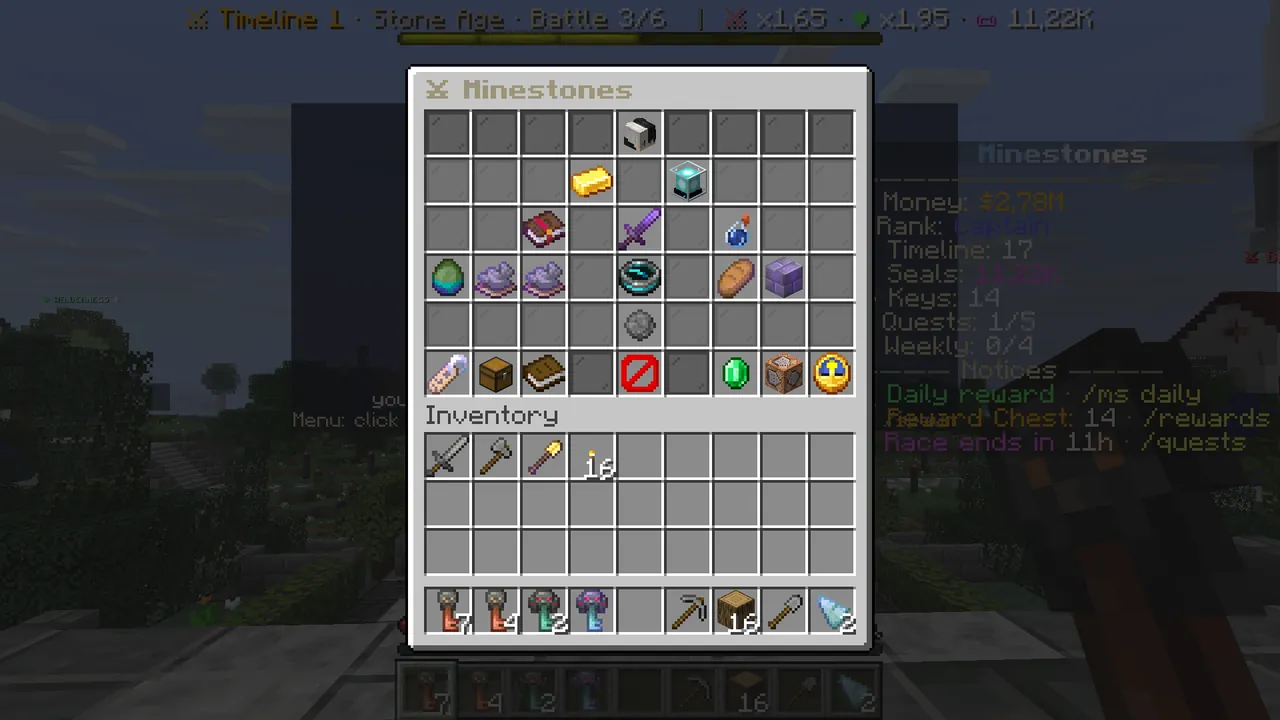 /ms: the main menu.
The buttons, row by row
| Where | Button | What it does |
|---|---|---|
| Row 1 middle | Your head | Next battle, wins, timeline, evolutions (info) |
| Row 2 left | ⛁ Battle gold | Your money for upgrades and unlocks (info) |
| Row 2 right | ✦ Power Index | Your power from cards and potions (info) |
| Row 3 middle | ⚔ Battle N | Starts the next battle |
| Row 3, left of the battle | ✦ Cards | The card draw page |
| Row 3, right of the battle | 🧪 Potions | The potion draw and equip page |
| Row 4 left | Three units | Grey dye = locked unit; click to unlock |
| Row 4 middle | ↺ Past battles | Replay the battles you won in this age |
| Row 4 right | 🍖 Food rate · 🏰 Castle health | Upgrades bought with gold |
| Row 5 middle | ✦ Evolve | Opens once the Age Lord is beaten |
| Bottom row | Language · ★ Daily reward · ? Guide · Close · ✦ Store · ⏩ Match speed |
The battle button
The sword in the middle of row 3 always starts your next battle. Hover it for the special rule, how many hits your castle takes and a comparison of the enemy's power with yours. If the enemy is stronger the line is red: draw cards, equip potions.
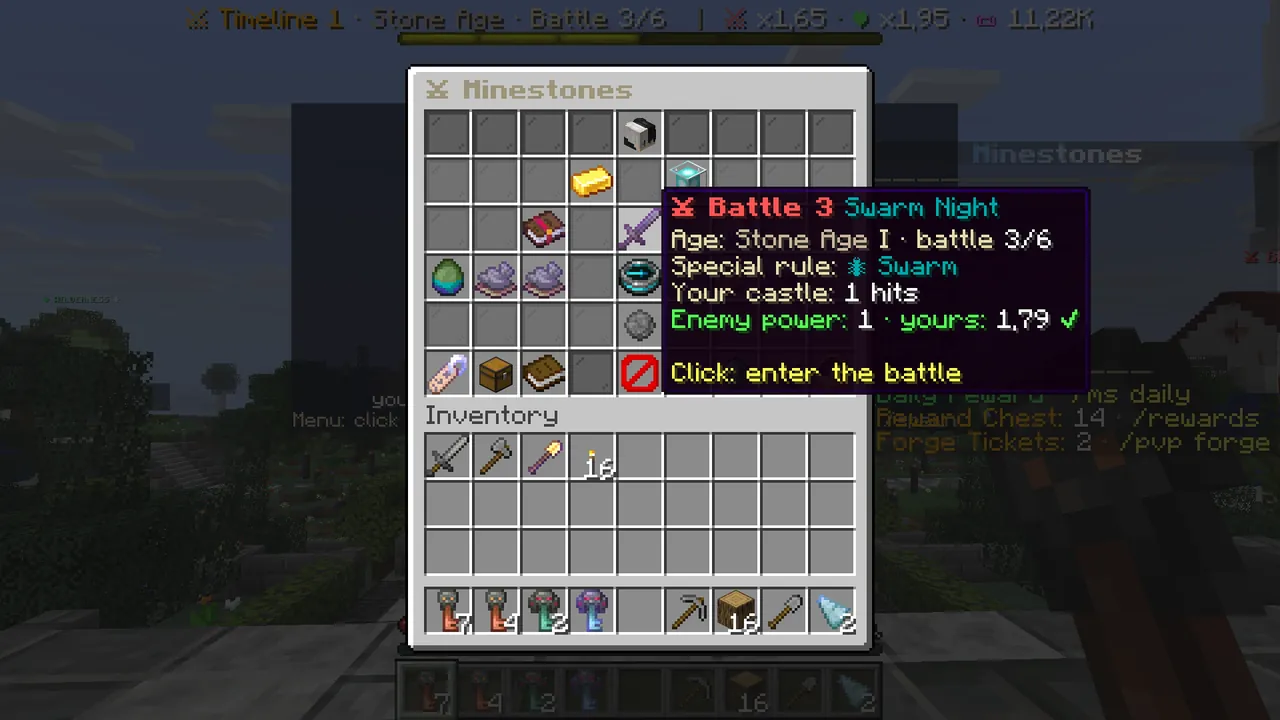 The battle button: special rule and enemy power.
Unlocking units
- Hover the grey dye on the left of row 4: health, damage and unlock cost.
- If you have enough gold the button glows. Click it; the unit unlocks and joins hotbar slots 1–3 in battle.
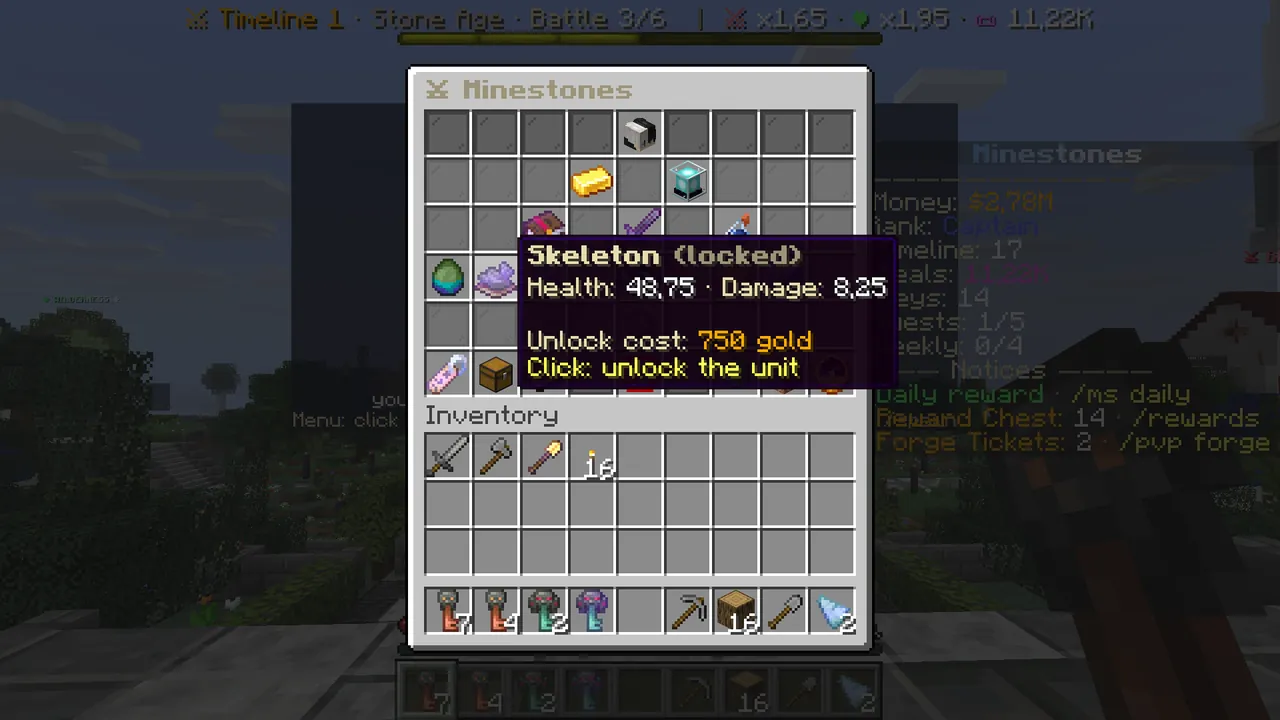 A locked unit and its cost.
Upgrading
There is no separate upgrades page; the two upgrades are on the right of row 4. Each click buys one level, each level costs a little more.
- 🍖 Food rate: every level adds 0.1 food per second.
- 🏰 Castle health: every level adds one hit. Without upgrades your castle falls to the first hit.
The best value one right now says "✨ The best upgrade right now".
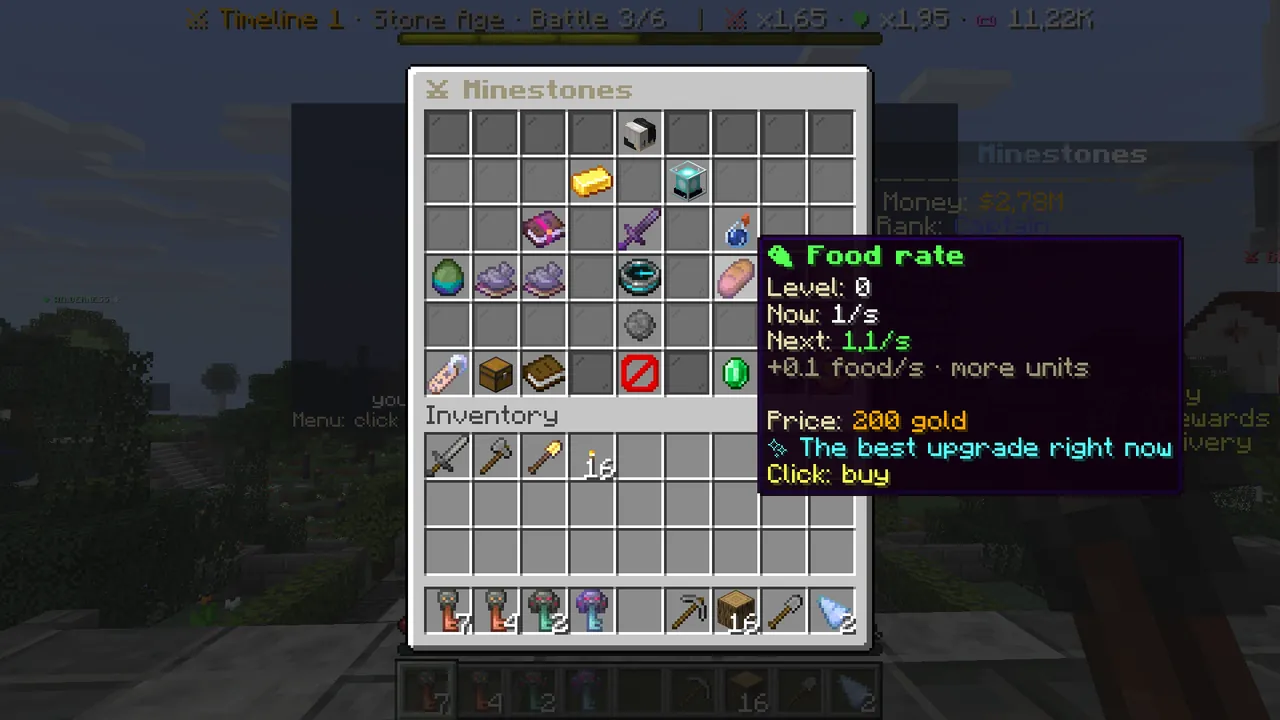 Food rate: level, current and next value, price.
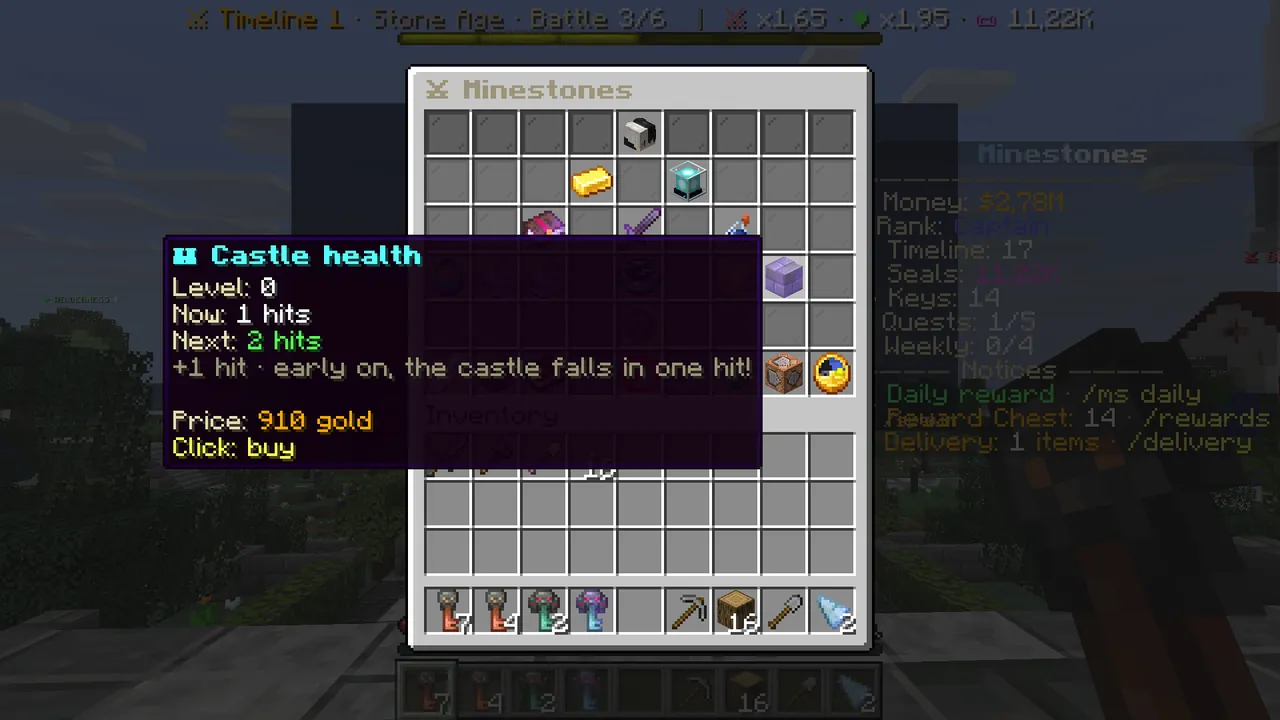 Castle health: one more hit per level.
Evolving
The star in the middle of row 5 stays grey until the age's 6th battle, the Age Lord, is beaten ("won: x/6 battles"). Then it glows; one click takes you to the next age. Evolving resets battle gold, upgrades and units; cards, potions, Seals, $ and your rank stay.
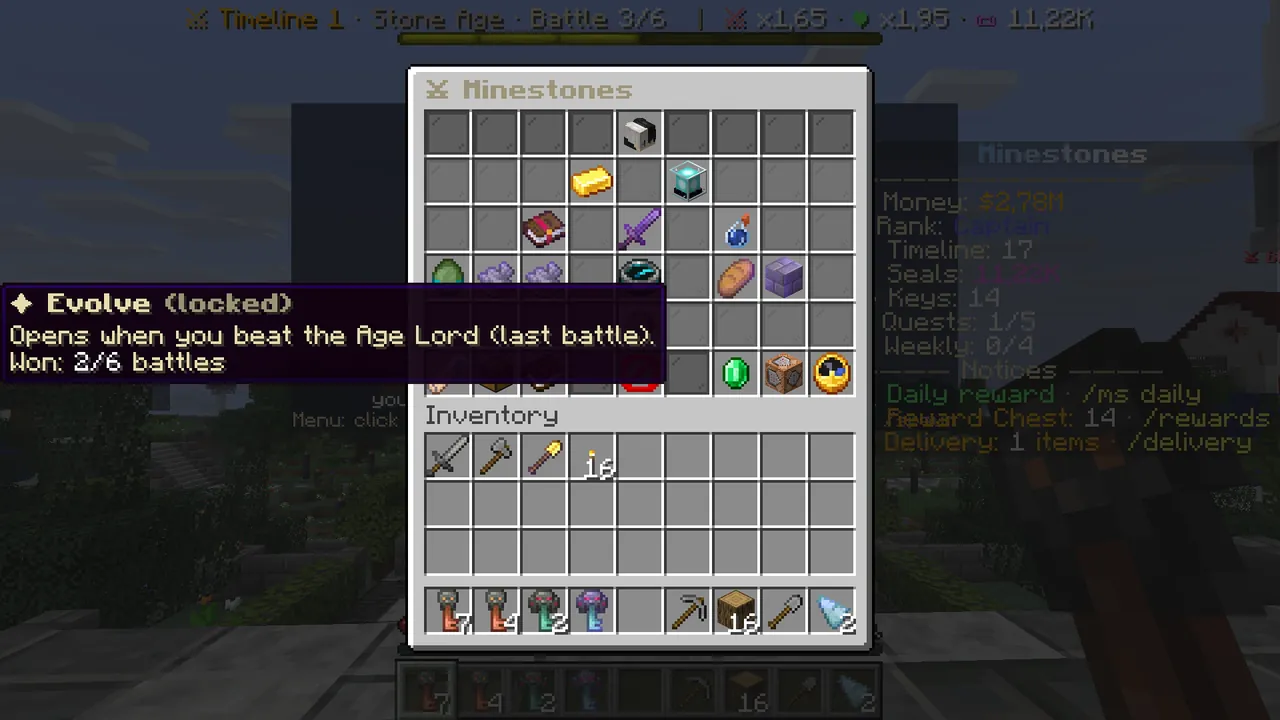 Evolving opens once the Age Lord is beaten.
The bottom row
- Language (bottom left): left click switches language, right click follows Minecraft's. It is on every menu page.
- ★ Daily reward: battle gold every day; it grows with your streak, and day 7 adds a free card draw. It glows when ready.
- ? Guide: the rules of the game, topic by topic (
/ms guide). - ✦ Store: VIP, Seals and keys; buying happens on the website.
- ⏩ Match speed (bottom right): speed does not change the result, it shortens the match.
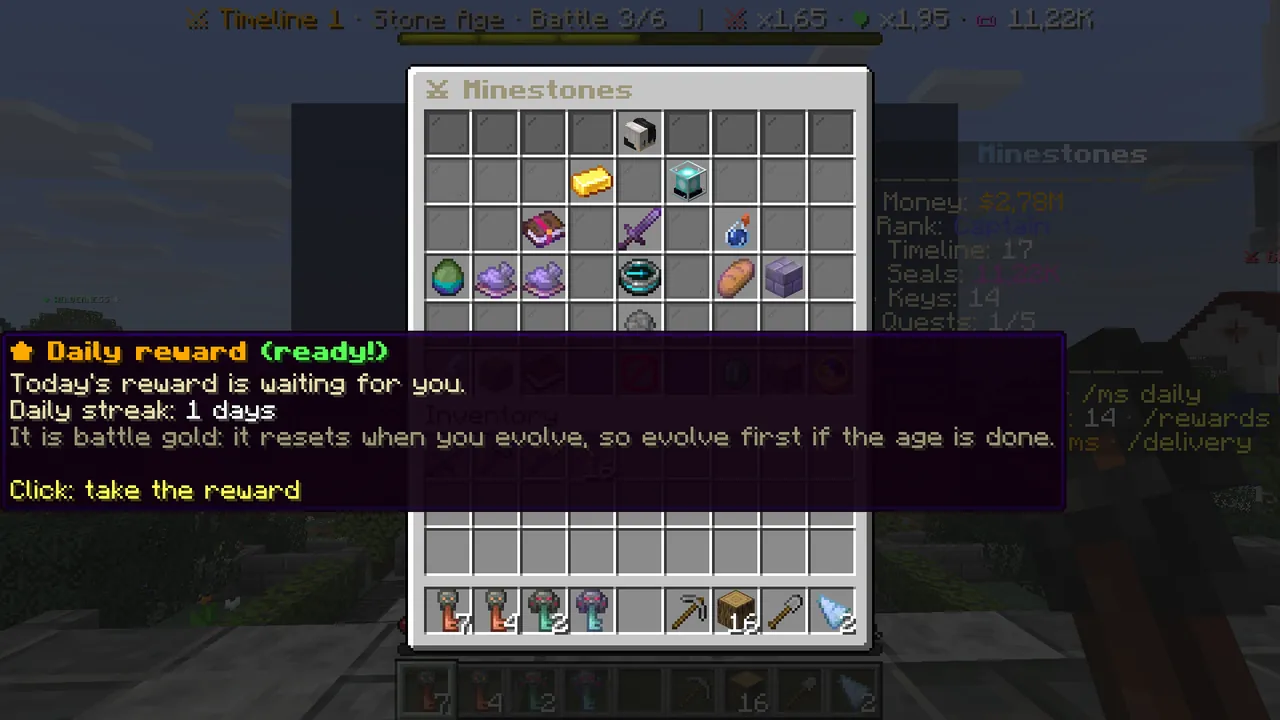 When the daily reward is ready, the button glows.
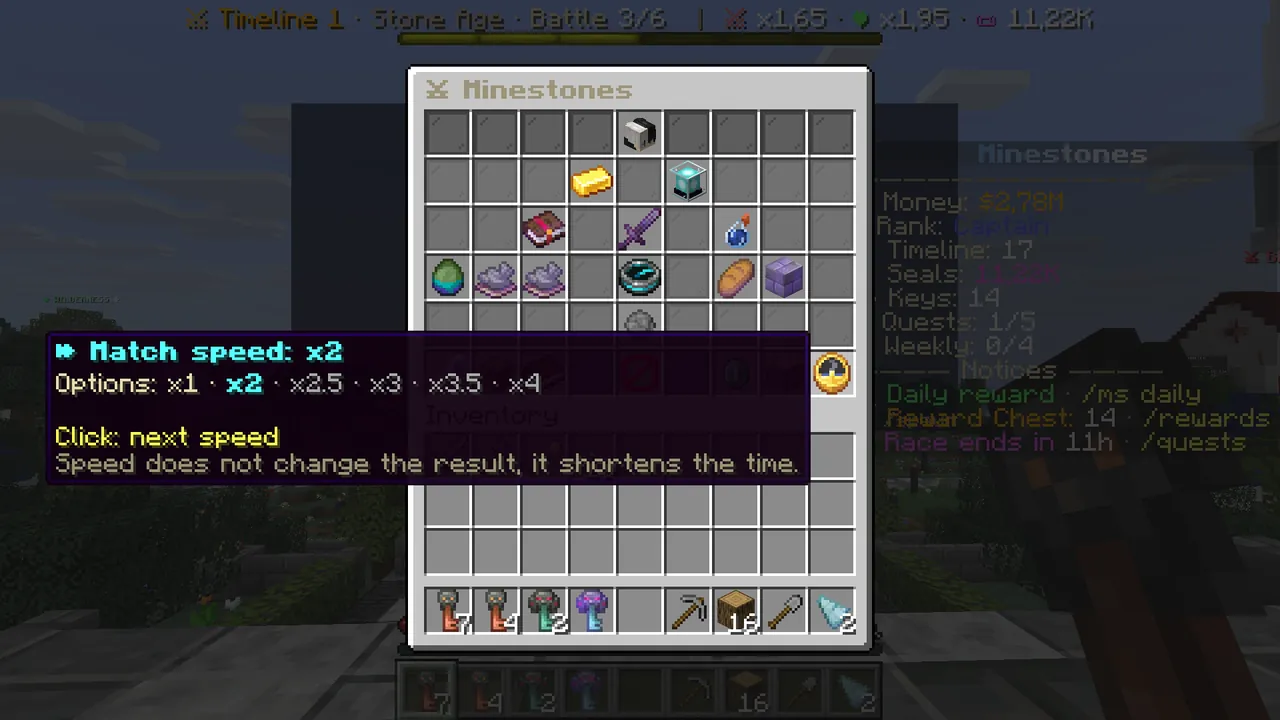 Match speed: each click moves to the next speed.
Short commands
/ms menu · /ms play battle · /ms cards cards · /ms ages ages · /ms guide guide · /ms daily daily reward · /ms speed match
speed · /ms lobby enter battle mode (/ms lobby leave to leave).
In more detail: The main menu guide · The cards guide · The potions guide.