
The potions guide: how to draw them, equip them and use them in battle
A potion thrown at the right moment turns a lost wave around. When the potion slots open, how to equip a potion and how to throw it in battle, step by step.
Cards make your army stronger all the time; potions are the one-time surprises you use in the middle of a battle. They rally or heal your units, freeze the enemy, shield your castle or call reinforcements. In this post we open the potions page, draw and equip a potion, and see how it is thrown in battle.
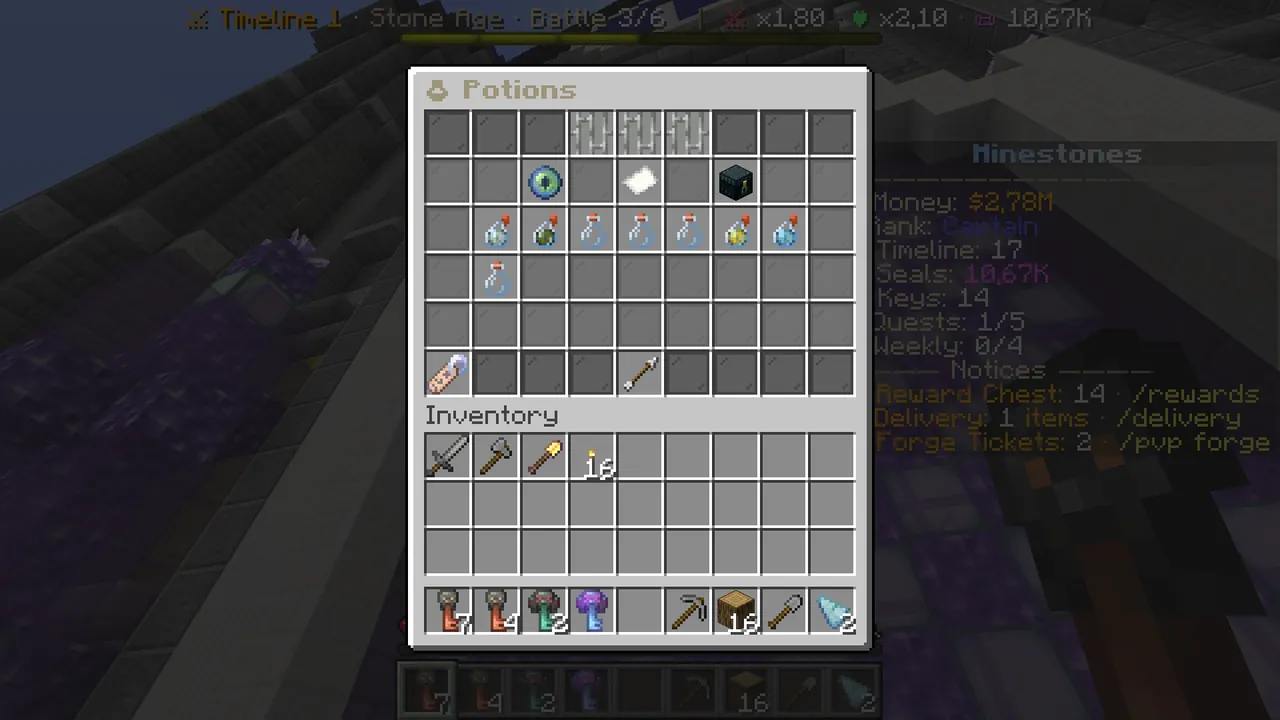 The potions page: your slots at the top, the draws in the middle, your potions below.
Eight potions
War Cry, Healing Potion, Plenty, Frost Breath, Castle Shield, Wind, Lightning and Reinforcements. Hover each to read what it does and its "best moment".
Step 1: open the potions page
- Type
/ms. - On row 3, click the bottle right of the battle sword, "🧪 Potions".
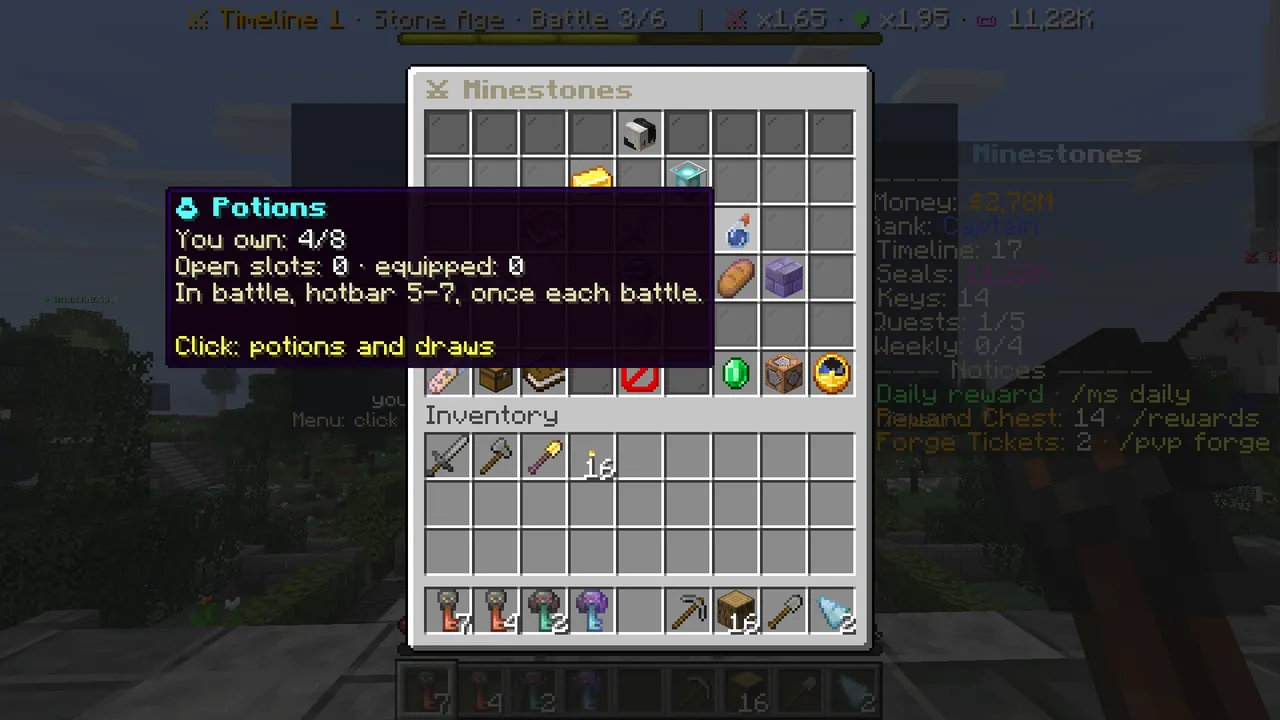 Main menu → 🧪 Potions: how many potions you own and how many slots are open.
Step 2: check your slots
The three slots in the middle of row 1 are slots 5, 6 and 7 of your battle hotbar. To take a potion into battle, you put it here.
- Locked slot (iron bars): tells you when it opens. The first slot opens after winning battle 5 of the Stone Age (the Guard), the second when you reach the 3rd age, the third at the 6th age.
- Empty slot (glass bottle): "Click a potion below to equip it."
- Filled slot: the equipped potion. Click it to take it off.
When your first slot opens, you get a free War Cry.
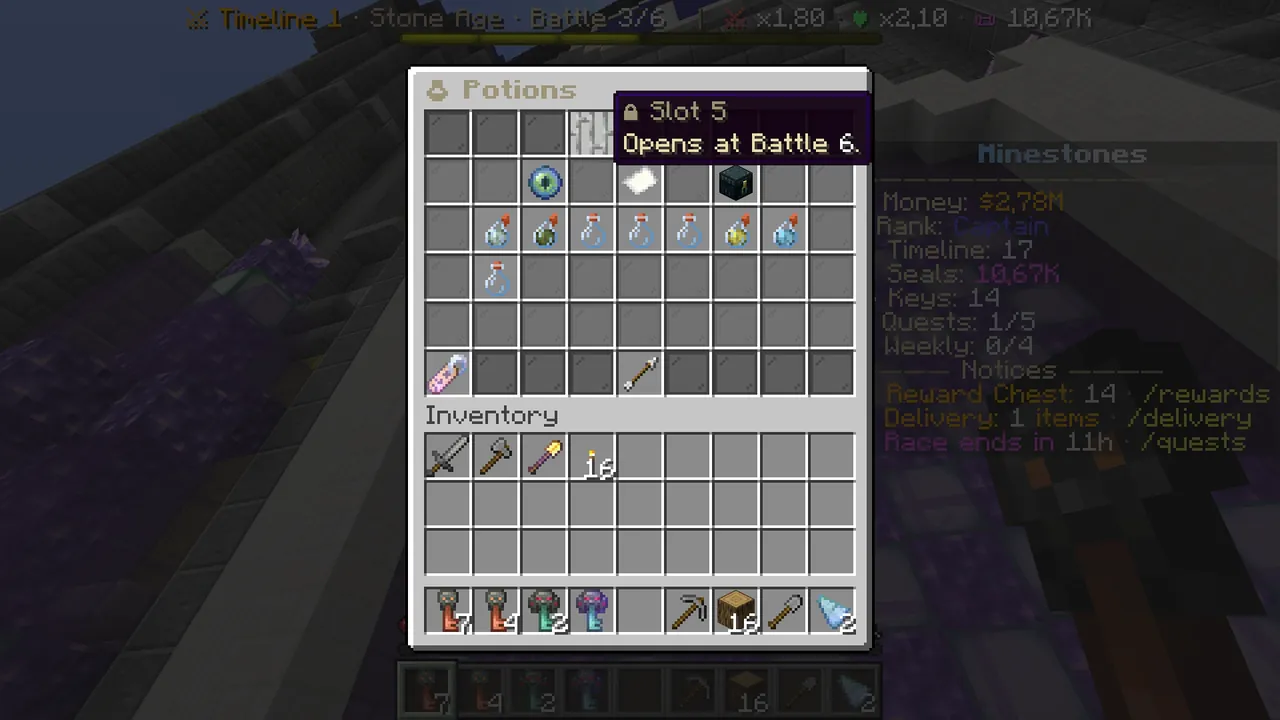 A locked slot: it says in which battle it opens.
Step 3: draw potions
Potions are drawn with Seals, just like cards:
- Row 2 left, "Draw a potion": 60 Seals.
- Row 2 right, "Draw 10 potions": 550 Seals, at least one rare potion.
Click and the Seals are taken, the potions you got are listed in chat and the page refreshes.
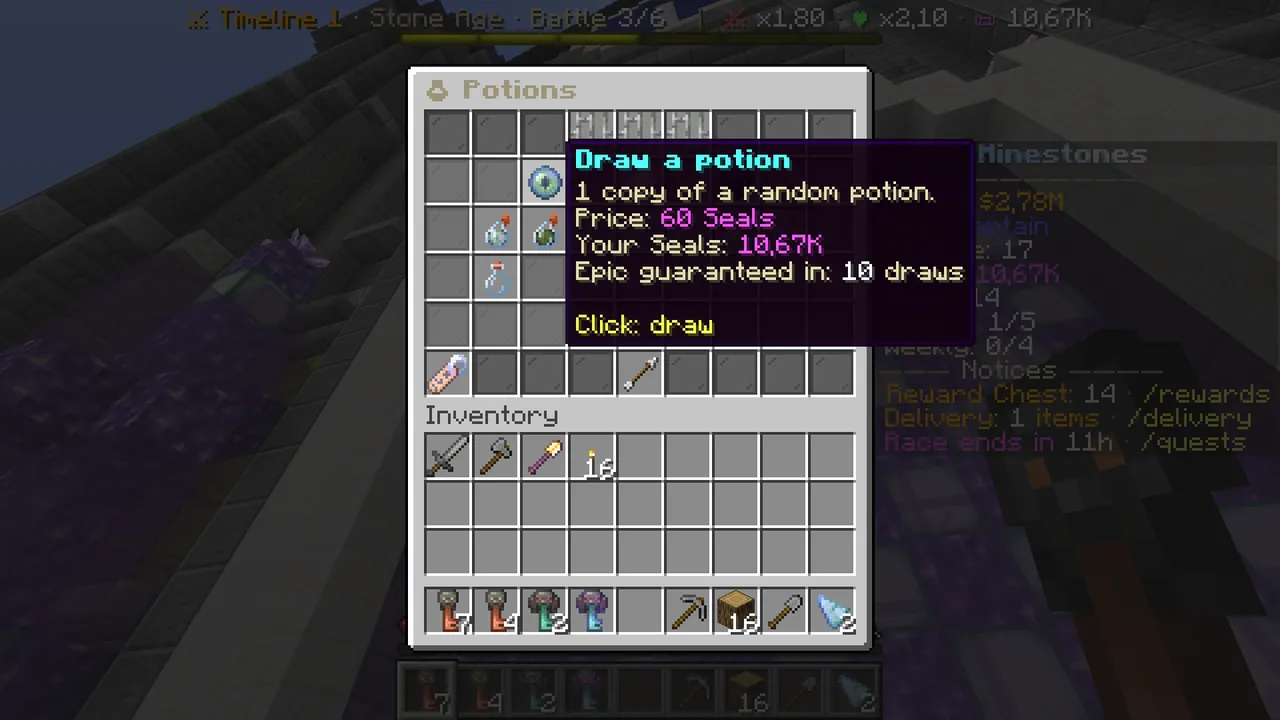 Drawing potions: the same prices as cards.
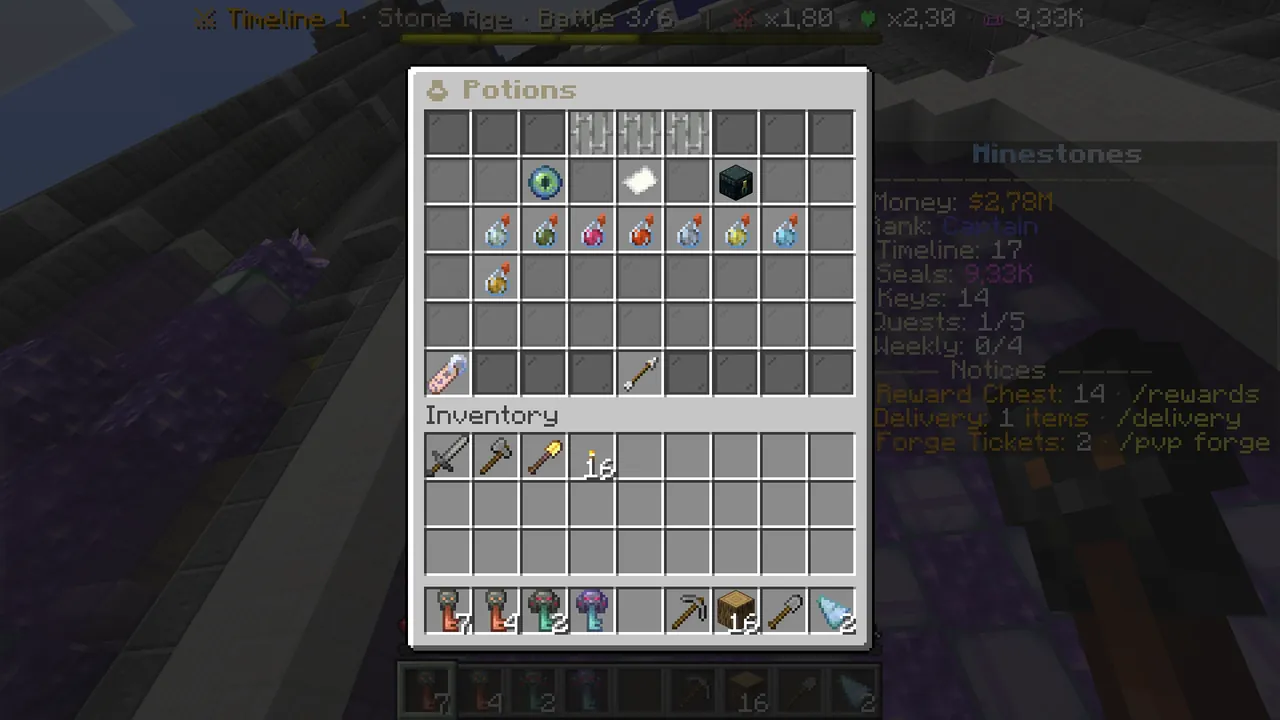 After a draw: the potions you own are shown in colour.
Step 4: equip a potion
- In the list below, potions you own are in colour; the rest say "(none)".
- Click the potion you want: it goes into a free slot and glows "✔ Equipped".
- To take it off, click the potion or its slot again.
If all your slots are full, take one off first.
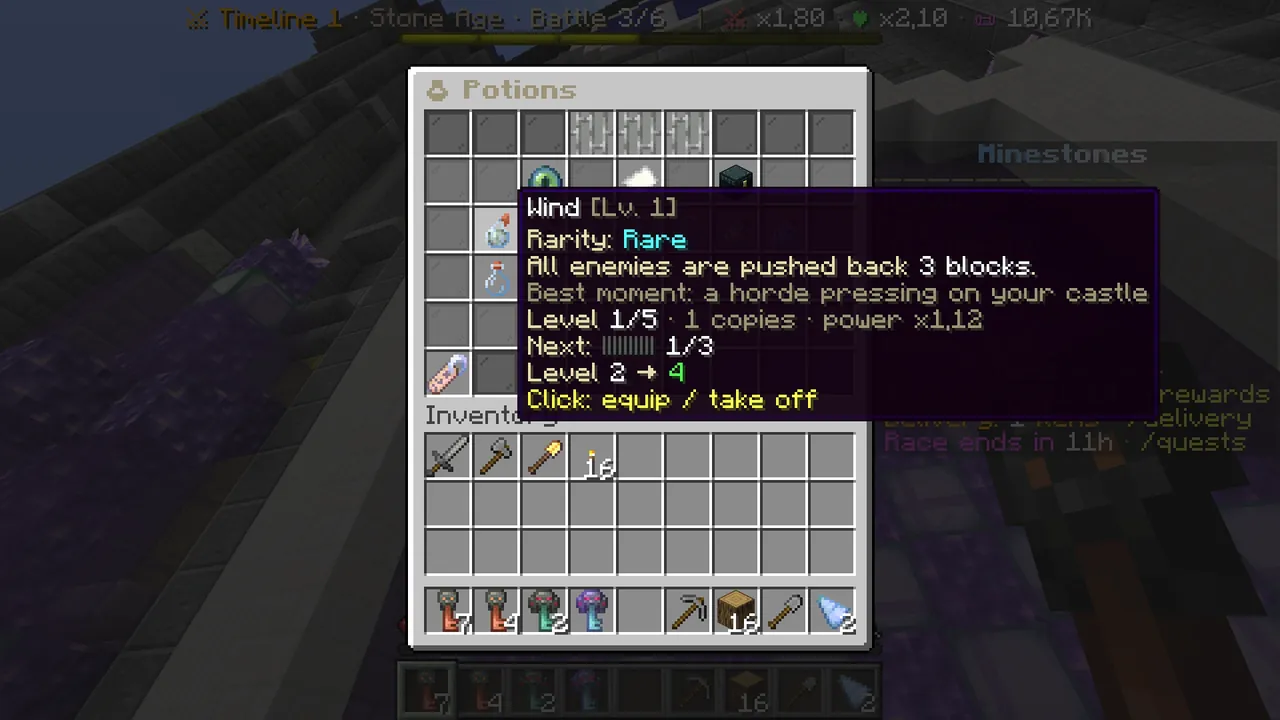 A potion: what it does, its best moment, its level.
Step 5: throw it in battle
- Start a battle. Your equipped potions are in hotbar slots 5–7.
- Wait for the right moment (e.g. Frost Breath when a big wave comes, Castle Shield when your castle is about to fall).
- Select the potion's slot and right-click. Each potion works once per battle; after throwing, its slot turns into an empty bottle.
Potions cannot be thrown during the countdown; use them once the match starts.
Potion levels
Drawing a potion again adds copies, and the potion levels up at 1, 3, 6, 10 and 15 copies. Higher levels mean stronger effects. Like cards, potions survive evolving.
Common questions
I can't equip a potion. You have no slot yet: the first opens after winning battle 5 of the Stone Age (the Guard). If you have a slot but no potion, draw one with Seals.
The potion slot is grey in battle. You already used that potion in this battle. You can use it again next battle.
Which potion should I take? It depends on where you struggle: Castle Shield if your castle falls quickly, Frost Breath or Lightning against big crowds, Healing Potion if your units die early.
The full potion list: Wiki → Cards and Potions.