The main menu (/ms) guide: what every button does
Everything in battle mode happens in one menu. Where to upgrade, unlock units, draw cards, equip potions, evolve and claim the daily reward, step by step with screenshots.
Everything you do in battle mode goes through one menu: the main menu. Where are the upgrades, how do I unlock a unit, why is the evolve button grey… This post walks through the menu button by button. Hover any button in game and it shows its description; the screenshots below show exactly that.
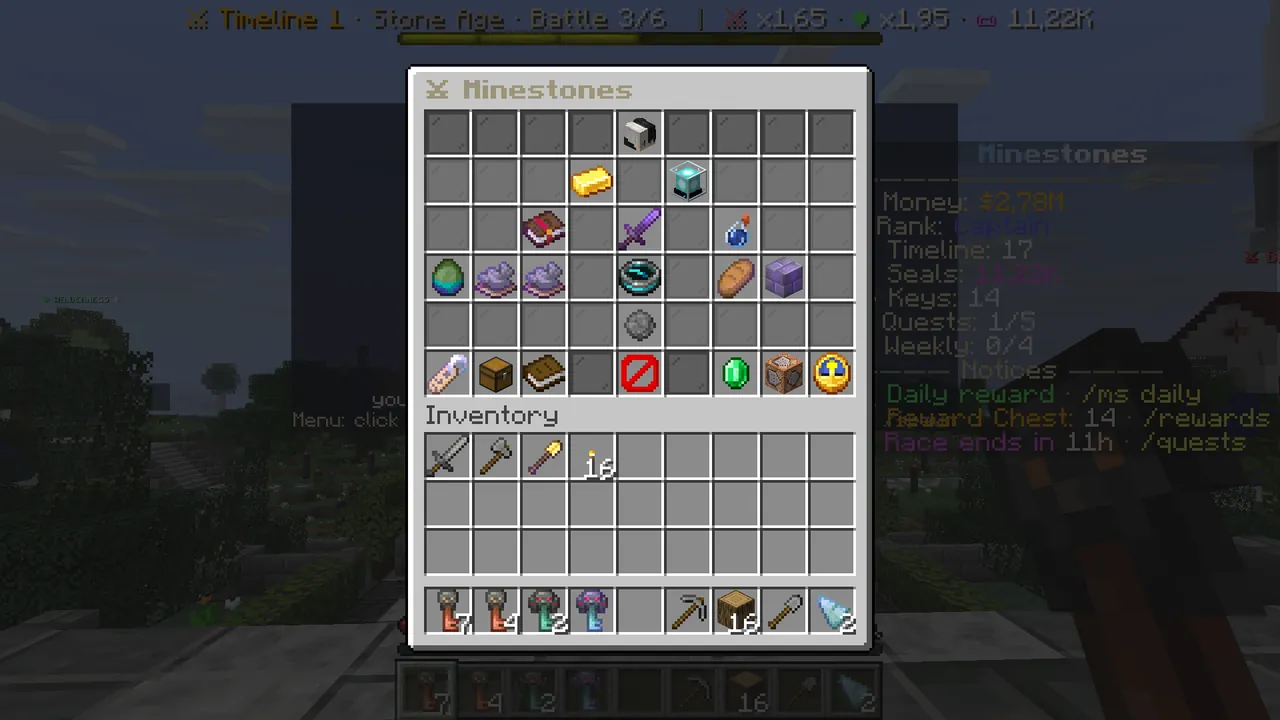 The main menu that opens with /ms.
Three ways to open it
- Type
/msin chat. It works everywhere: spawn, survival or your battle arena. - In battle mode, right-click the Nether star in the first hotbar slot ("Menu").
- In your battle arena, click the ☰ MENU sign on the right.
One rule: the menu does not open during a match. Upgrades, unlocks, cards and potions are done between battles.
The top: who you are and how strong you are
- Row 1, middle, your head: next battle, total wins, your timeline and age, battles won in this age, how many times you evolved.
- Row 2, gold ingot on the left — Battle gold: the money for upgrades and unlocks. You earn it whether you win or lose; it resets when you evolve, so spend it instead of saving it.
- Row 2, lantern on the right — Power Index: your total power from cards and potions.
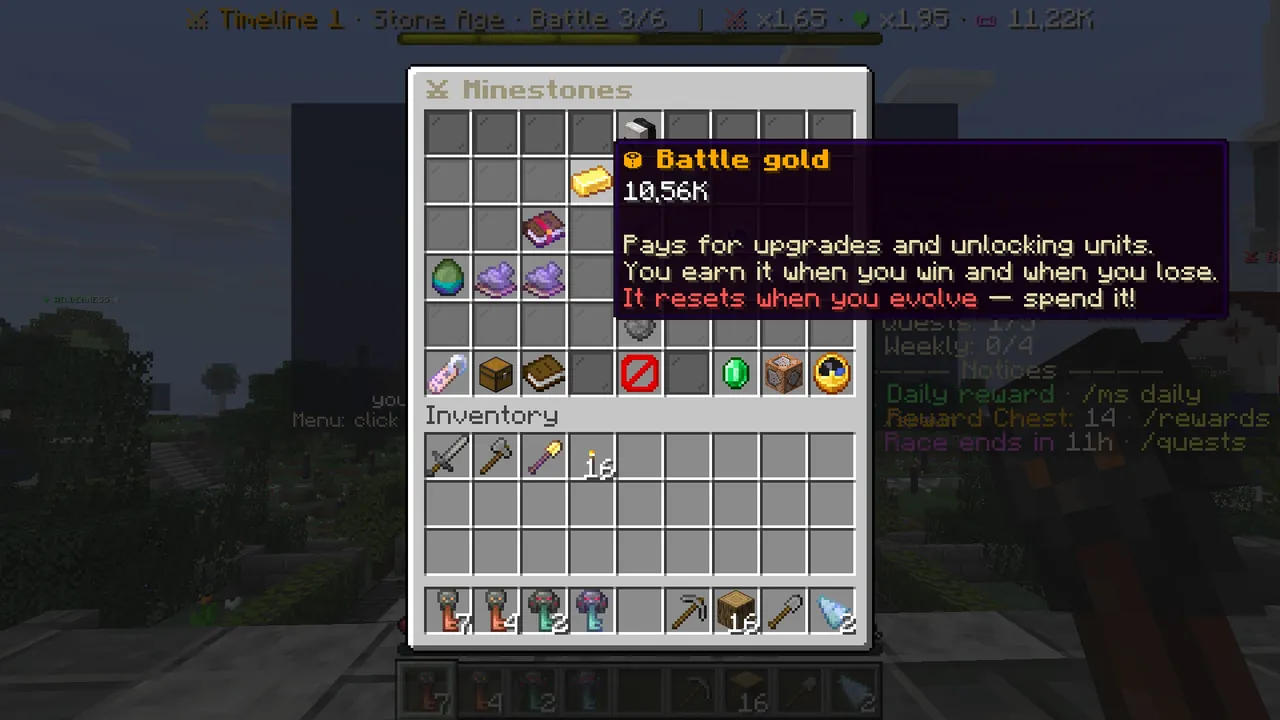 Battle gold: for upgrades and unlocks, reset on evolving.
The middle: battle, cards, potions
The sword in the very middle of row 3, "⚔ Battle N", always starts your next battle. Hover it to see the battle's special rule, how many hits your castle takes and a comparison of the enemy's power with yours. If the enemy is stronger the line turns red and says "draw cards, equip potions".
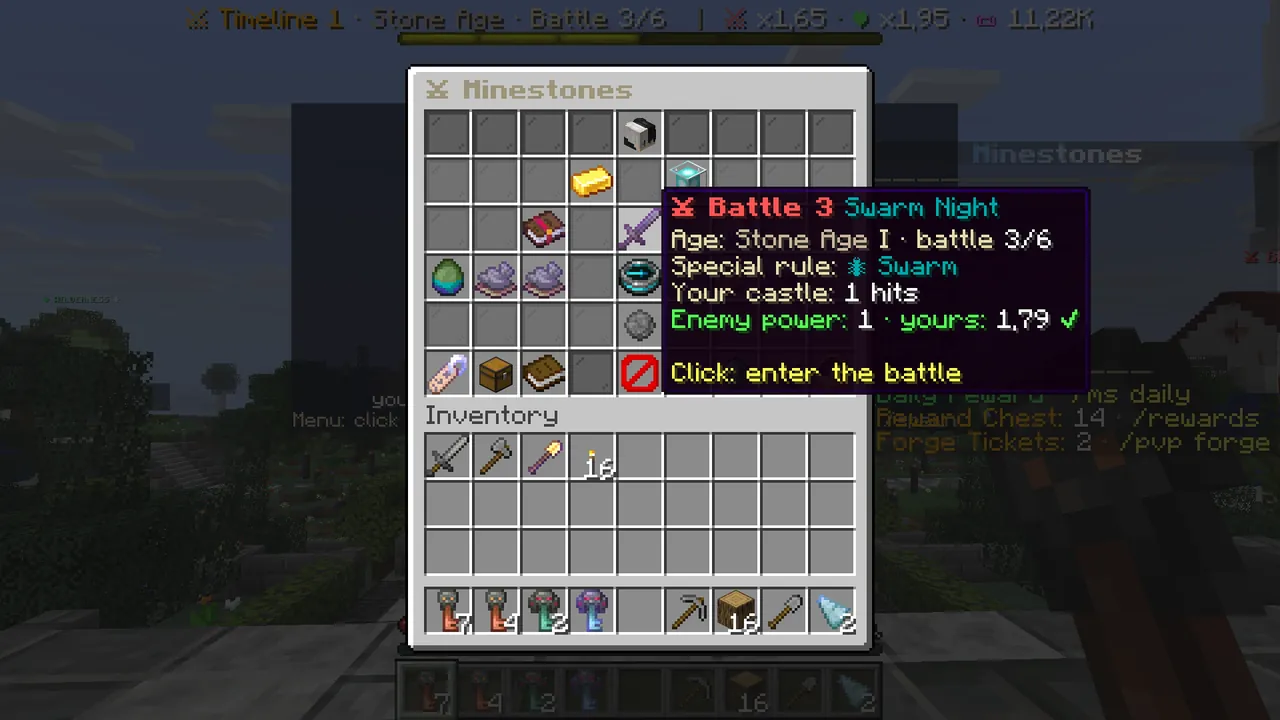 The battle button: click it to start the next battle.
- Left of the battle, "✦ Cards": where you draw cards with Seals. Details in the Cards guide.
- Right of the battle, "🧪 Potions": where you draw and equip the potions you use in battle. Details in the Potions guide.
Row 4: unlocking units and the upgrades
"Where are the upgrades?" is the most asked question. There is no separate upgrades page: everything is on row 4.
Three slots on the left, this age's three units. The first (melee) is open from the start. A unit shown as grey dye is locked:
- Hover the grey dye. You see its health, damage and unlock cost.
- If you have enough gold the button glows. Click it.
- Chat says the unit is unlocked and in your hotbar. In a match it sits in hotbar slots 1–3.
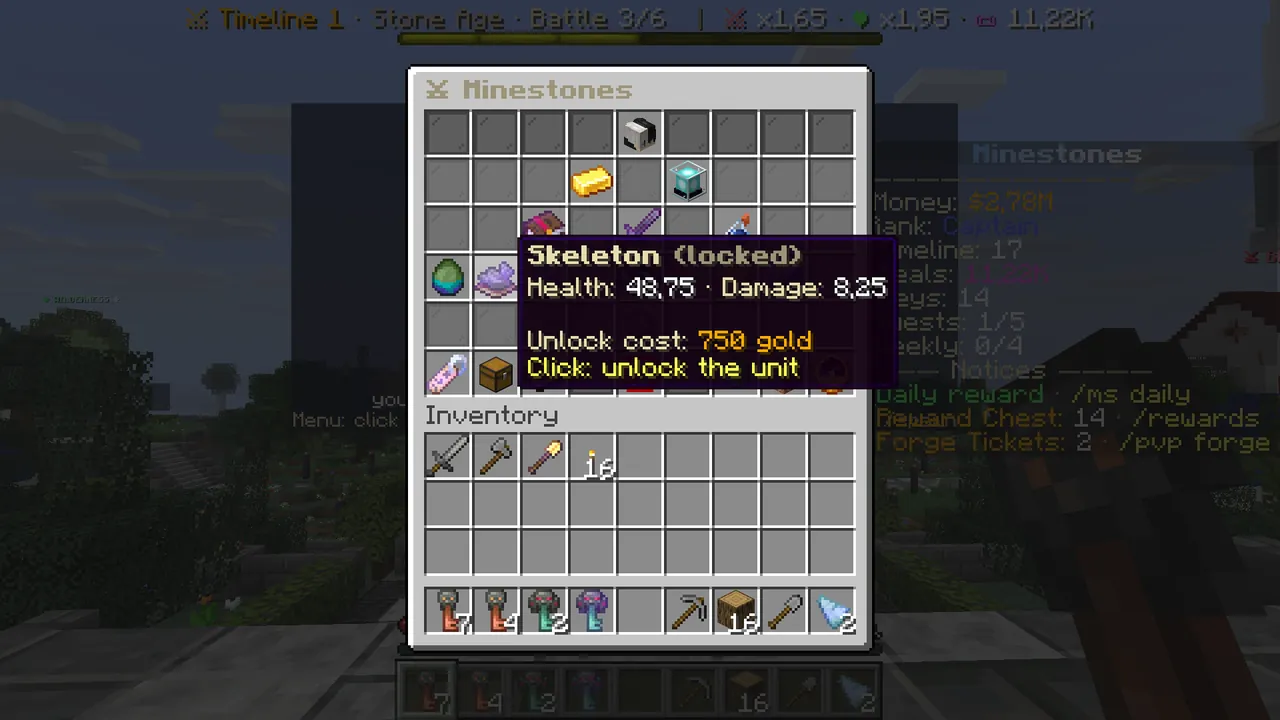 A locked unit. With enough gold, one click unlocks it.
Two slots on the right, the two upgrades.
- 🍖 Food rate (bread): every level adds 0.1 food per second. More food means more units.
- 🏰 Castle health (stone bricks): every level adds one hit to your castle. Without upgrades your castle falls to the enemy's first hit, so this is the first thing a new player should buy.
Each click buys one level, and each level costs a little more. The best value upgrade right now says "✨ The best upgrade right now".
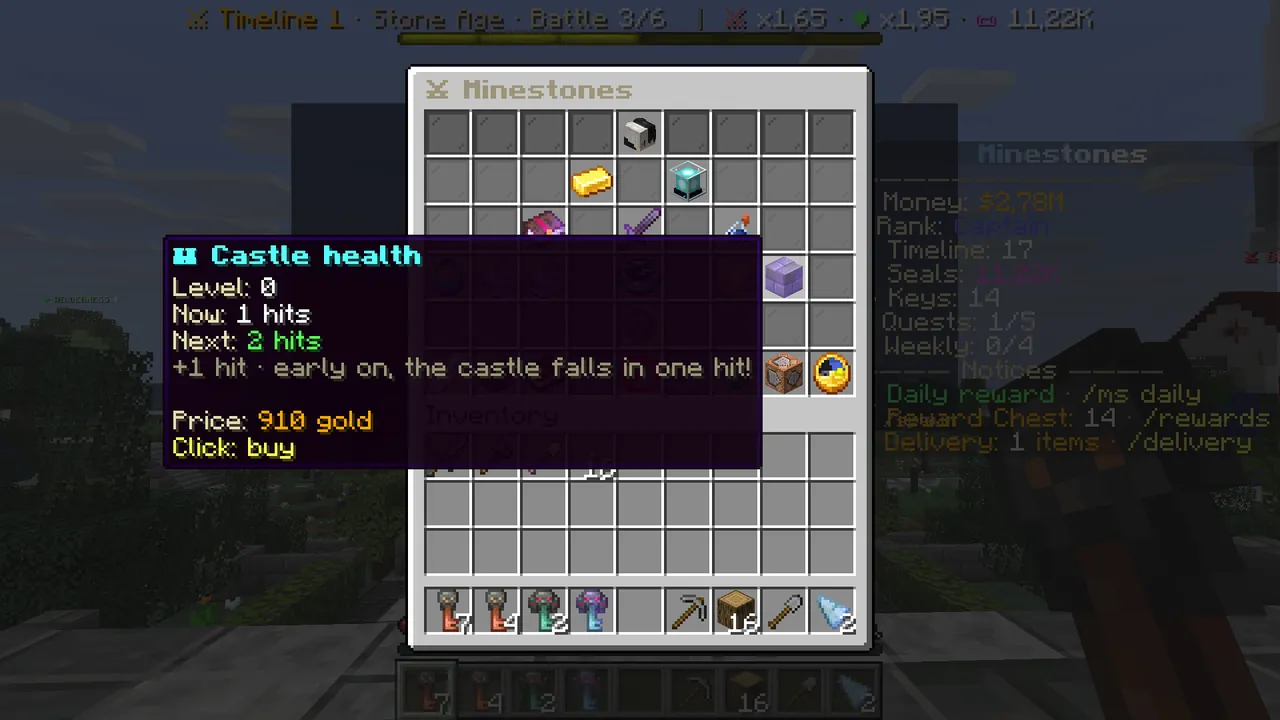 Castle health: one more hit per level. The first level costs 910 gold.
"↺ Past battles" in the middle lets you replay battles you already won in this age. It is the easiest way to collect gold for a battle you are stuck on.
Row 5: evolving
The star in the middle of row 5 is "✦ Evolve". It stays grey and shows "won: x/6 battles" until you beat the Age Lord, the last battle of the age. Then it glows, and one click takes you to the next age.
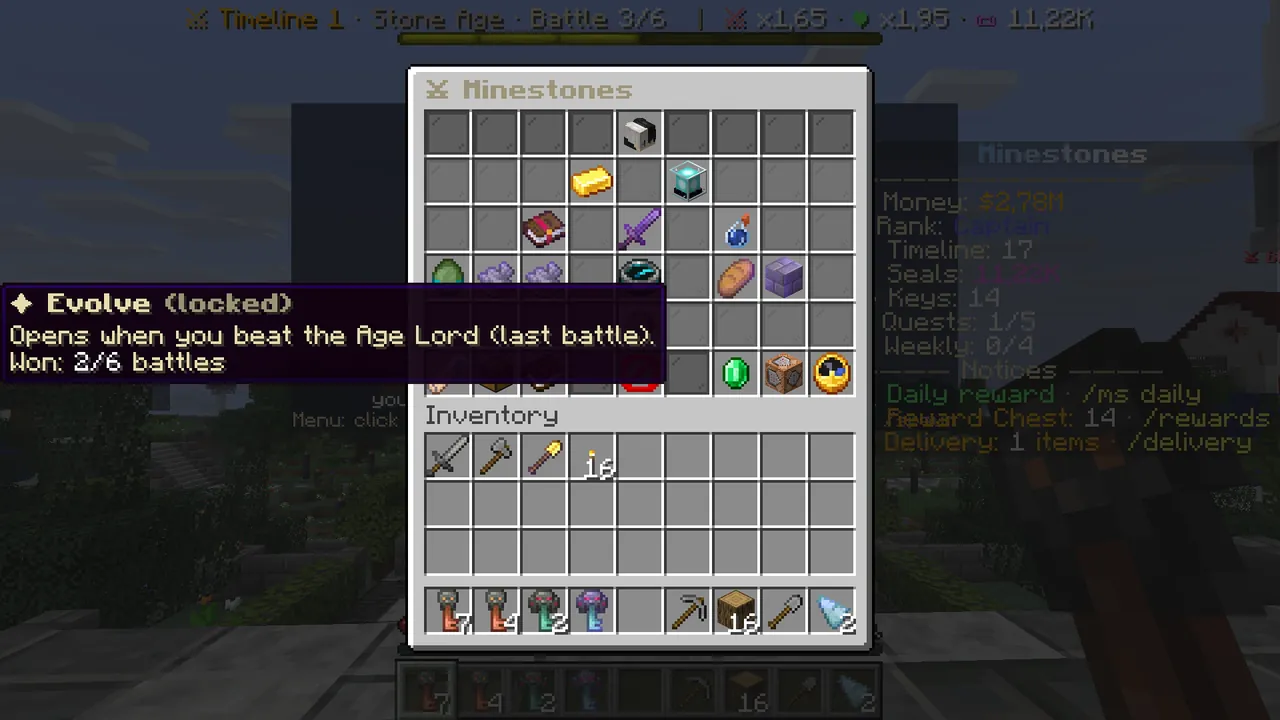 Evolving opens once the Age Lord is beaten.
Evolving resets battle gold, upgrades and units; cards, potions, Seals, $ and your rank stay. Every evolution moves your timeline up by one, and your rank rises with it. Tip: spend your leftover gold before you evolve.
The bottom row: small but useful
- Bottom left, Language: left click switches to the other language (Türkçe/English), right click follows your Minecraft language.
- ★ Daily reward: battle gold once a day. The reward grows with your streak, and day 7 adds a free card draw.
- ? Guide: the rules of the game, topic by topic.
- Close in the middle.
- ✦ Store: VIP, Seals and keys. Buying happens on the website.
- Bottom right, ⏩ Match speed: each click changes the speed. Speed does not change the result, it only makes the match shorter.
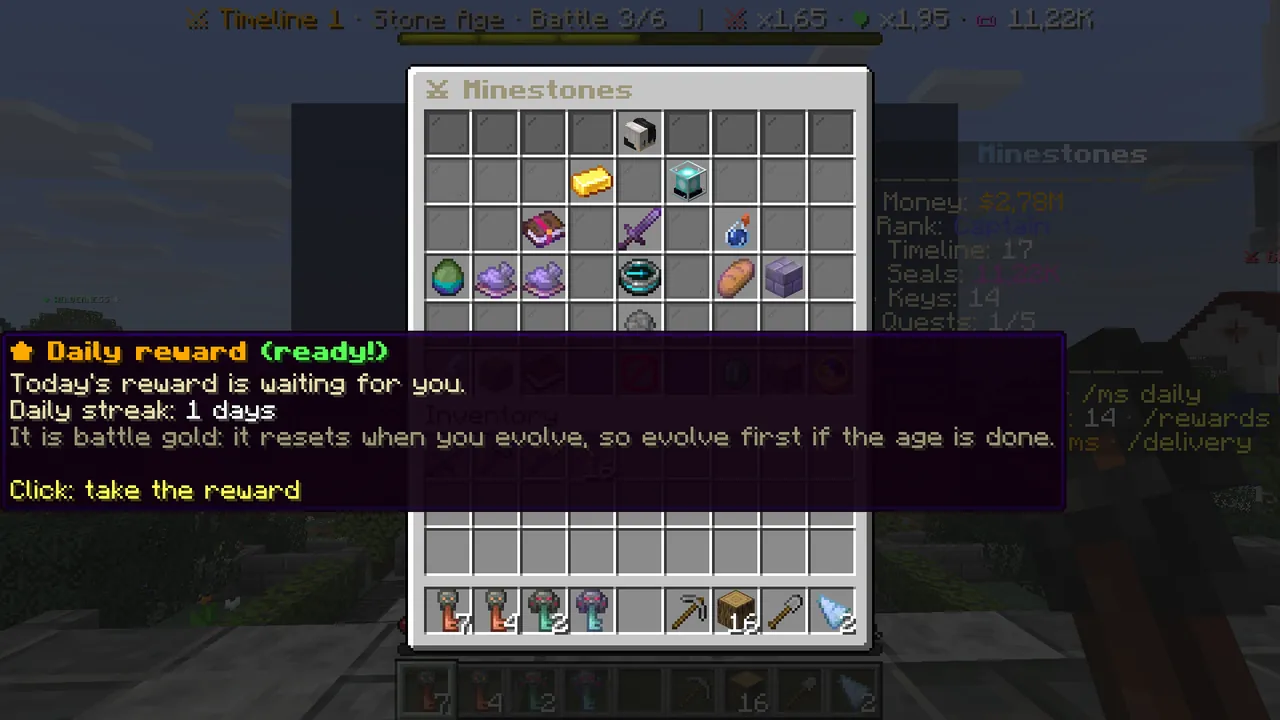 When the daily reward is ready, the button glows.
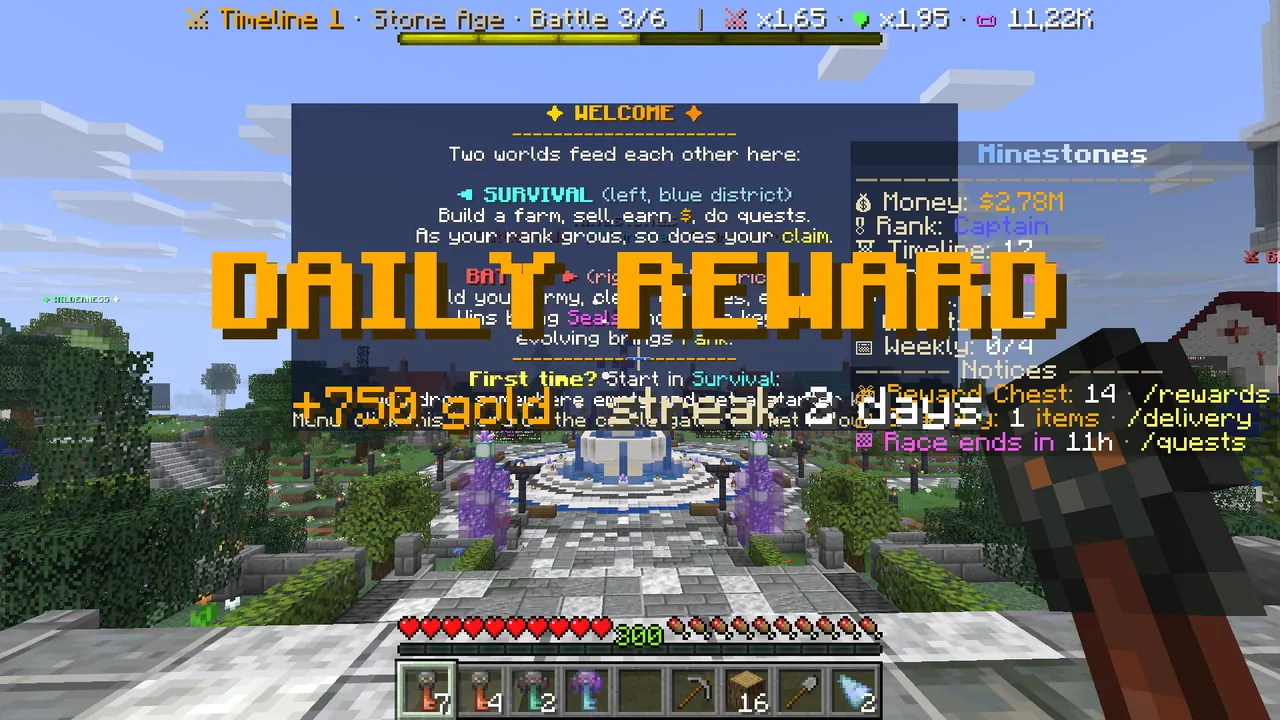 Claiming it shows the reward in the middle of the screen.
In short
| What do you want? | Where do you click? |
|---|---|
| Start a battle | /ms → row 3 middle, "⚔ Battle N" |
| Make your castle stronger | /ms → row 4 right, "🏰 Castle health" |
| Send more units | /ms → row 4 right, "🍖 Food rate" |
| Unlock a unit | /ms → row 4 left, grey dye |
| Draw cards | /ms → "✦ Cards" |
| Equip potions | /ms → "🧪 Potions" |
| Move to the next age | /ms → row 5 middle, "✦ Evolve" |
Every menu step by step: Wiki → Main Menu. Stuck in game? Type /assistant <question> and the Minestones Assistant
tells you which button to press.