
The survival economy step by step: /ekonomi, /sell, /market, /treasury, /quests and /rank
How do you earn and spend money in survival? From the economy menu to the sell chest, the War Treasury, the quests and the rank ladder, every menu with screenshots.
Survival is the Minecraft you know, with an economy on top that has its own money ($). In this post we open survival's menus one by
one: /ekonomi, the door to all of them; /sell, where you sell items; /market, where you see prices; /treasury, which carries
survival money into battle; daily quests with /quests; and the rank ladder, /rank.
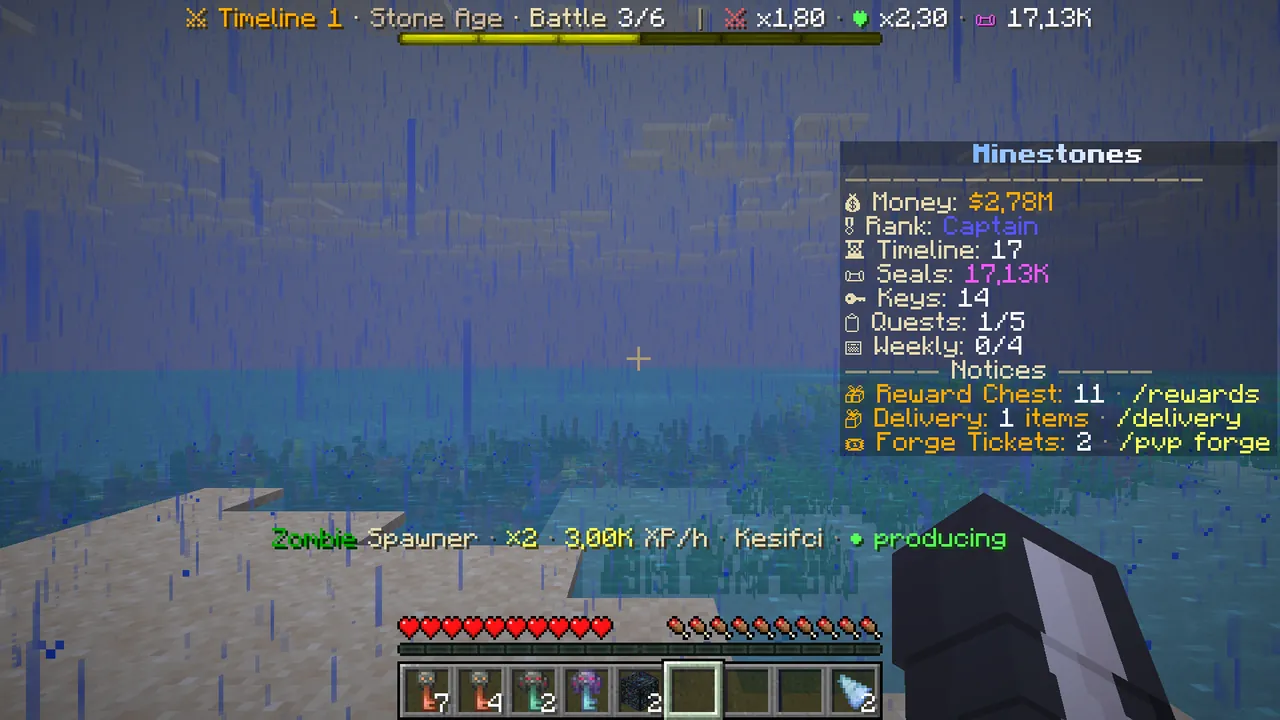 Survival: the panel on the right shows your money, rank, Seals, quests and notifications.
/ekonomi: the door to everything
Whatever you look for in survival, type /ekonomi (or /economy). The main /ms menu has no economy button; this is survival's top menu.
- Row 2: ★ War Treasury, 🔑 Crates, 📋 Quests and your rank.
- Row 3: ⛳ Claims, $ Market, 📦 Orders.
- Row 4 middle: ⚑ Auction House.
A button glows when there is something to do: the Treasury when you have a claim right, Crates when you have keys, Quests when a quest is unfinished.
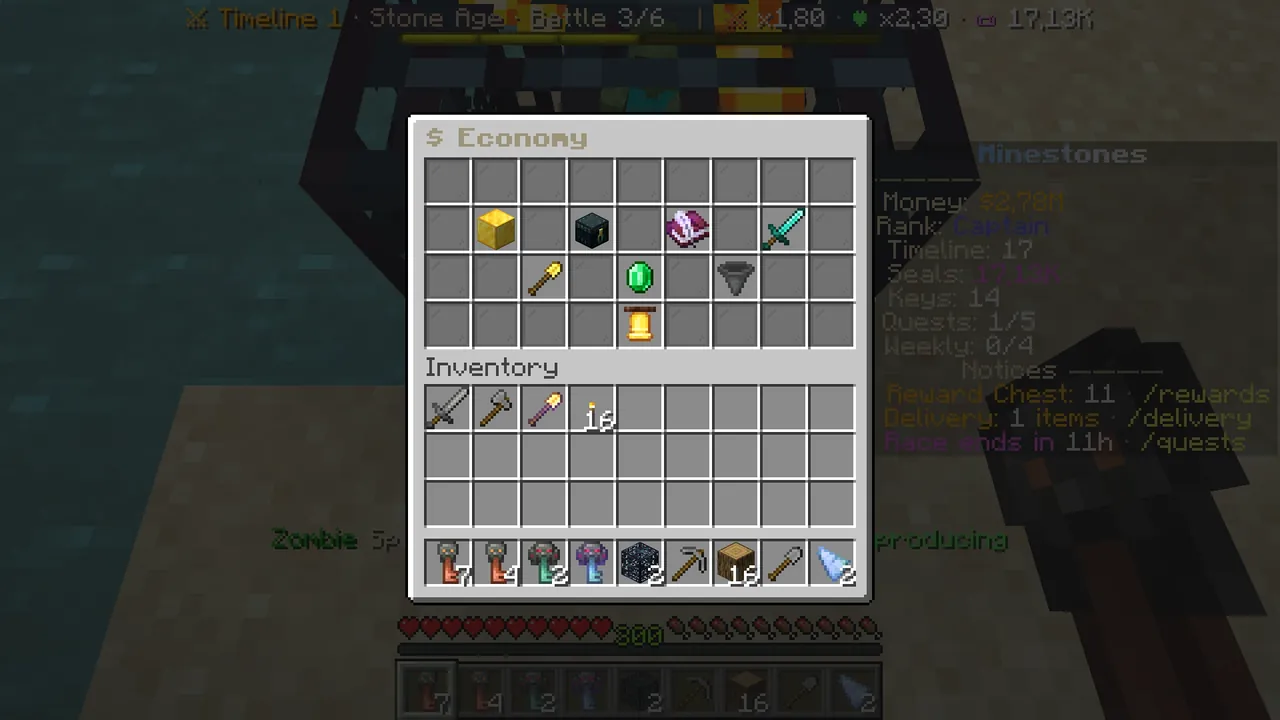 /ekonomi: all survival menus in one place.
/sell: sell any item
/sell (or /sat) opens a sell chest. Every item has a price, dirt, stone and wood included.
- Type
/sell. - Put what you want to sell into the empty area at the top (by hand, shift-click or dragging).
- Look at the green glass at the bottom right: it shows the total, refreshed with every change.
- Click the green glass. What can be sold is sold, the rest stays in the chest. Closing the menu returns the rest to your inventory.
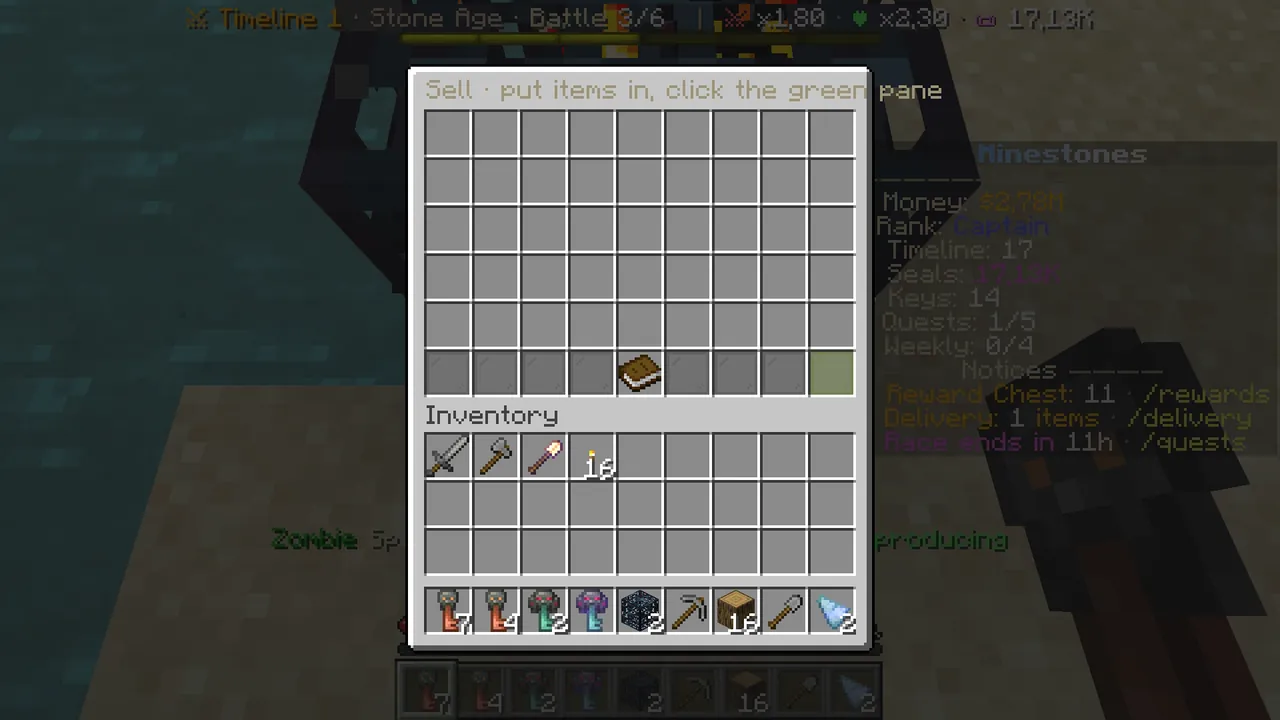 /sell: put items in, press the green glass.
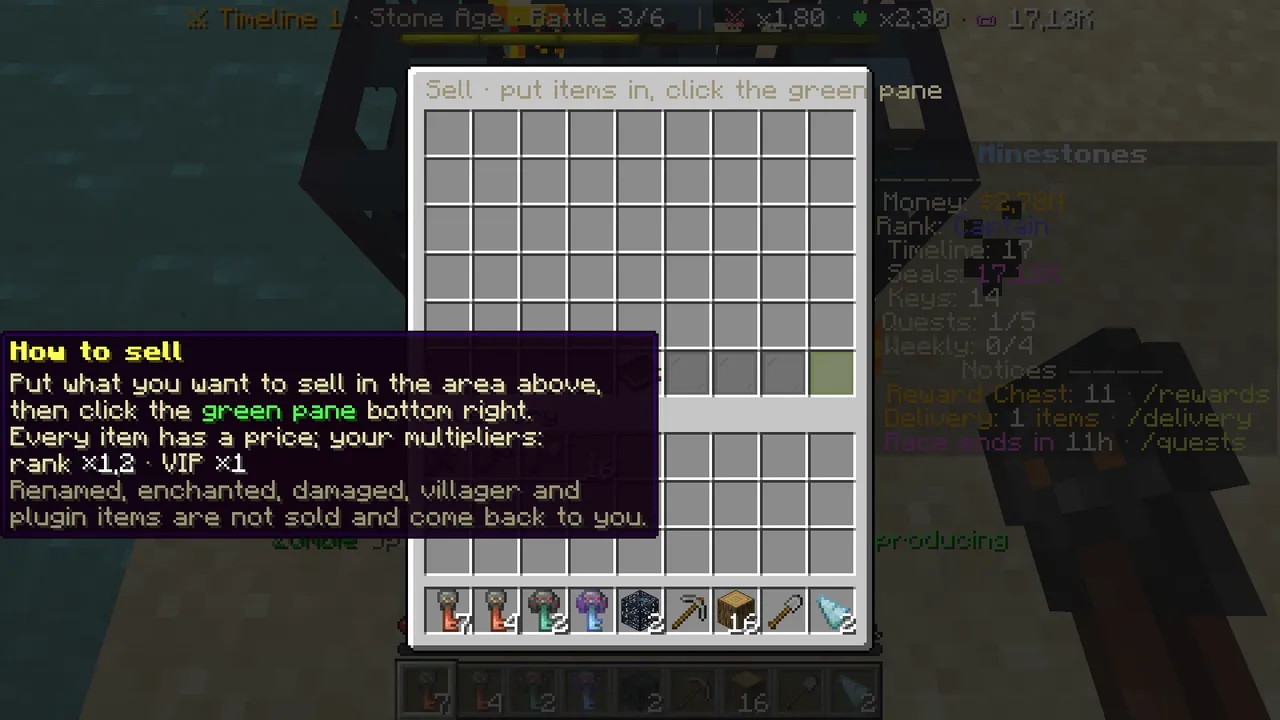 The book in the middle explains the rules and your multipliers.
What does not sell: named, enchanted or damaged items; plugin items (keys, spawners, cards); items bought from villagers and items dropped by automatic farms. These can be sold on the Auction House.
Shortcuts: /sell hand sells what is in your hand, /sell all sells the market goods in your inventory without opening a menu (it
asks before selling valuable goods).
/market: prices and sell mastery
/market shows the market goods' prices. Your rank, sell mastery and VIP are included; prices are fixed and there is no daily limit.
- "📈 Your sell mastery" in the bottom row: selling in a category (farming, sea, livestock, mobs, mining) raises that category's price for good.
- The "Sell what you hold", "Sell everything" and "Sell chest" buttons work from here too.
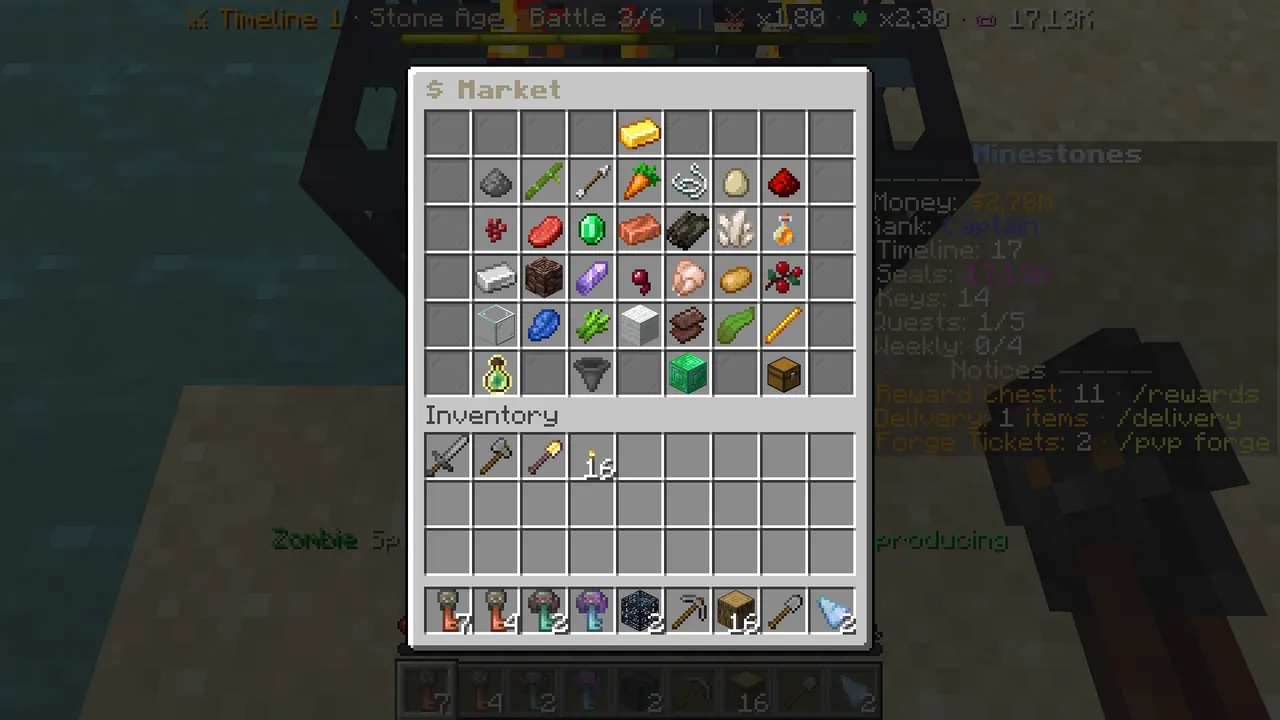 /market: prices and sell mastery.
/treasury: carry survival money into battle
The War Treasury is the only place where survival money buys battle gold.
- Playing battles earns treasury rights: one for every 8 finished battles, up to 3. Surrendered or very short battles do not count.
- Type
/treasury. The book on the left shows your rights and how many battles until the next. - If "Buy the treasury" on the right glows, click it: it spends one right and some $, and gives battle gold worth two wins of your current battle.
The price depends on your rank and is shown on your rank card as "Treasury price".
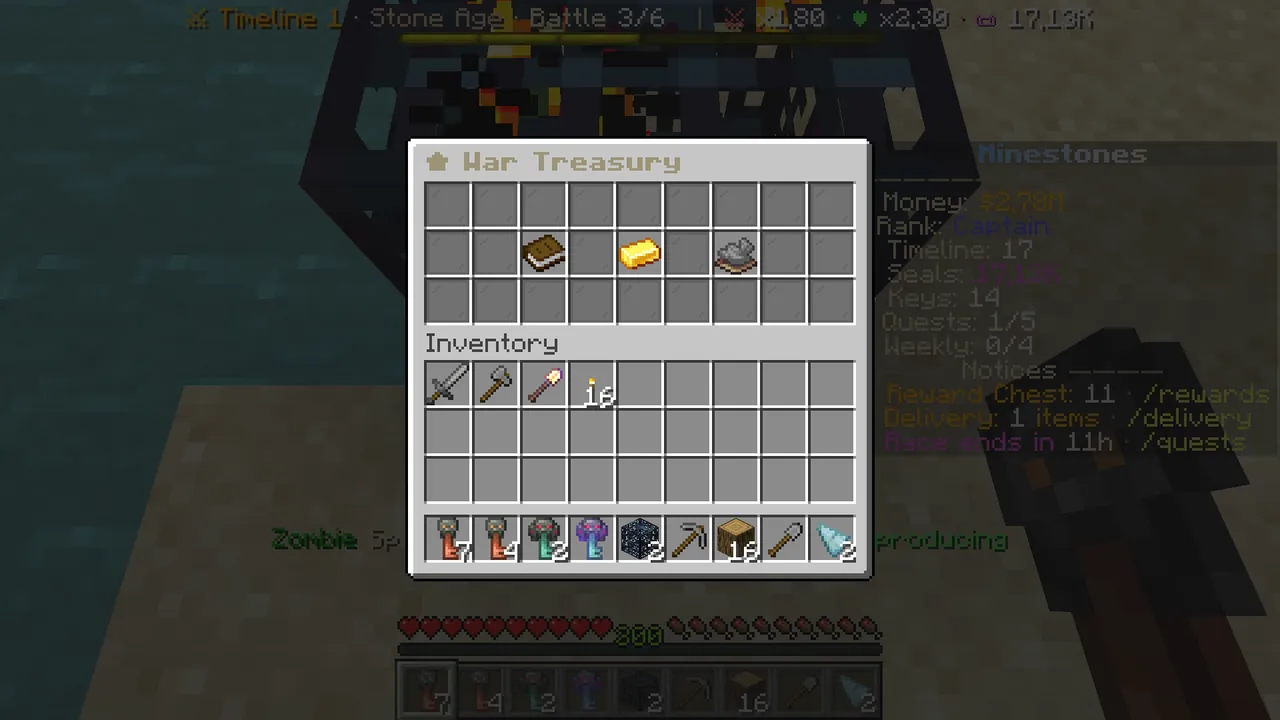 /treasury: rights, your money and the buy button.
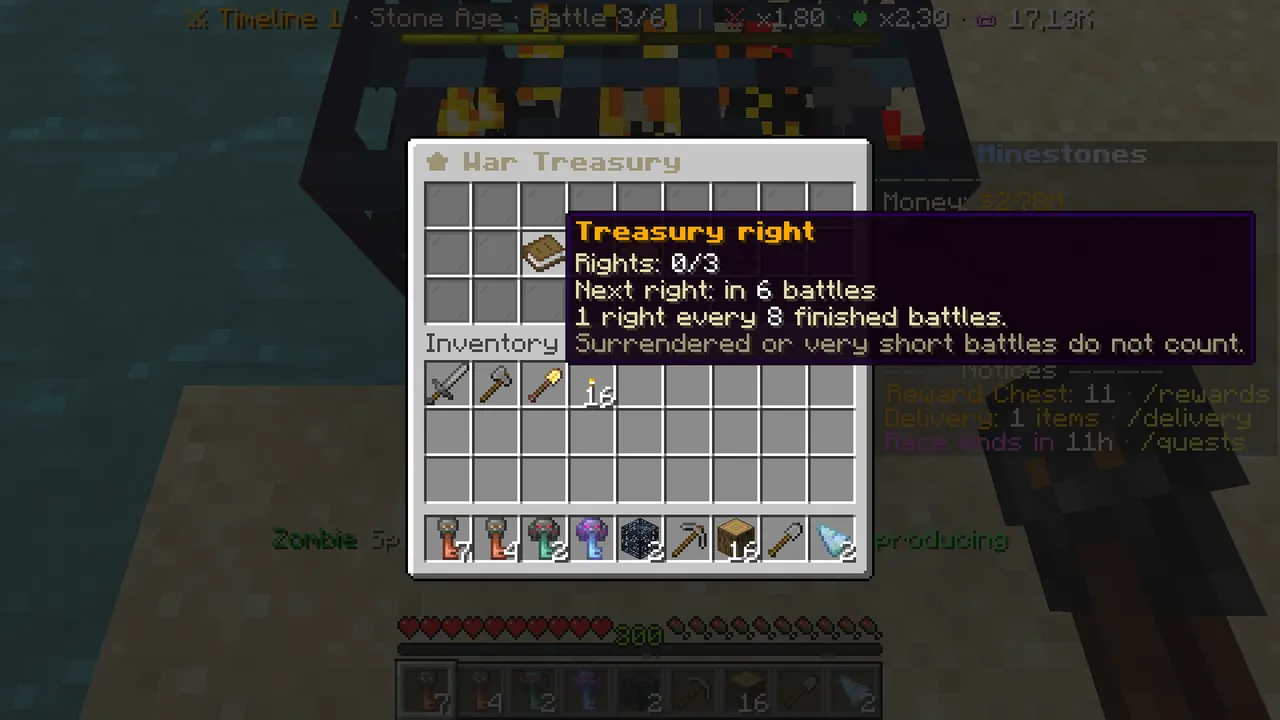 A right comes every 8 finished battles.
/quests: daily quests
Every day brings five quests: two survival, two battle, one mixed. Each gives Seals.
- Type
/quests(or/gorev). Your quests are on row 2. - Hover a quest: you see its type, its progress bar and its reward.
- For delivery quests (e.g. delivering wheat), left-click the quest and the items are taken from your inventory.
- Don't like a quest? Right-click it for another of the same type. One swap a day is free.
- When all five are done, the Daily Quest Chest arrives by itself: one Iron Crate key.
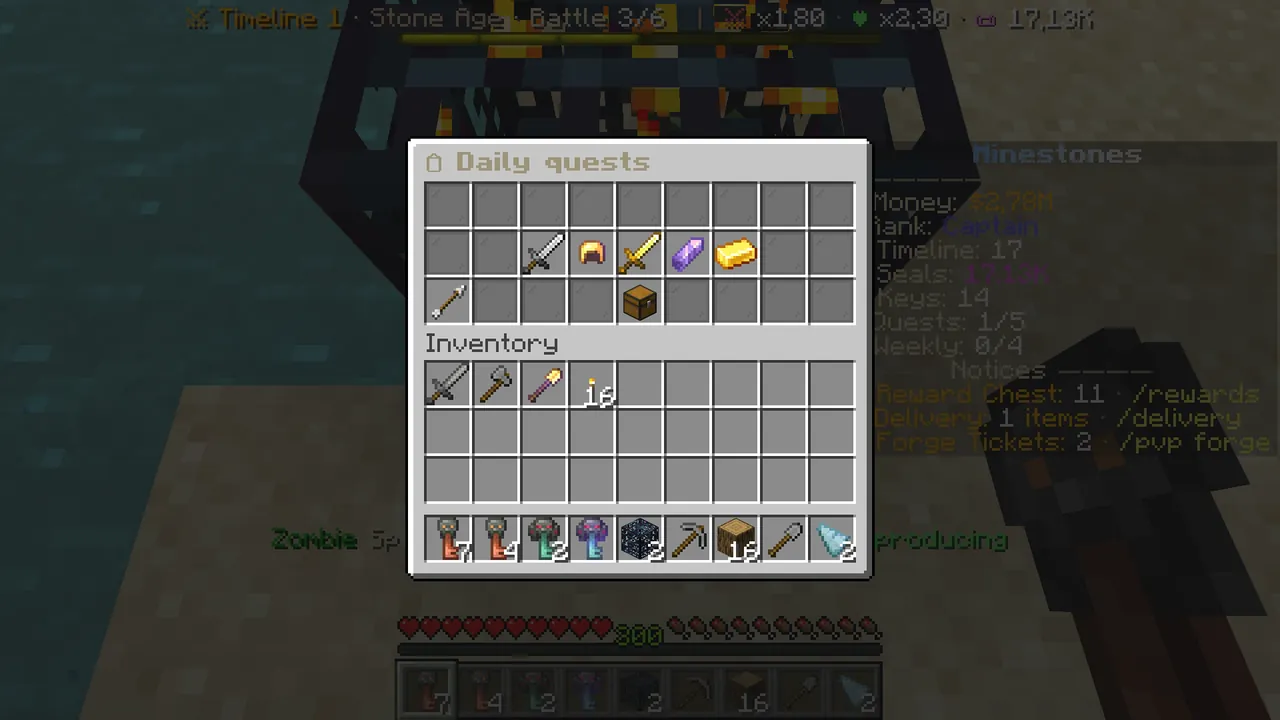 /quests: the day's five quests and the daily chest below.
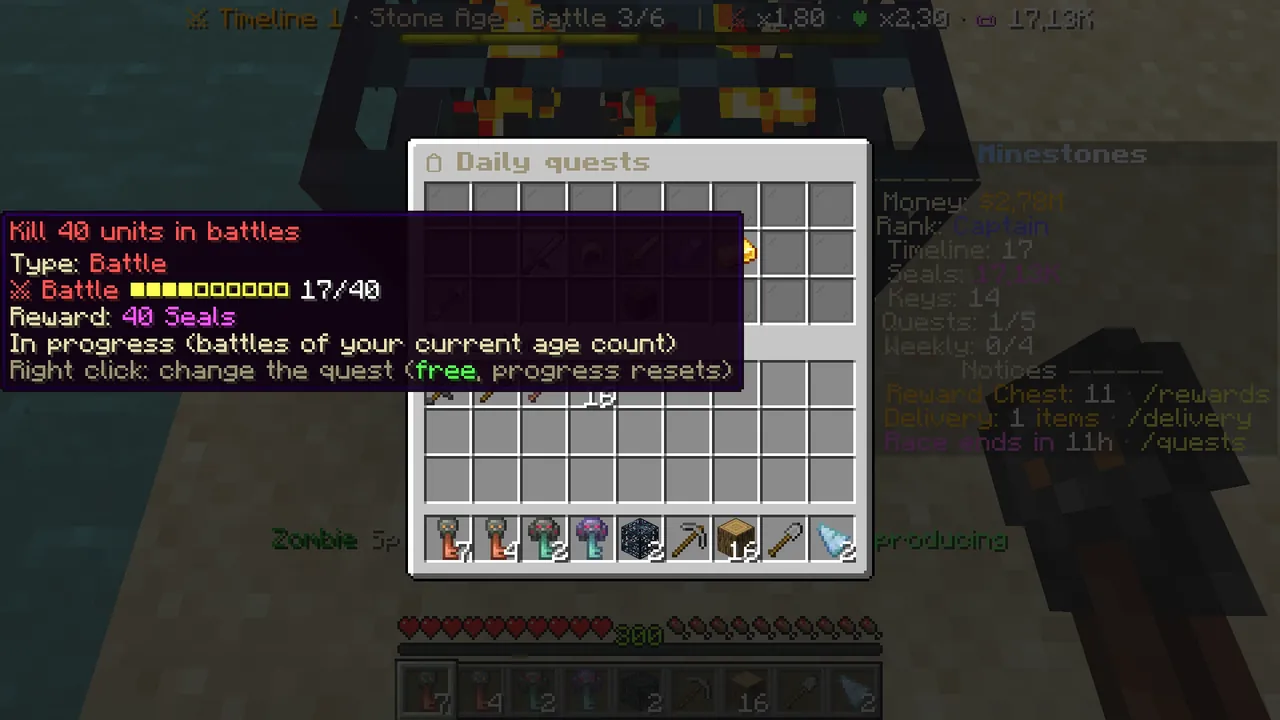 A quest: type, progress, reward; right-click swaps it.
Weekly quests and the Weekly Race are in /ekonomi → Quests → Weekly quests: three big quests, a race where you deliver the week's
item, and a Gold Crate key when you finish them all.
/rank: the rank ladder
Your rank is not bought; it comes from evolving in battle. Every evolution moves your timeline up by one; at certain thresholds your rank rises and opens new doors in survival: more claim blocks, better sell prices, more listings, orders and homes, new commands.
- Type
/rank(or/rutbe). - The top strip: your current rank on the left, how many evolutions to the next in the middle, the next rank and what it brings on the right.
- Hover any card on the ladder to see every perk of that rank.
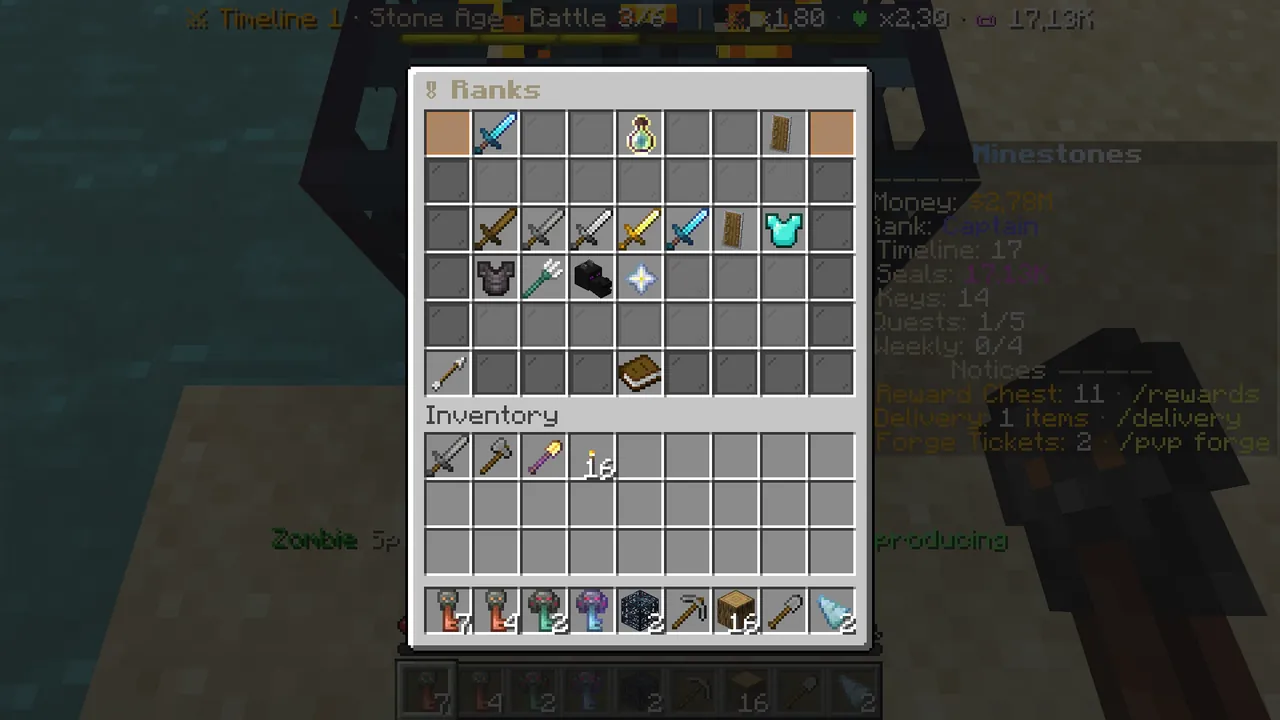 /rank: the ladder from Recruit to Legend.
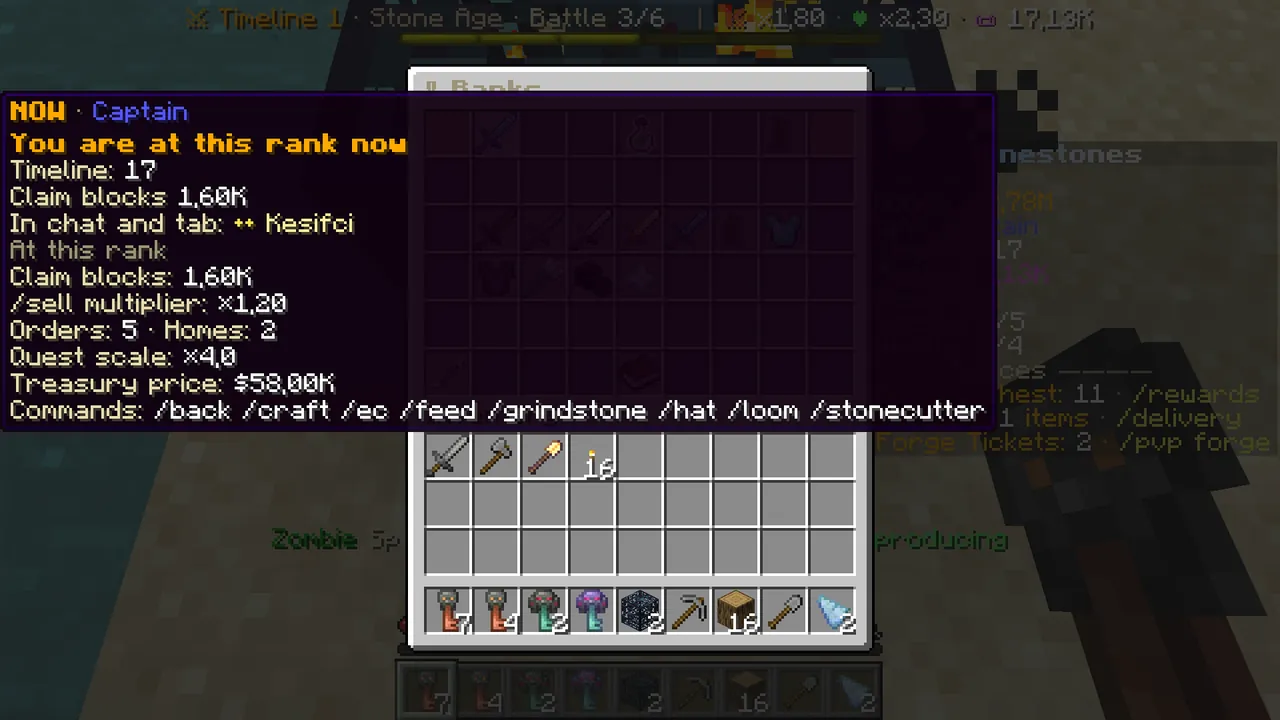 Your current rank: claim blocks, sell multiplier, orders and homes, treasury price, commands.
The short way to make money
- Build a farm, a mine or a mob farm and sell with
/sell; keep selling in the same category to build up mastery. - Sell valuable items on the Auction House.
- Fill other players' orders and get paid at once.
- Put a spawner on your claim.
- Finish daily quests for Seals and keys.
Survival's rules and details: Wiki → Survival and Economy.