The Auction House and orders: how to trade with other players
Sell your items at your own price and buy others' with /auction; post "I will buy this" with /orders or fill other players' orders. Every screen step by step.
There are two ways to sell items to players that the market does not take, or that are worth more than the market price: the Auction
House (/auction) and orders (/orders). In this post we use both, step by step.
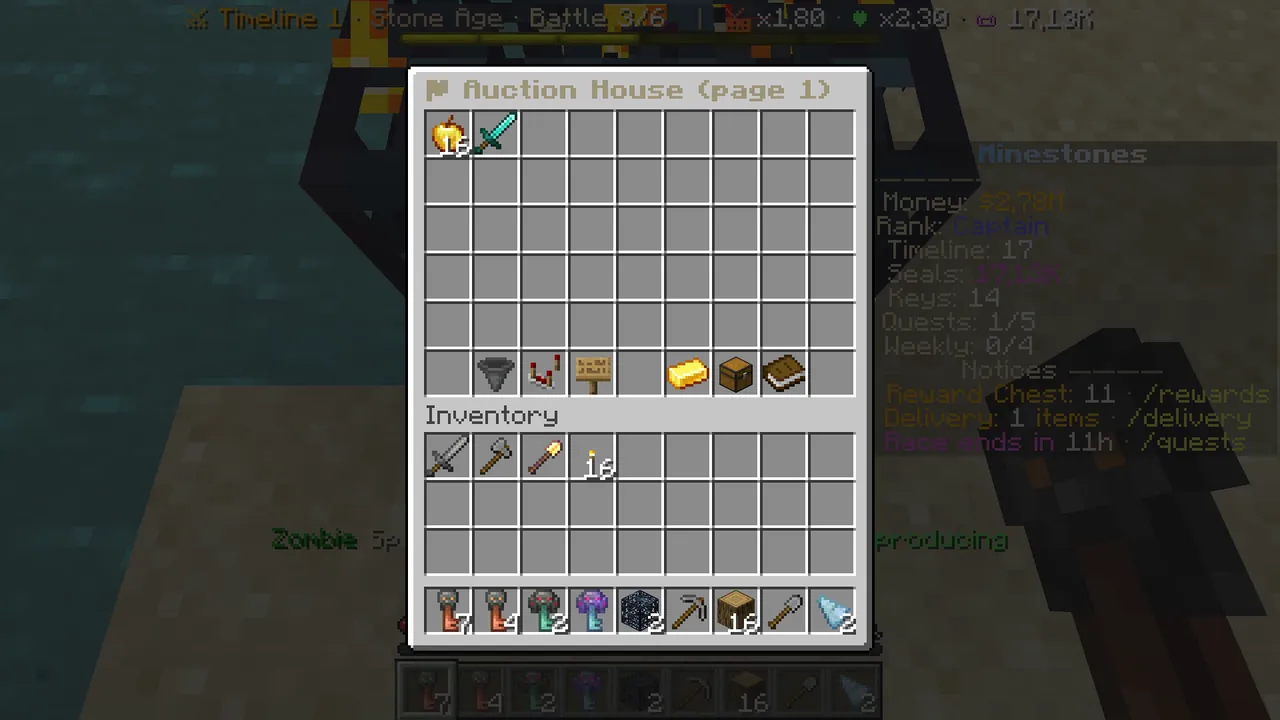 /auction: listings at the top, filters and buttons at the bottom.
Buying on the Auction House
- Type
/auction(or/ah), or open/ekonomi→ "⚑ Auction House". - Listings fill the top five rows. Hover one: its price (and price per item), seller and time left.
- Click the listing you want. A confirmation screen opens.
- Click the green buy button. The item comes to your inventory, or to
/deliveryif your inventory is full.
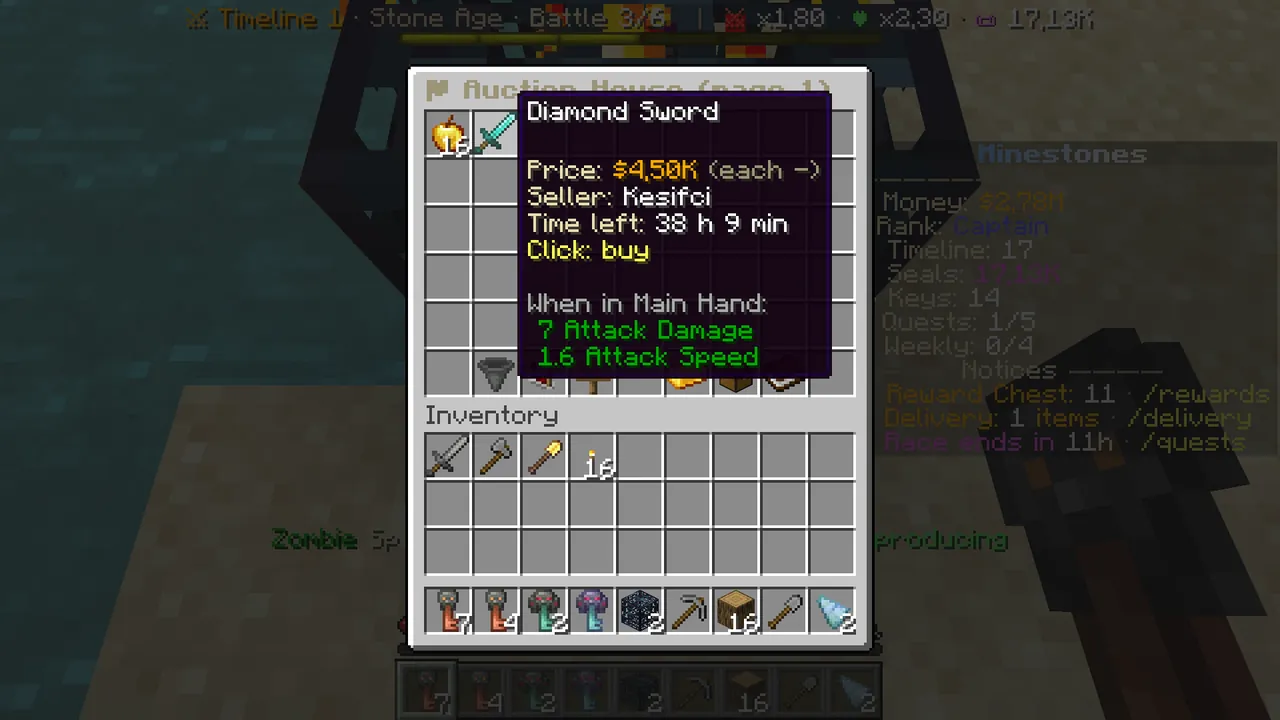 A listing: price, seller, time left. Click to buy.
Find what you want
Three buttons on the bottom row help you search:
- Category (hopper): All, Blocks, Ores and minerals, Tools, Weapons and armor… Left click next, right click previous.
- Sort: newest, cheapest per item, most expensive per item, ending soon.
- Search (sign): click it and type what you want in chat (e.g. "diamond sword" or "sharpness"). Or use the command:
/auction search
  diamond
.
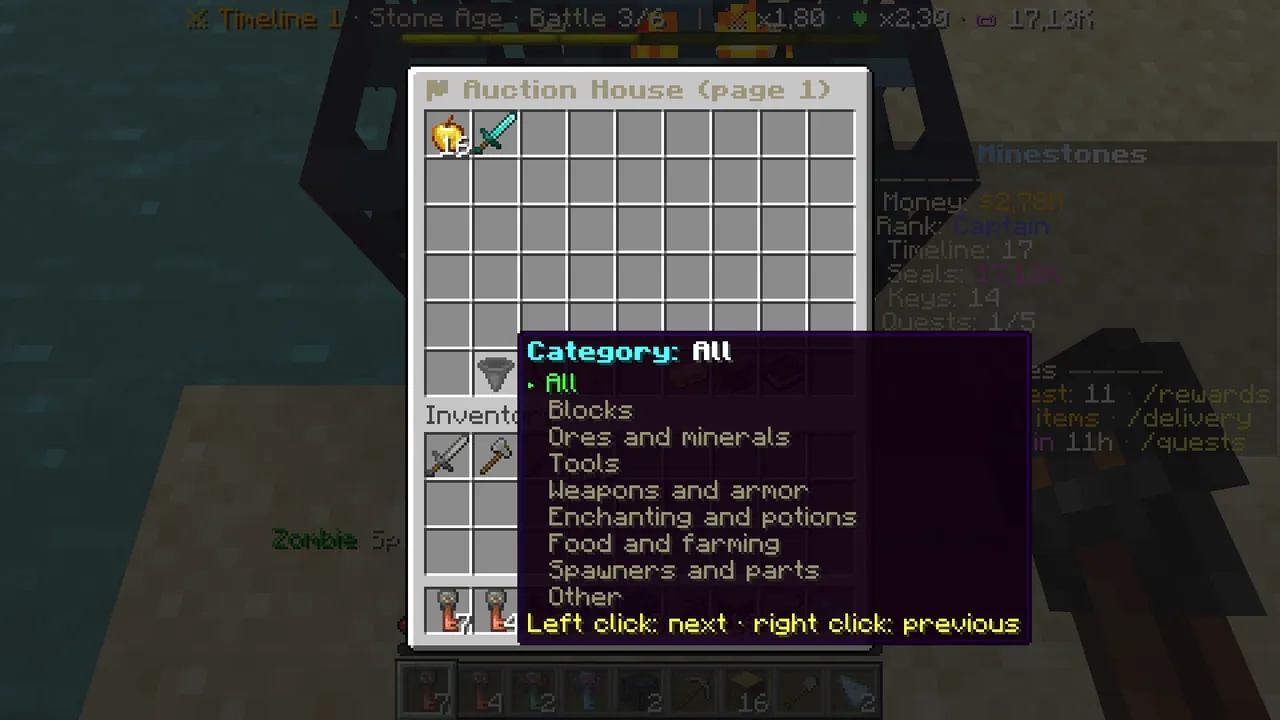 Category: left click next, right click previous.
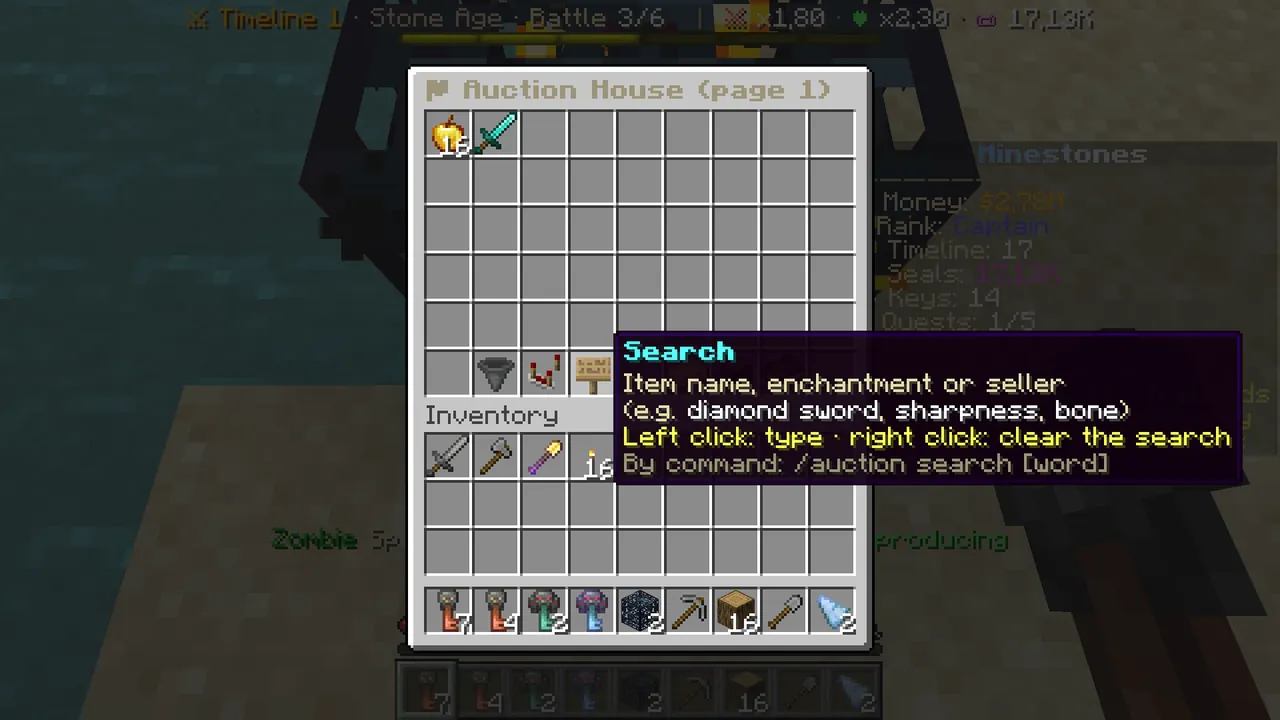 Search looks in item names, enchantments and seller names.
Selling on the Auction House
- Hold the item you want to sell.
- Type the price in chat, e.g.
/auction sell 4500.25k(25 thousand) or1.5m(1.5 million) work too. - The whole stack in your hand is listed and chat confirms it with the 48-hour time limit.
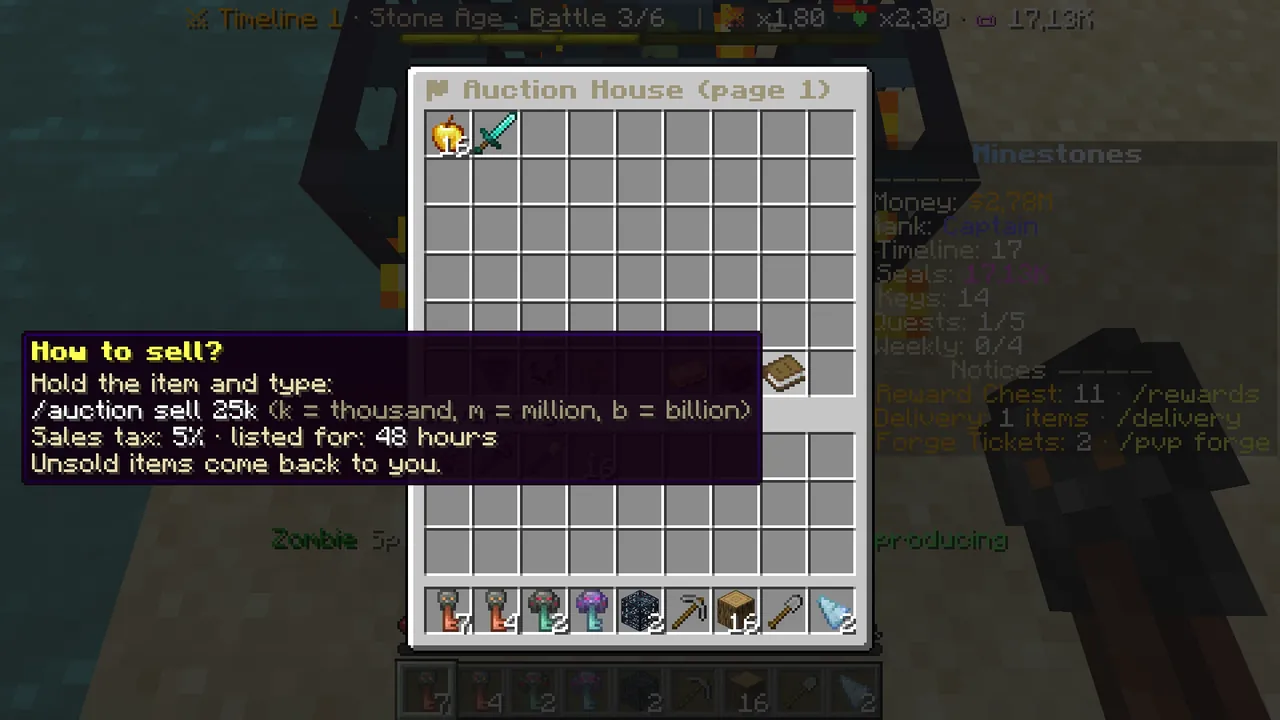 The book on the bottom row: 5% sales tax, 48 hours.
- When it sells, the money goes straight to your balance; 5% tax is taken from the sale.
- If it does not sell in 48 hours, the item comes back to you.
- How many listings you can have at once grows with your rank (and VIP).
Manage your listings
/auction mine or "My listings" on the bottom row. Click a listing to take it back; the item returns to your inventory for free.
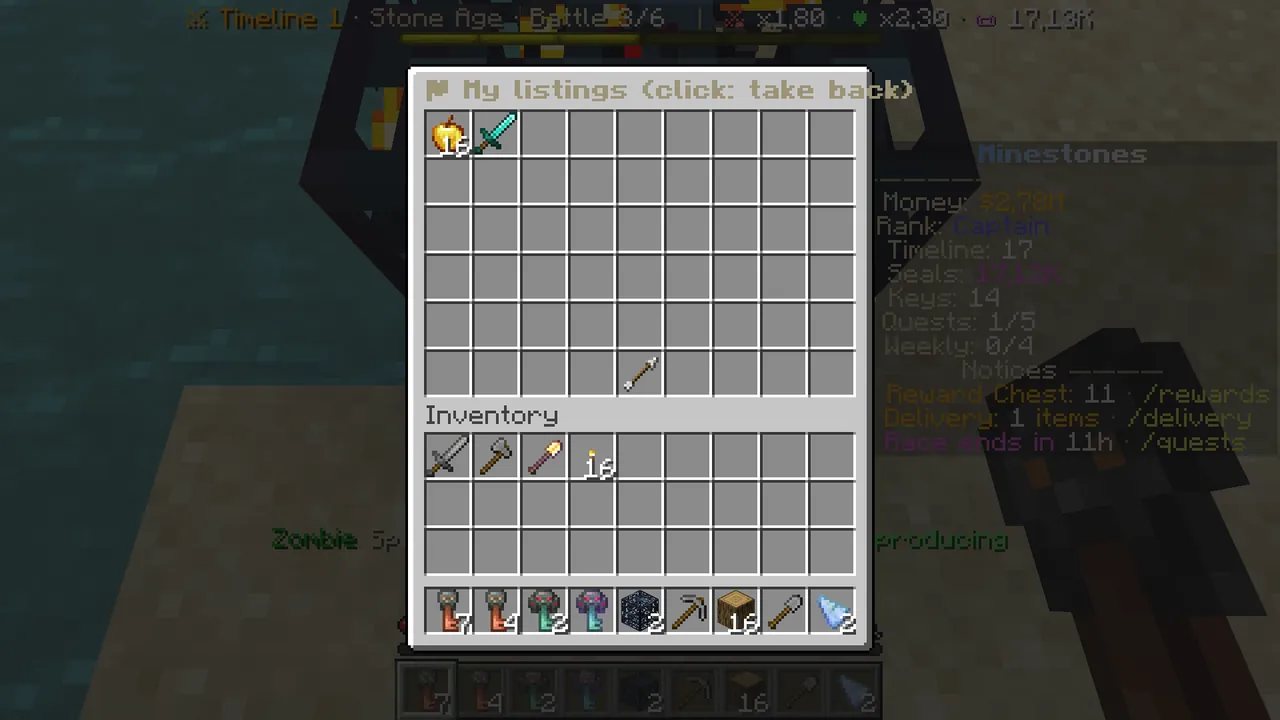 My listings: click to take back.
Orders: "I will buy this"
An order is the opposite of an auction: you post the item you want to buy and the price you pay per item. Your money is held up front and paid out as other players bring the items.
Placing an order
- Type
/orders create <item> <amount> <price each>. The item is its Minecraft ID, e.g./orders create diamond 64 150. - The total (amount × price) is held: chat confirms the order and the amount held.
- The order stays open for 7 days; if it is not filled, the rest of the money comes back.
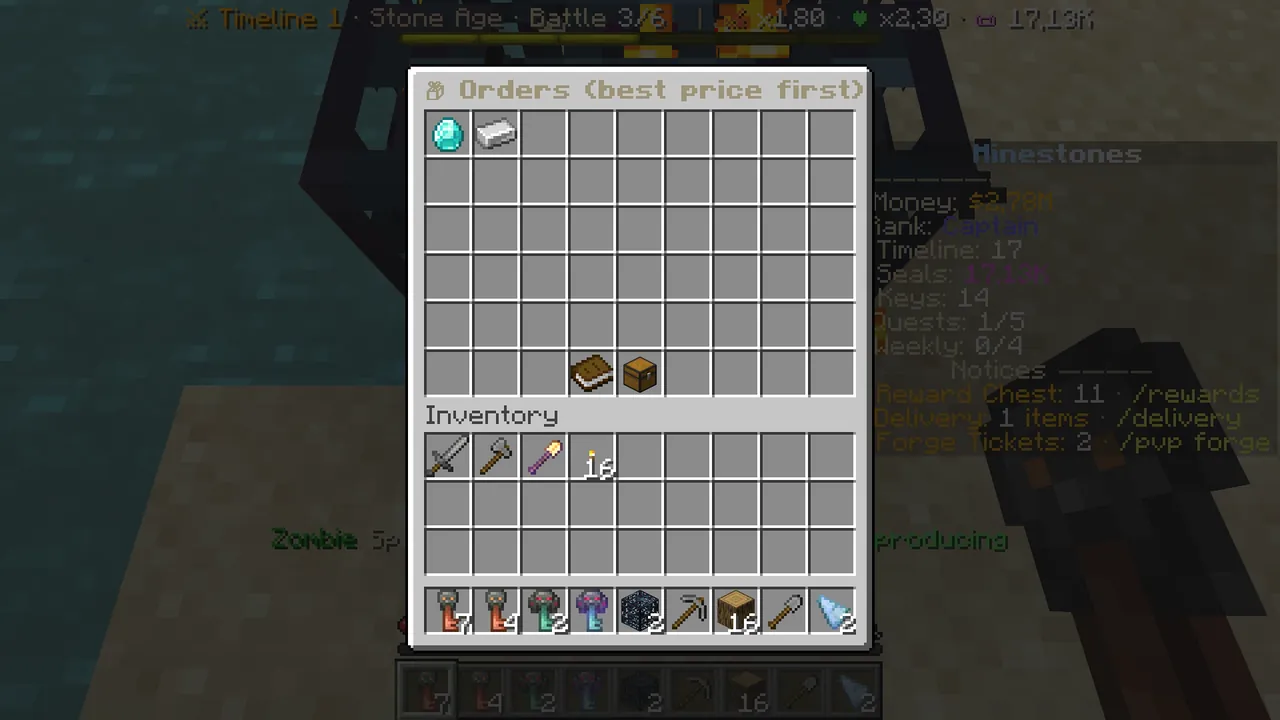 /orders: open orders, best price first.
Collecting what arrived
Items do not come by themselves. Type /orders mine or click "My orders" in the list:
- Left click: takes the delivered items into your inventory.
- Right click: cancels the order; the money for the unfilled part comes back.
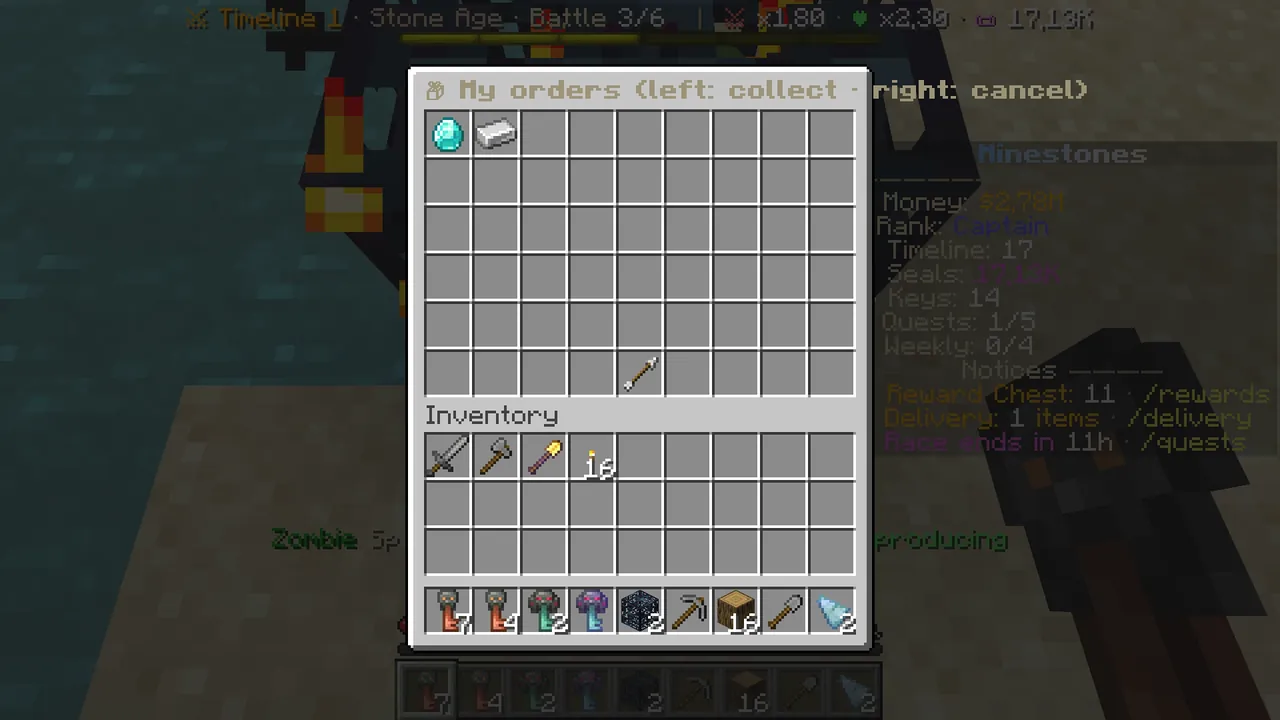 My orders: left click collects, right click cancels.
Filling someone else's order (instant money)
- Type
/orders. Orders are sorted from the highest price. - Click an order for an item you have. Matching items in your inventory are delivered, up to what the order still needs, and you are paid at once (2% tax).
- Only brand-new, plain items count: enchanted, renamed or damaged items and villager goods do not.
Common questions
I bought something but it never came. Your inventory was full; type /delivery. The panel on the right shows a "📦 Delivery" line.
Where is the money from my listing? It goes to your balance the moment it sells (minus 5% tax).
Items arrived for my order, where are they? /orders mine → left-click the row.
I cancelled my order; what about the items that came? Cancelling only refunds the rest of the money; delivered items are still collected with a left click.
The whole survival economy: The survival economy step by step and Wiki → Survival and Economy.