
The spawner guide: placing it, emptying its storage and taking its XP
In Minestones a spawner spawns no mobs; while you are near, it produces items and XP straight into its storage. Placing, stacking, storage, selling and taking XP, step by step with screenshots.
Spawners in Minestones do not work the way you know: they spawn no mobs. While you are near, a spawner produces items and experience straight into its storage; nothing drops on the ground and nothing lags. In this post we place a spawner and use its menu step by step.
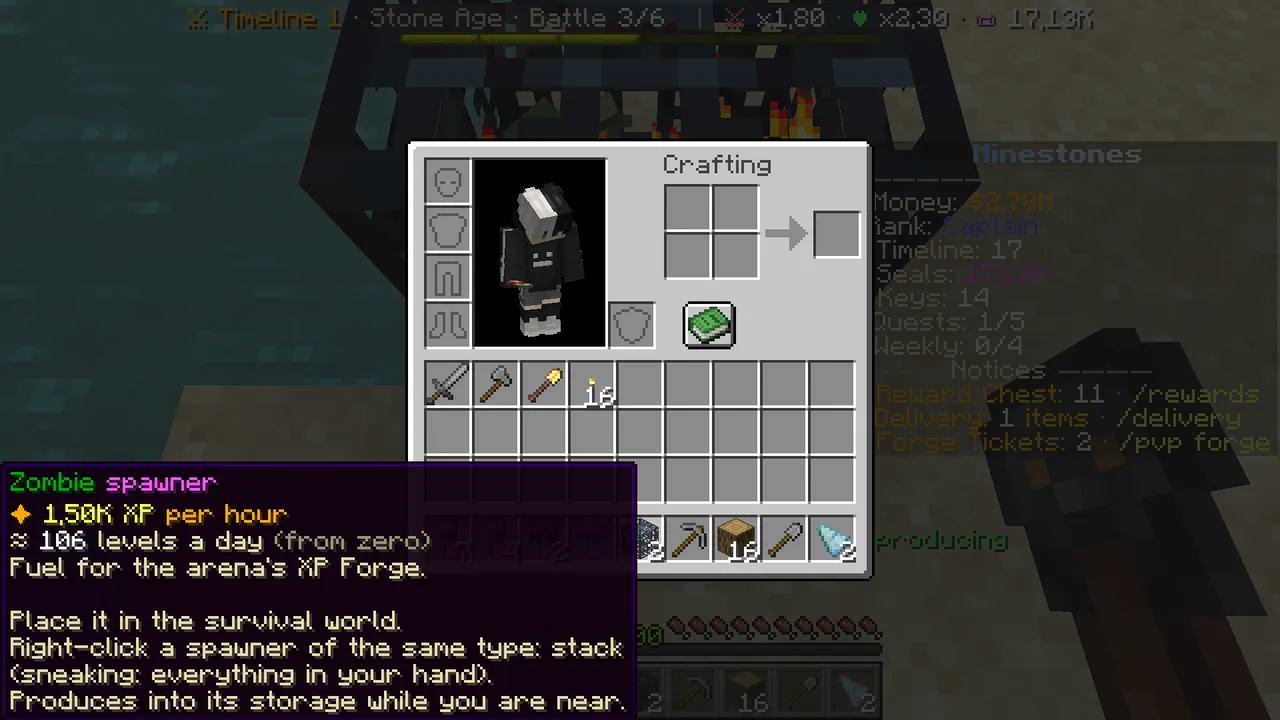 A spawner item: its XP per hour and how to place it.
Where do spawners come from?
- Crates: spawner parts and sometimes a whole spawner. When you have enough parts, turn them into a spawner with
/spawner combine. - The store: spawners are sold on the website; a spawner you buy arrives in your Reward Chest (
/rewards). - The Auction House: other players may sell them.
The number of parts depends on the type: Pig and Cow 3, Zombie 4, Skeleton and Spider 5… Creeper 14.
Step 1: place the spawner
- Hold the spawner and place it on your own claim. Spawners can only go into the survival world where claims can be opened.
- Chat confirms it and tells you right-click opens the menu.
- Look at the spawner to see its type, stack, XP per hour and whether it is producing.
Keep spawners inside your claim: a spawner outside any claim can be taken by another player with a Silk Touch pickaxe (its storage and XP still stay yours).
Step 2: stay close
A spawner produces while you are within 16 blocks. You can stay AFK where you stand. When you walk away it stops, and looking at it says it is idle because the owner is away. VIP increases this range.
Step 3: stack it
Hold another spawner of the same type and right-click the one you placed: it joins the stack. Sneak + right click adds all you hold. A bigger stack produces more.
Step 4: open the menu
Right-click the spawner. Row 2 of the menu has three buttons:
- Chest on the left, "Storage": the items in storage. Click it to open the paged storage.
- Spawner in the middle: all the details (stack, value and XP per hour, storage capacity, range). Click: sell everything + take XP.
- XP bottle on the right, "Take XP": collects the experience that has built up.
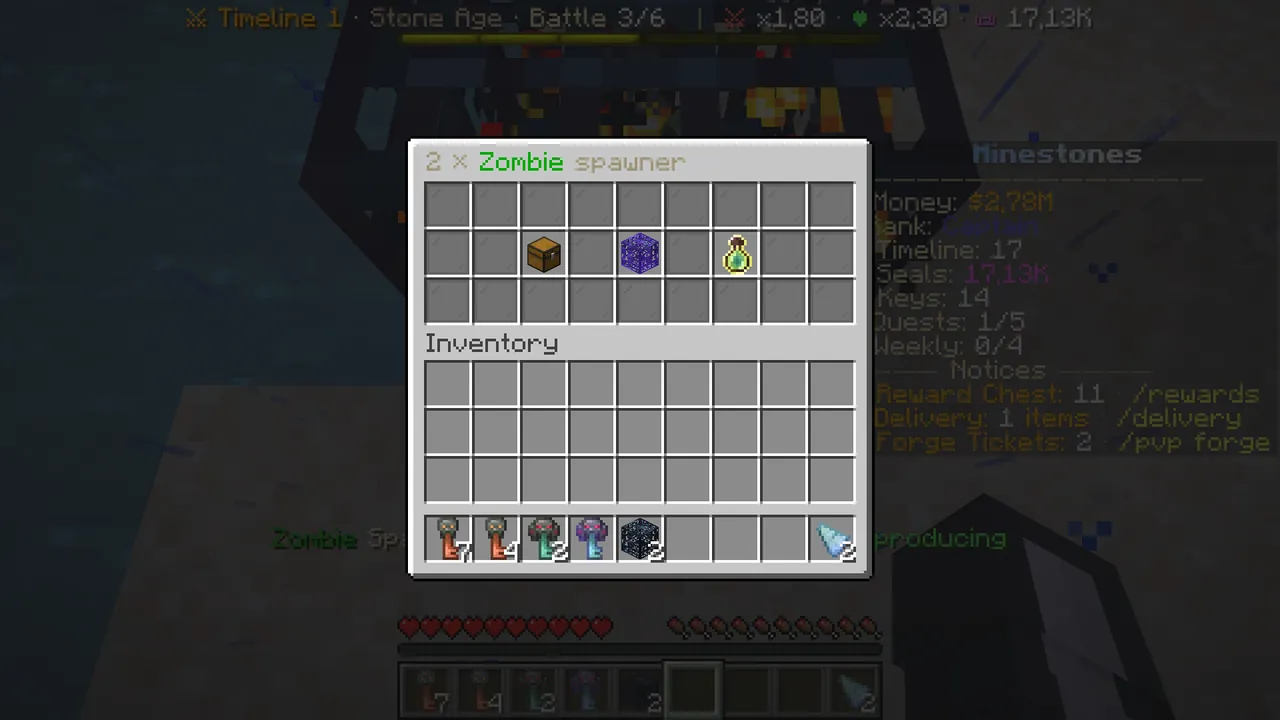 The spawner menu: storage, details and Take XP.
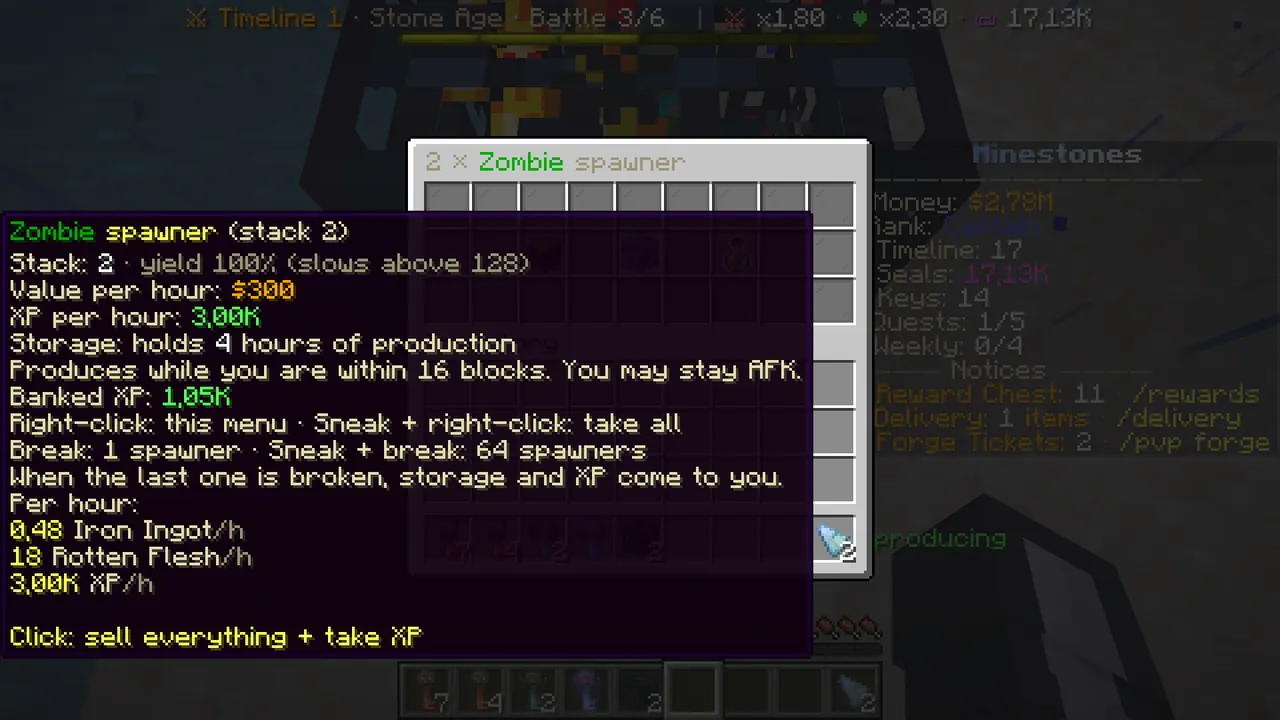 The spawner in the middle: stack, value and XP per hour, the rules. Click: sell everything + take XP.
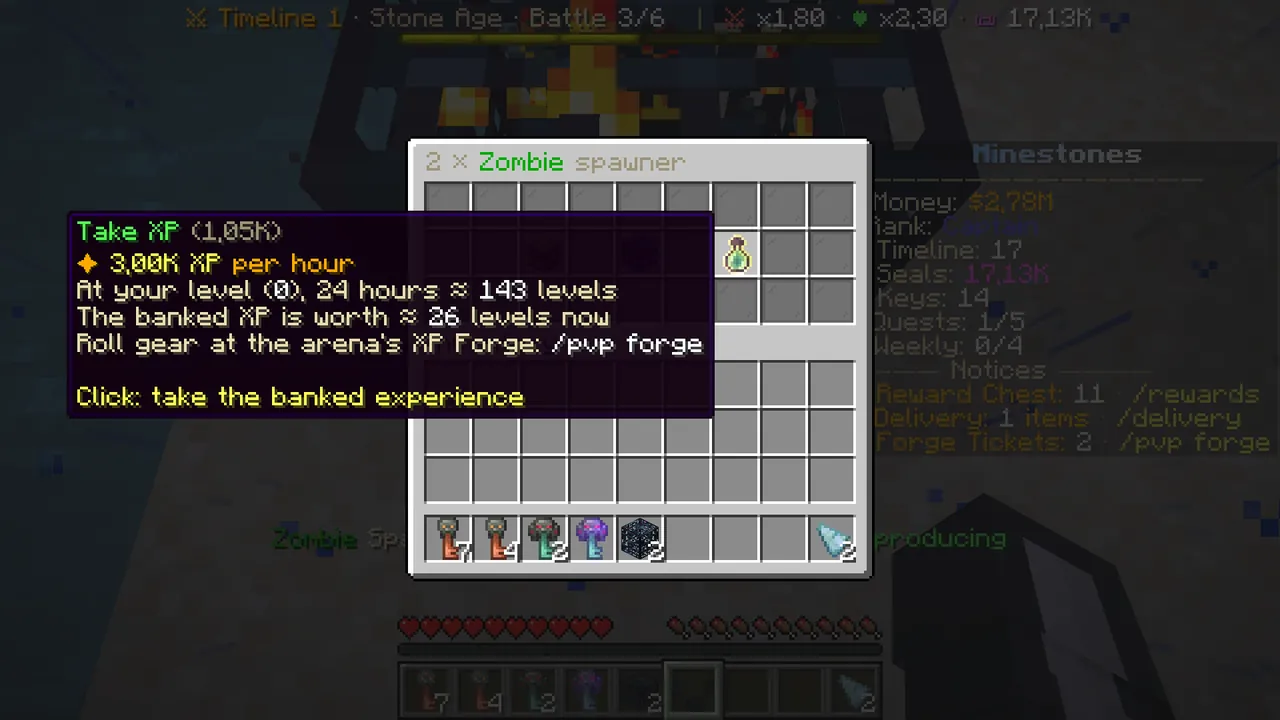 Take XP: it also shows how many levels 24 hours make at your level.
Step 5: use the storage
The storage page shows the items as real stacks:
- Click a stack: it goes to your inventory.
- "Sell the storage": sells the whole storage at market price.
- Take to inventory: takes as much as fits.
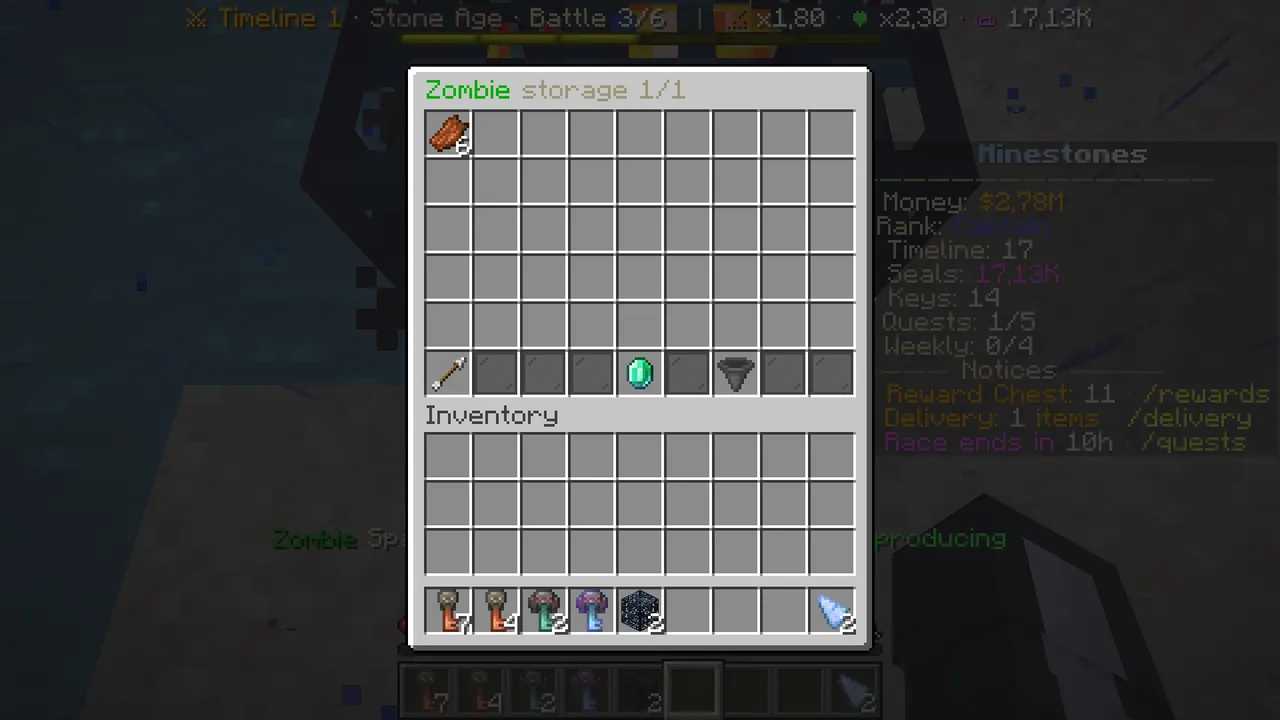 The spawner storage: click to take, or sell it all.
Shortcut: sneak + right-click the spawner and the stored items go to your inventory and the XP to your XP bar (nothing is sold).
Breaking it
- Normal break: 1 spawner from the stack goes to your inventory.
- Sneak + break: up to 64 spawners.
- When the last spawner is broken, the stored items and collected XP come to you; nothing is lost.
A spawner's real value: XP
A spawner's most valuable product is experience. That XP is what you spend in Arena PvP's XP Forge to draw items (/pvp forge).
Creepers give the most XP, then Endermen and Blazes; the Iron Golem brings the most money. Every rank can place every type.
More: Wiki → Survival and Economy. For arena items: Arena PvP step by step.