Arena PvP step by step: your character, the XP Forge, picking opponents and the league
Build your arena character with /pvp, draw items from the XP Forge, pick an opponent by power, collect Arena Stars and climb the league. Every screen with screenshots.
Minestones has two kinds of PvP: Classic PvP (real items, you drop them when you die) and Arena PvP (your own arena character, losing costs nothing). This post walks through Arena PvP's menus step by step; for the difference between the two, see Arena PvP and Classic PvP.
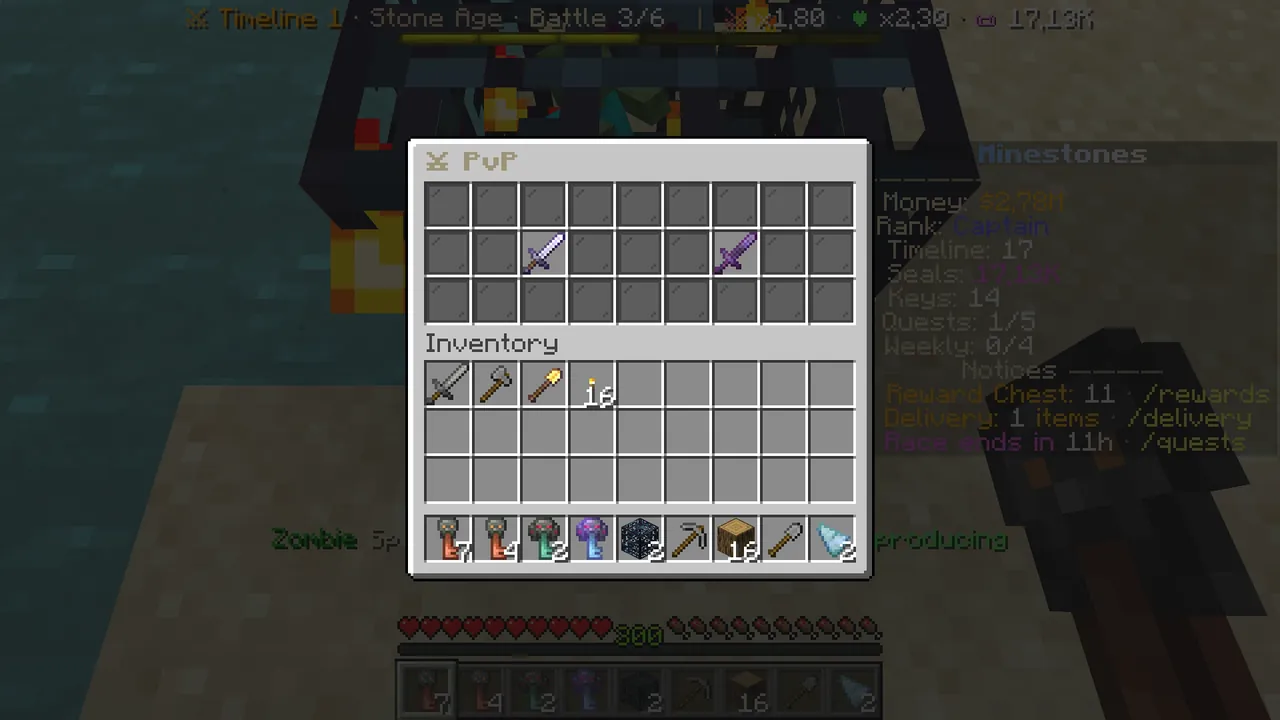 /pvp: Classic PvP on the left, Arena PvP on the right.
Step 1: /pvp and choosing a mode
- Type
/pvp(if you are in your battle arena,/spawnfirst). - Iron sword on the left, "Classic PvP": real Minecraft combat with your own items. You drop them when you die.
- Netherite sword on the right, "Arena PvP": your arena character. Click it to open the character screen.
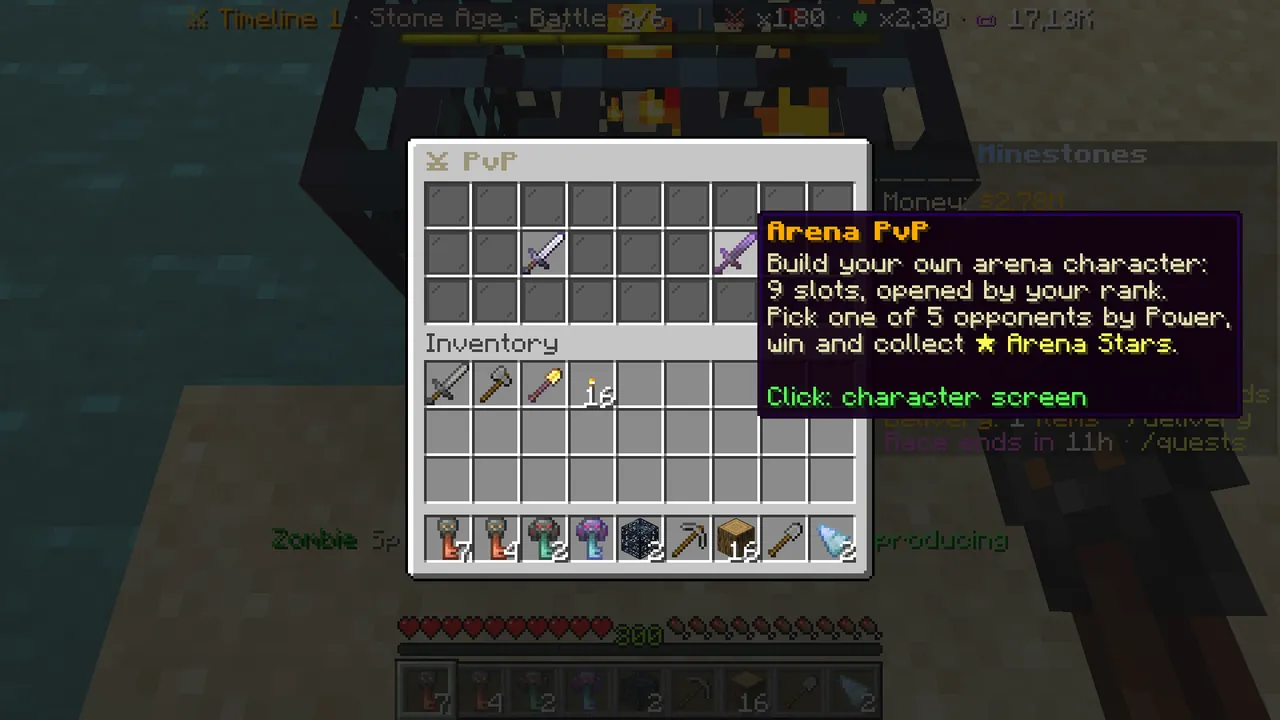 Arena PvP: 9 slots that open with your rank, 5 opponents matched to your power.
Step 2: the arena character (/pvp character)
The character screen has two halves: your body on the left (9 slots), information on the right.
- Body slots: Helmet, Chestplate, Leggings, Boots, Weapon (open from the start); Shield, Talisman, Ring and Ring II open with your rank.
- A locked slot is a barrier and says at which rank it opens.
- Green glass: empty slot, and you have a matching item. Click it to equip the strongest.
- A filled slot: left click to upgrade / enchant / reforge, right click to take it off.
- Row 1: your stats (Power) on the left, your player info in the middle, the Bracket league on the right.
- Bottom row: XP Forge, Star Shop, FIGHT in the middle, your rank limits and back.
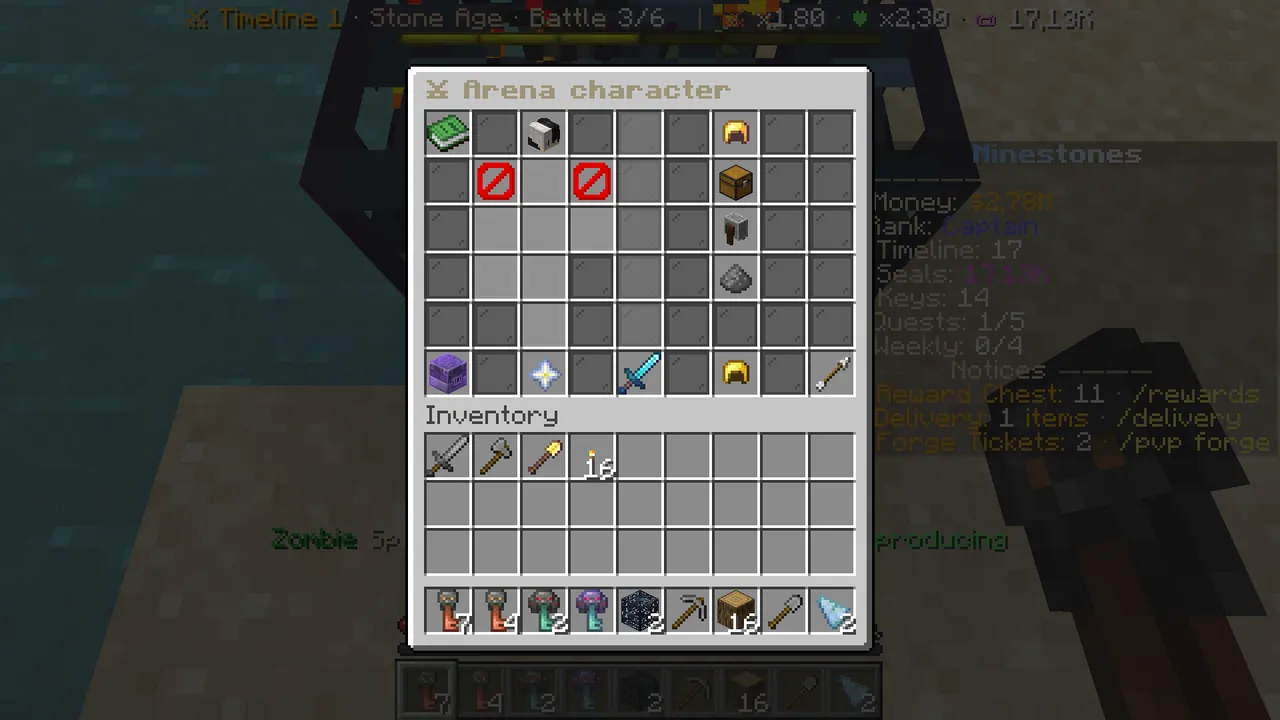 The arena character: your body on the left, information and buttons on the right.
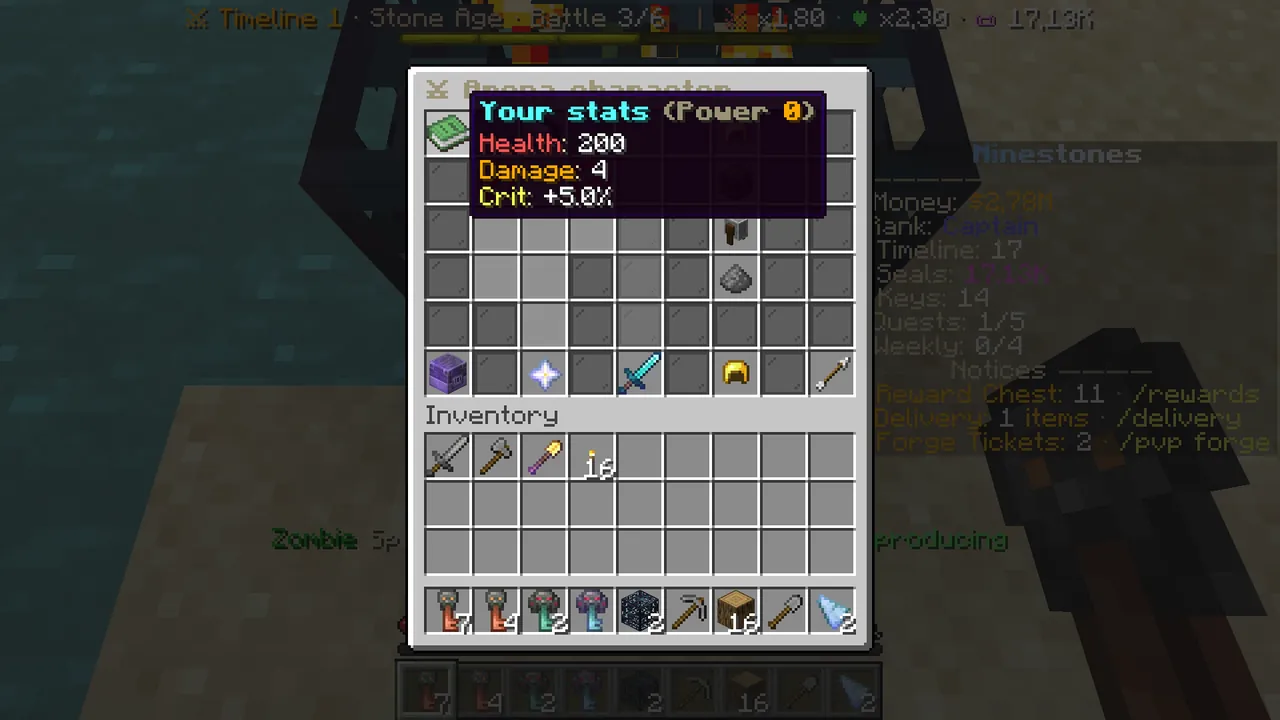 Your stats: health, damage, crit and total Power.
Arena items sit in your own inventory as real items. With the character screen open, left-click an arena item in your inventory to equip it, right-click for its details. Arena items do nothing in survival, but they can be traded.
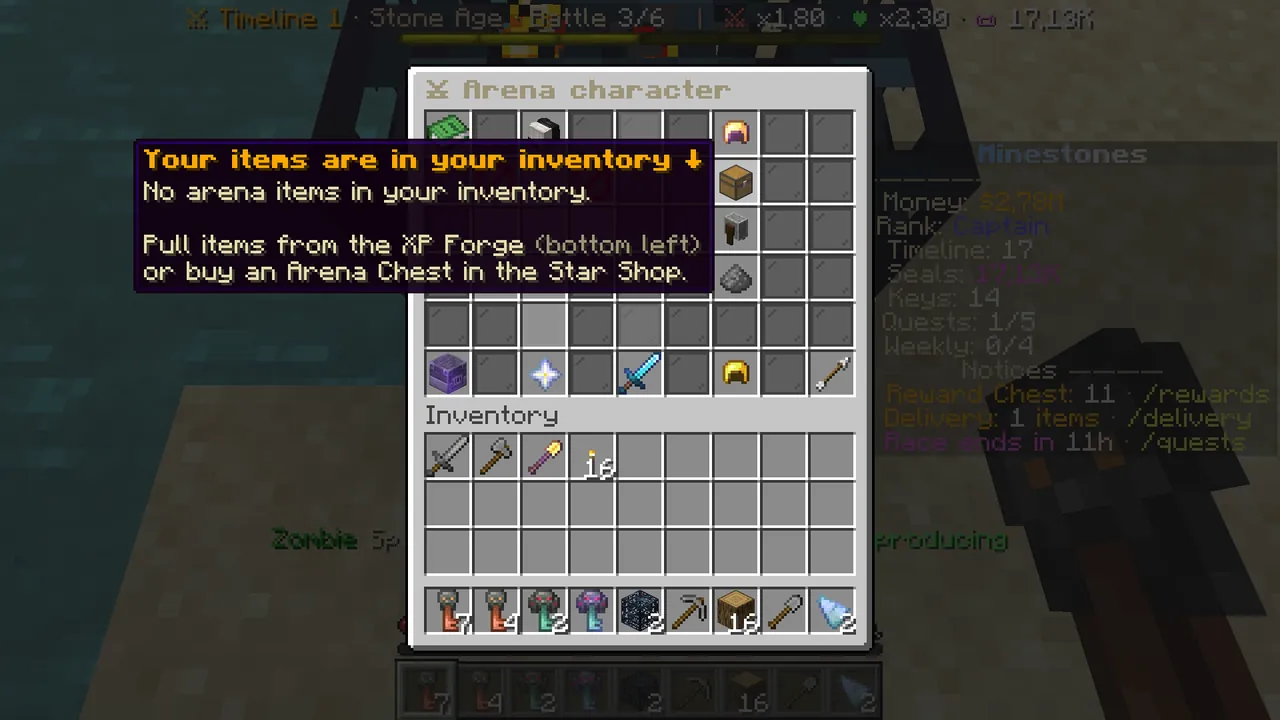 Without items, the screen tells you where to get them: the XP Forge.
Step 3: draw items from the XP Forge (/pvp forge)
Arena items are drawn with your Minecraft XP levels. That is exactly what spawner XP is for.
- Type
/pvp forge, or click the blast furnace at the bottom left of the character screen. - "Odds now": how likely each rarity is.
- Draw: the cost comes off your XP levels (like an enchanting table). Your first draw is free.
- Draw with a Forge Ticket: draws without spending XP. Every win in battle mode gives one ticket.
- The item comes to your inventory; you need one free slot.
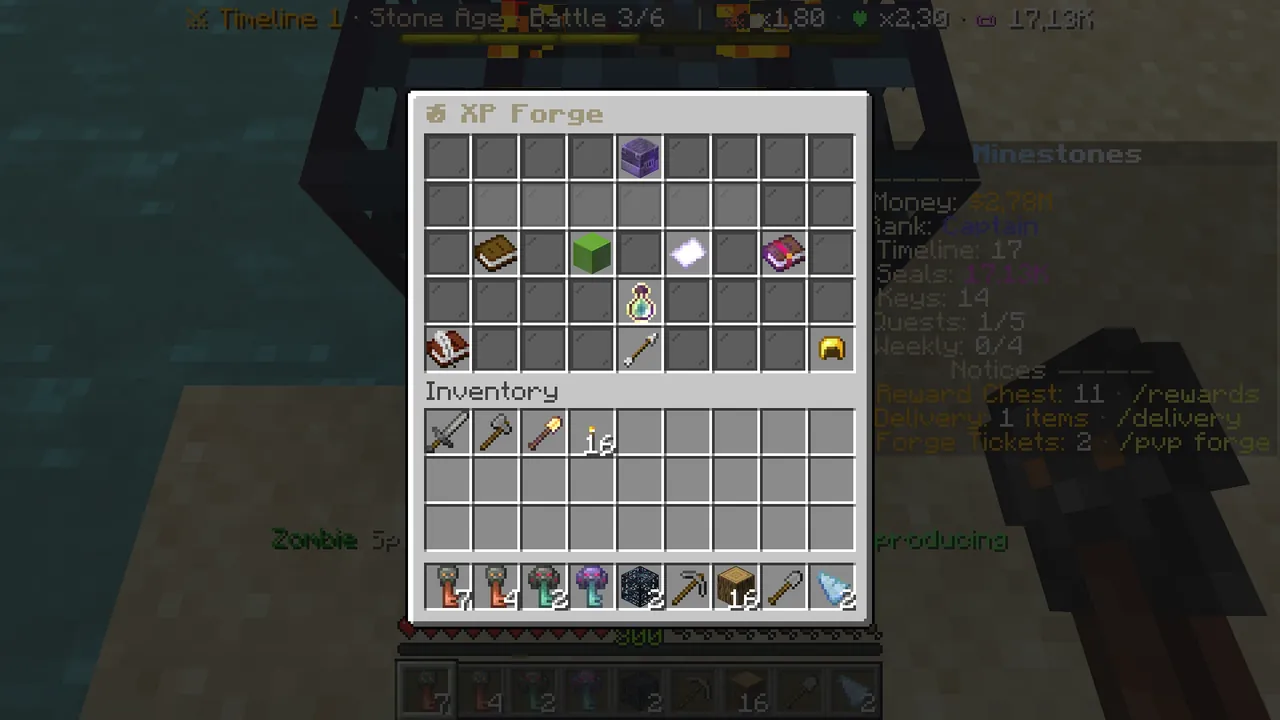 The XP Forge: chances, draw, ticket and the next level.
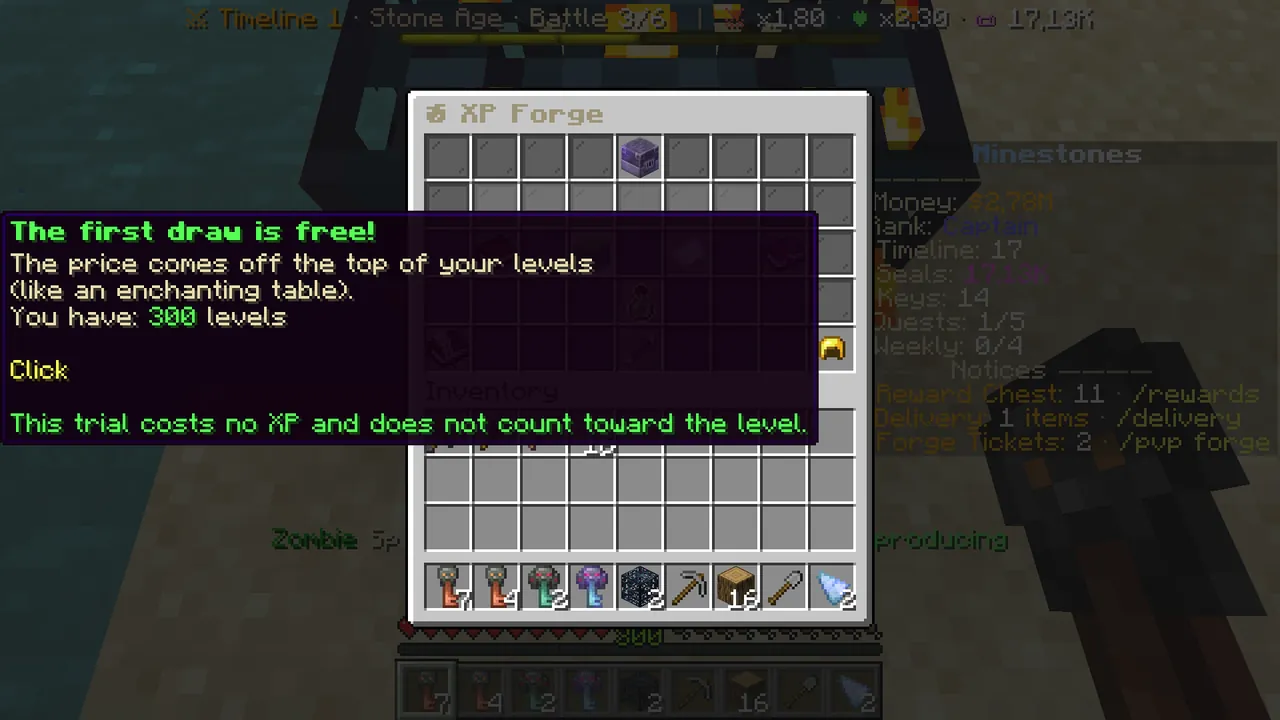 The first draw is free; the trial spends no XP.
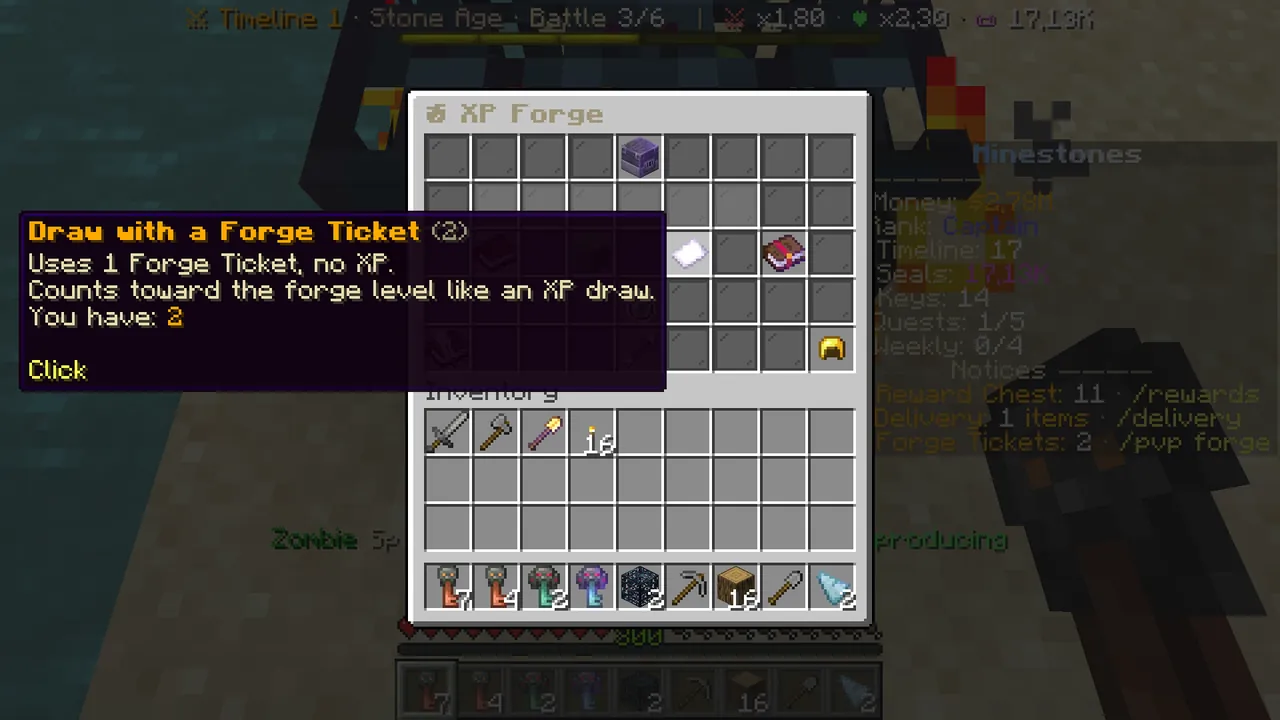 Forge Ticket: draw without spending XP.
The forge levels up as you draw: the cost rises, but so does the chance of rare items. Your rank sets the rarest item you can draw.
Step 4: pick an opponent and fight (/pvp fight)
- Click "FIGHT" in the middle of the character screen, or type
/pvp fight. - The top shows your Power and your daily league tries.
- Up to 5 opponents stand in the middle, weakest on the left to strongest on the right. Stronger opponents give more ⭐ Arena Stars.
- Click an opponent: the fight starts. You fight their ghost, which uses their saved items, with real Minecraft controls.
- A fight lasts at most 90 seconds. Afterwards you return to where you were.
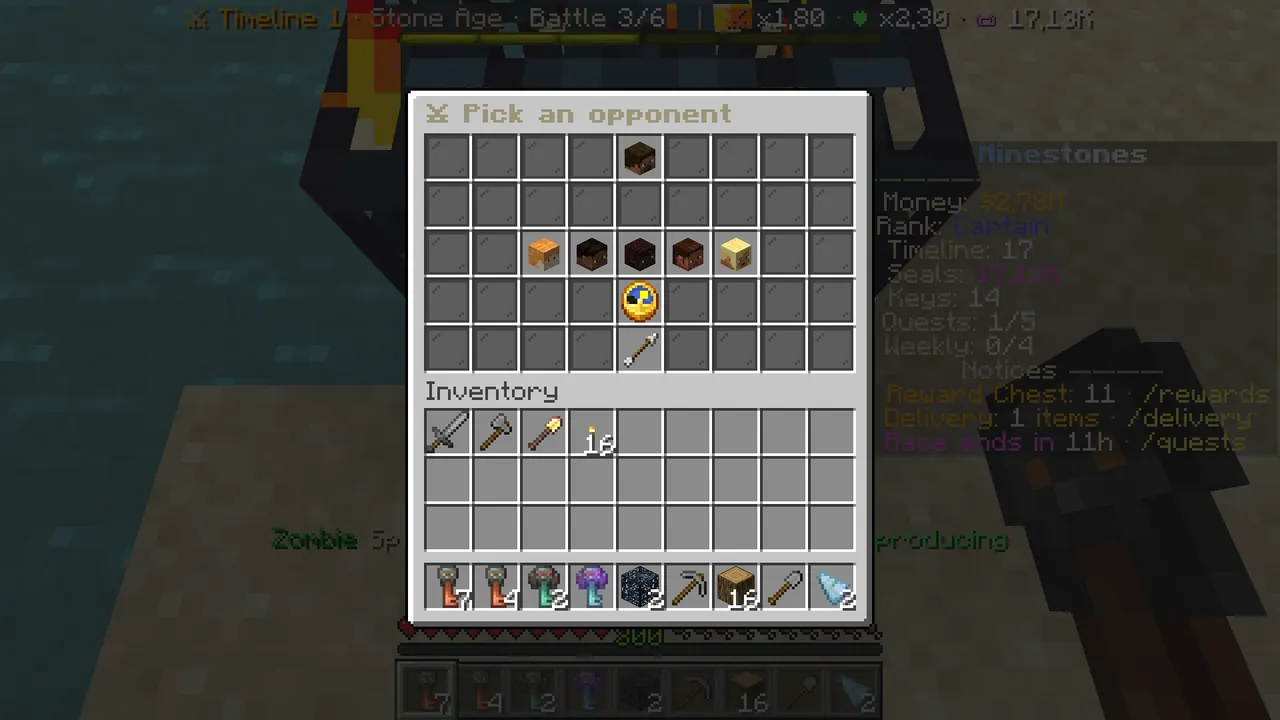 Pick an opponent: opponents by power, new opponents below.
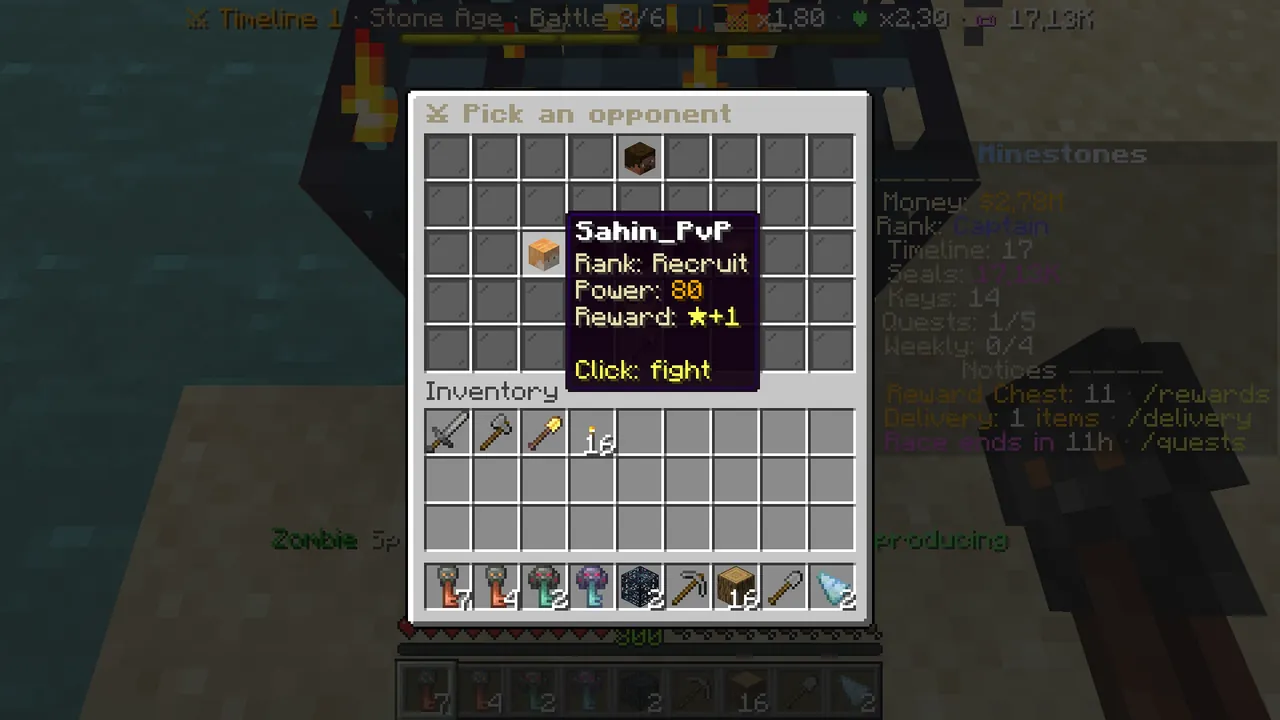 An opponent: rank, Power and the stars you get for winning.
Losing costs nothing. When your daily league tries run out, fights become practice (no points, no stars).
Step 5: the league and the Star Shop
- Bracket league (
/pvp league): a 15-player daily league in your Power band and a weekly star ranking. The top places get Seals and XP at the end of the day and the week. - Star Shop (
/pvp shop): Arena Stars buy cosmetics and titles; they give no power.
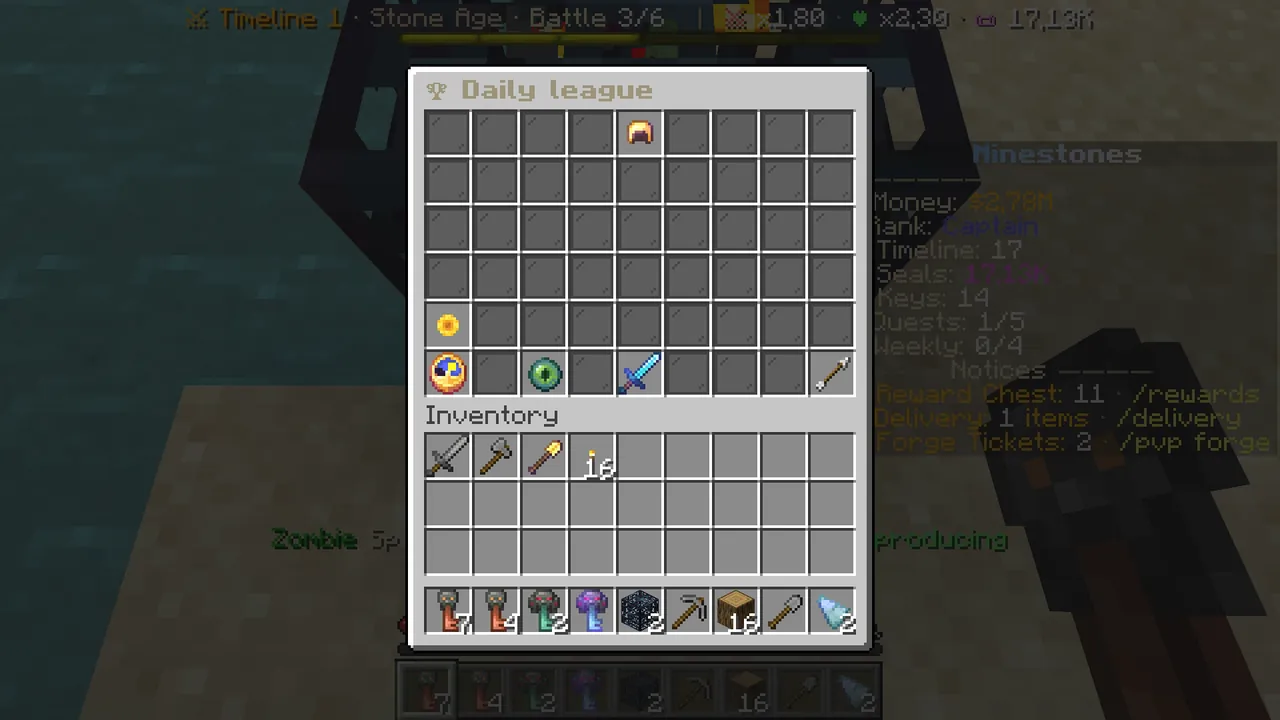 The daily league: ranking, rewards, daily and weekly tabs.
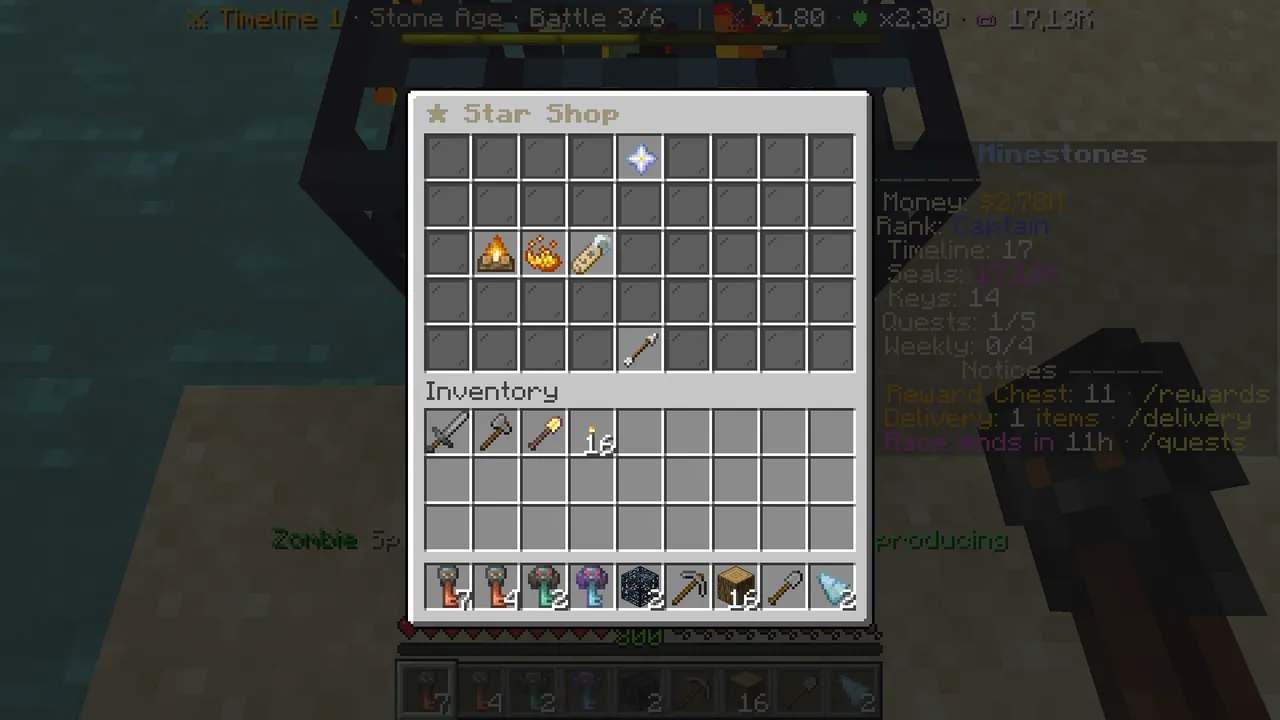 The Star Shop: cosmetics and titles.
Improve your items
Left-click an equipped item on the character screen:
- Upgrade: raises the item's level (money, XP and Smith's Dust).
- Enchant: sharpness, crit, protection and more (up to your rank's enchant limit).
- Reforge: rerolls the random stats; you see the result and can keep the old ones.
Items you don't use become Smith's Dust at the Salvage Bench.
Common questions
Where are my items? In your own inventory below. With the character screen open, left-click an item to equip it.
I can't equip it. A locked slot needs your main-game rank (it comes from evolving). An item above your rank's rarity or level limit cannot be equipped either; "Your rank limits" on the character screen shows them.
The forge doesn't work. It needs XP levels and a free inventory slot.
No opponents. The list fills with real players who have items; click "New opponents" a bit later.
All PvP rules: Wiki → PvP.