
Warps, homes and claims: getting around and protecting your base
Teleport to the important places with the /warps menu, use /sethome and /wild, and open and resize your claim with the golden shovel. Step by step with screenshots.
Two things make survival much easier: how to get where you want and how to protect your base. In this post we cover the
/warps menu, homes and random teleport first, then opening a claim with the golden shovel.
/warps: every important place in one menu
- Type
/warps(or/warp). - The menu is split into categories: - Spawn Island (yellow): Spawn, Plaza, Market Square (market, Auction House, orders), Crate Court. - Battle and PvP (red): Battle District, Classic PvP. - Survival (blue): Survival World, The Wild.
- Click where you want to go. In the survival world, stand still for 3 seconds before you teleport.
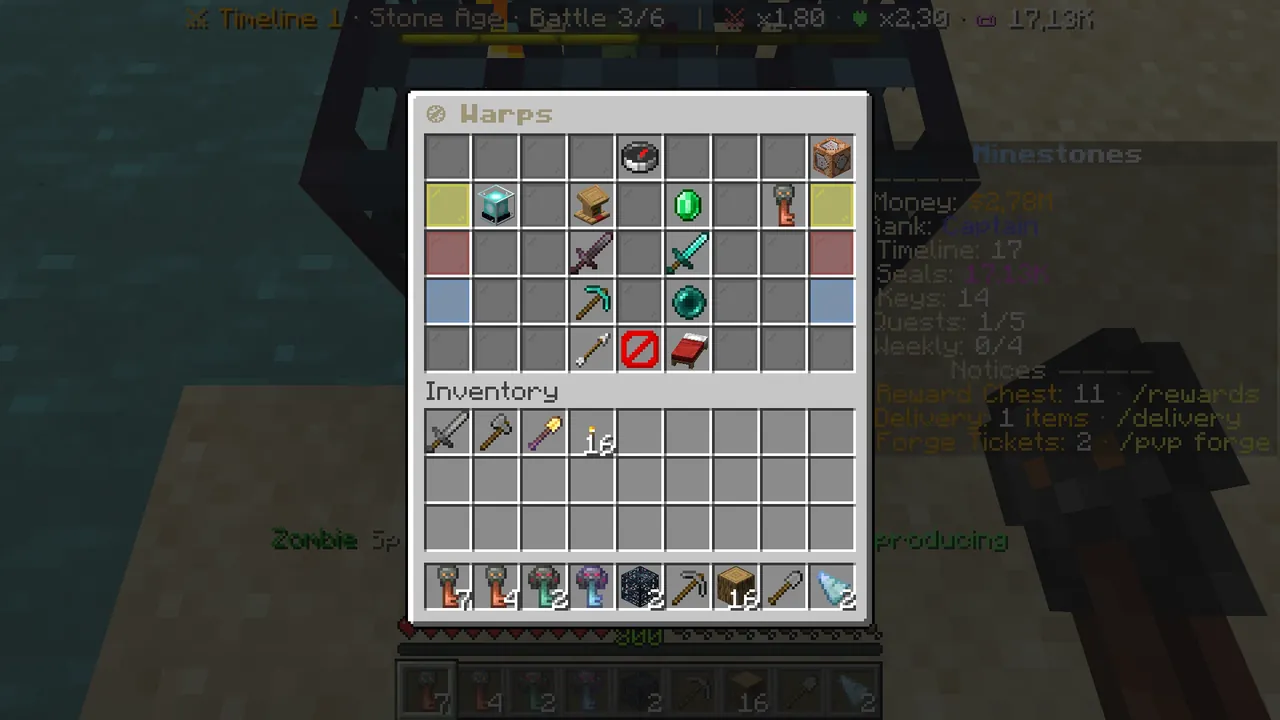 /warps: teleport points by category.
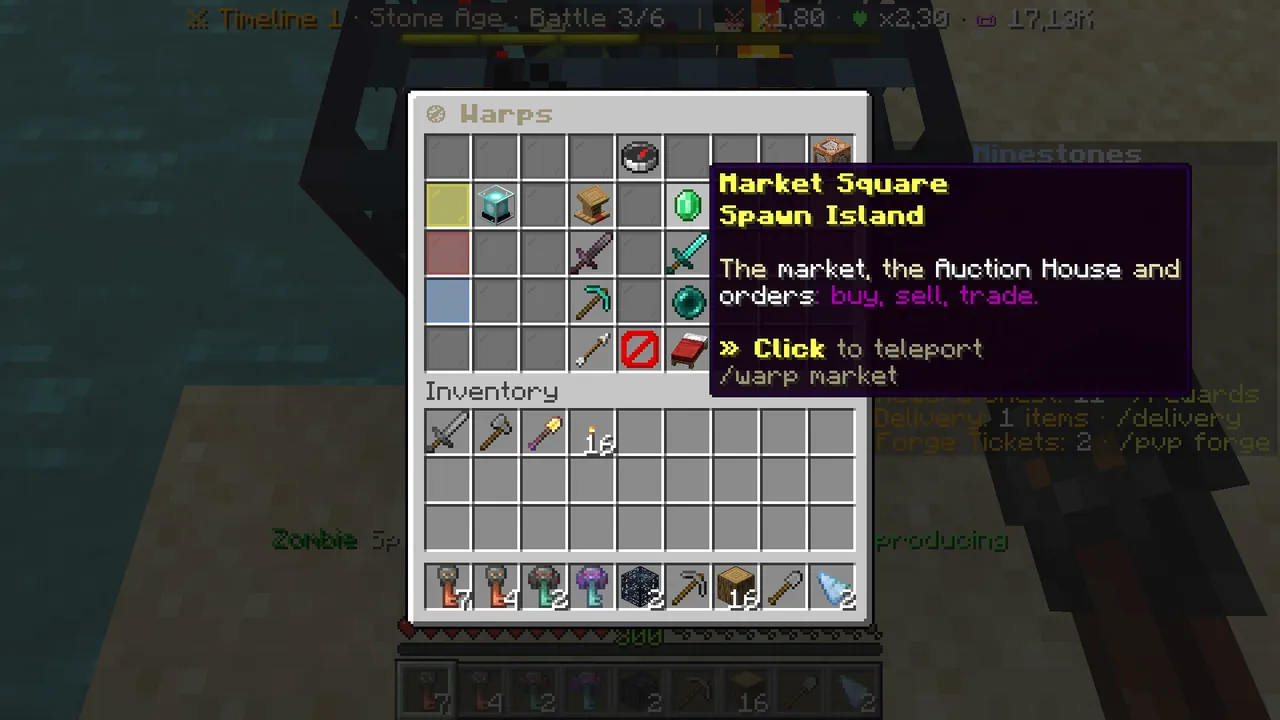 Each point shows its description and command.
You can also go without the menu: /warp market, /warp crates, /warp arena, /warp survival. While combat-tagged (for 15 seconds
after hitting or being hit by a player) you cannot teleport.
Homes: /sethome and /home
/sethomesaves where you stand as a home. You can name it too:/sethome mine./hometakes you to your first home,/home mineto that one. The red bed "⌂ Go home" in the bottom row of the warps menu does the same./delhome <name>deletes a home.- How many homes you can have grows with your rank (and VIP). You cannot set a home on someone else's claim.
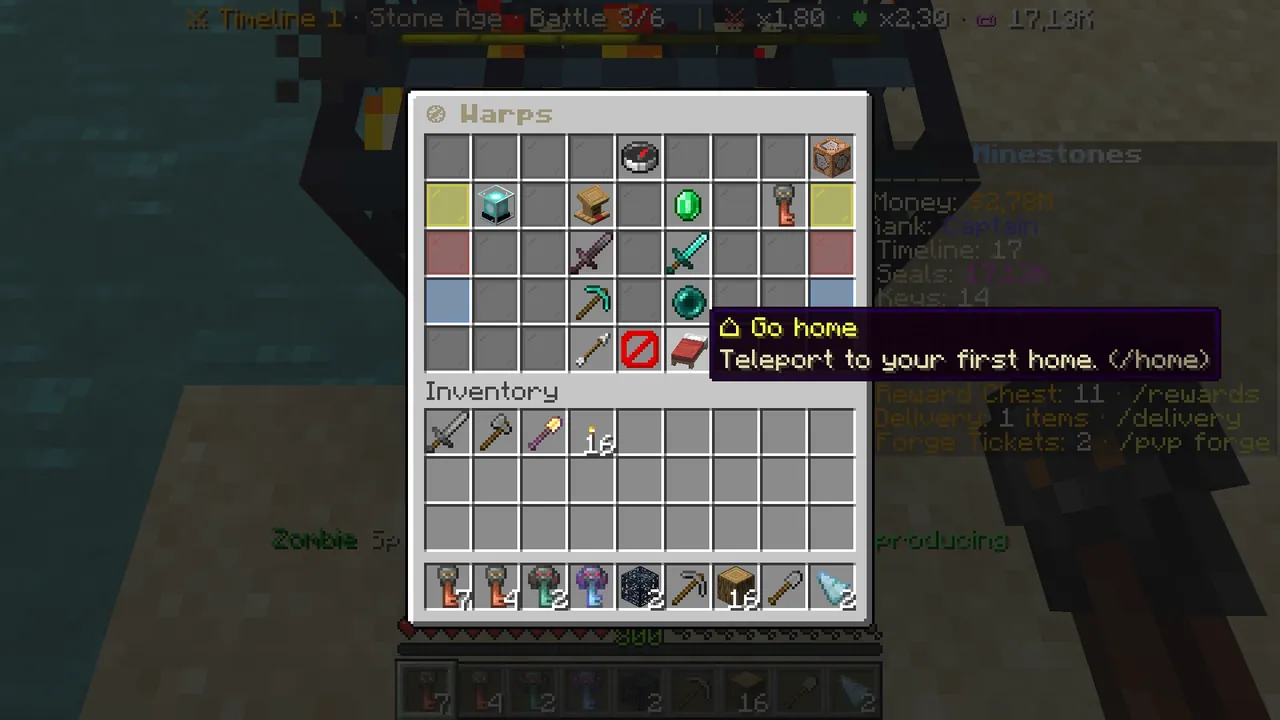 "⌂ Go home" in the warps menu takes you to your first home.
/wild: random teleport
/wild (or /rtp) teleports you to a safe random spot in the survival world. "The Wild" in the warps menu is the same.
- The first time you go without waiting to an empty spot and get your starter kit: stone tools, bread, torches, logs and a Claim Shovel.
- After that there is a 5-minute cooldown (VIP makes it shorter).
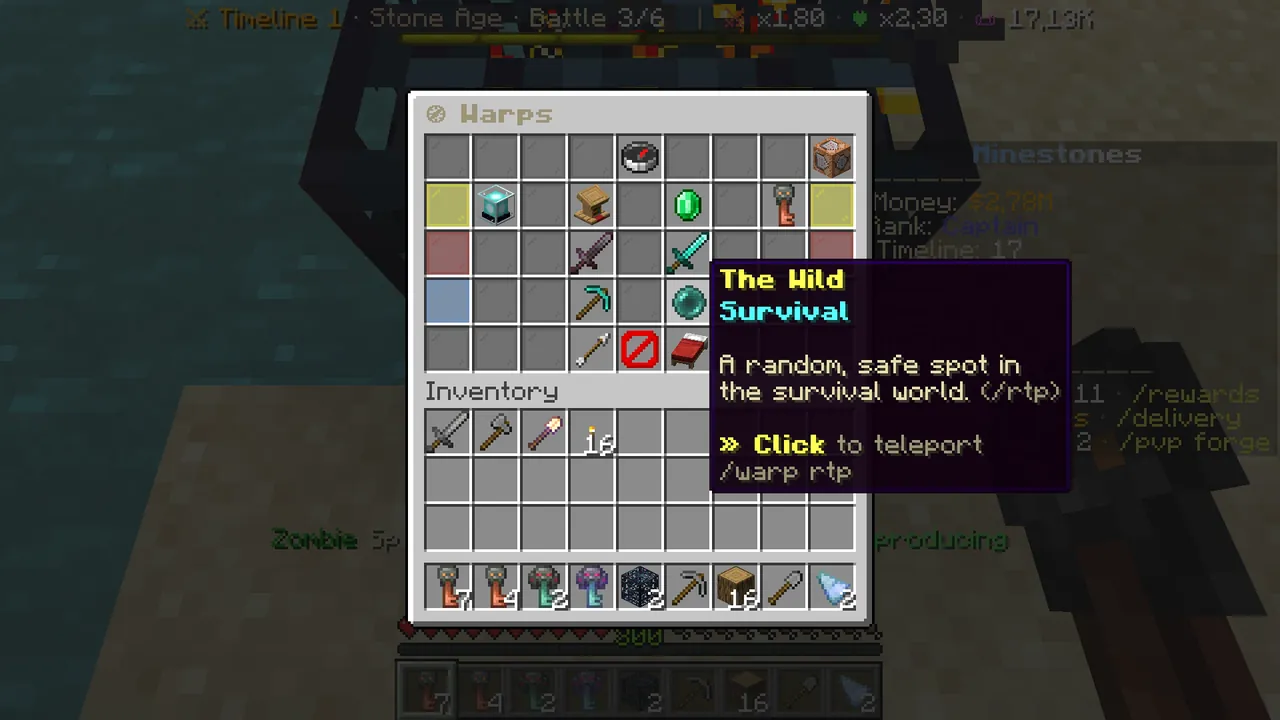 The Wild: the same as /wild.
Claims: protect your base
Inside your claim nobody but you and the players you trust can break, place or hit you. If you die on your claim, your items do not drop.
Step 1: get the Claim Shovel
Claims open only with a golden shovel. Your starter kit has a Claim Shovel; if you lost it, type /claims shovel or click "Get a
Claim Shovel" at the bottom of the /claims menu. Any golden shovel works.
Step 2: right-click two corners
- With the shovel in hand, right-click one corner of the area.
- Right-click the opposite corner: your claim is open.
Each side must be at least 5 blocks. Claims open only in survival's main world.
Step 3: resize it
Right-click a corner of your claim with the shovel, then right-click the new spot. The claim changes to the new size.
Claim blocks
Every claim uses as many claim blocks as its area: a 10×10 claim uses 100. As long as you have blocks, you can open as many claims as
you like. Your claim blocks grow with your rank, and you can buy some with $ (/claims buy <blocks>).
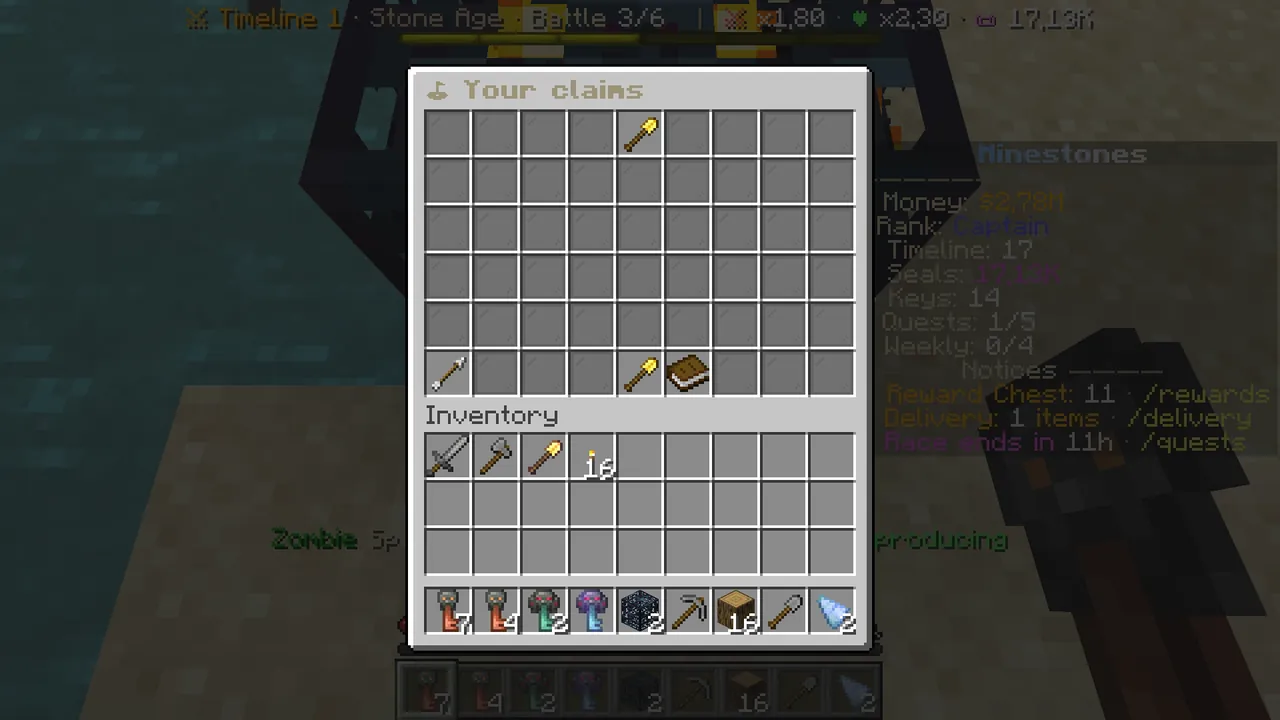 /claims: your claims, your claim blocks and the shovel button.
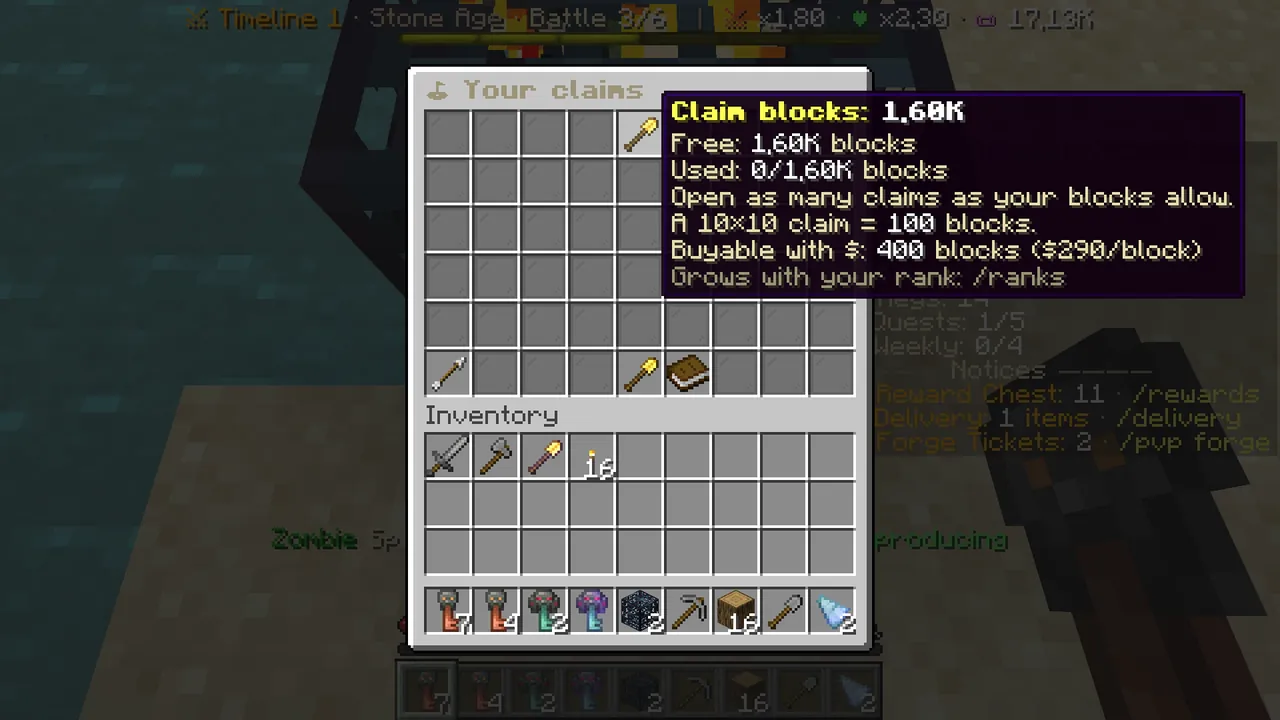 Your free and used claim blocks.
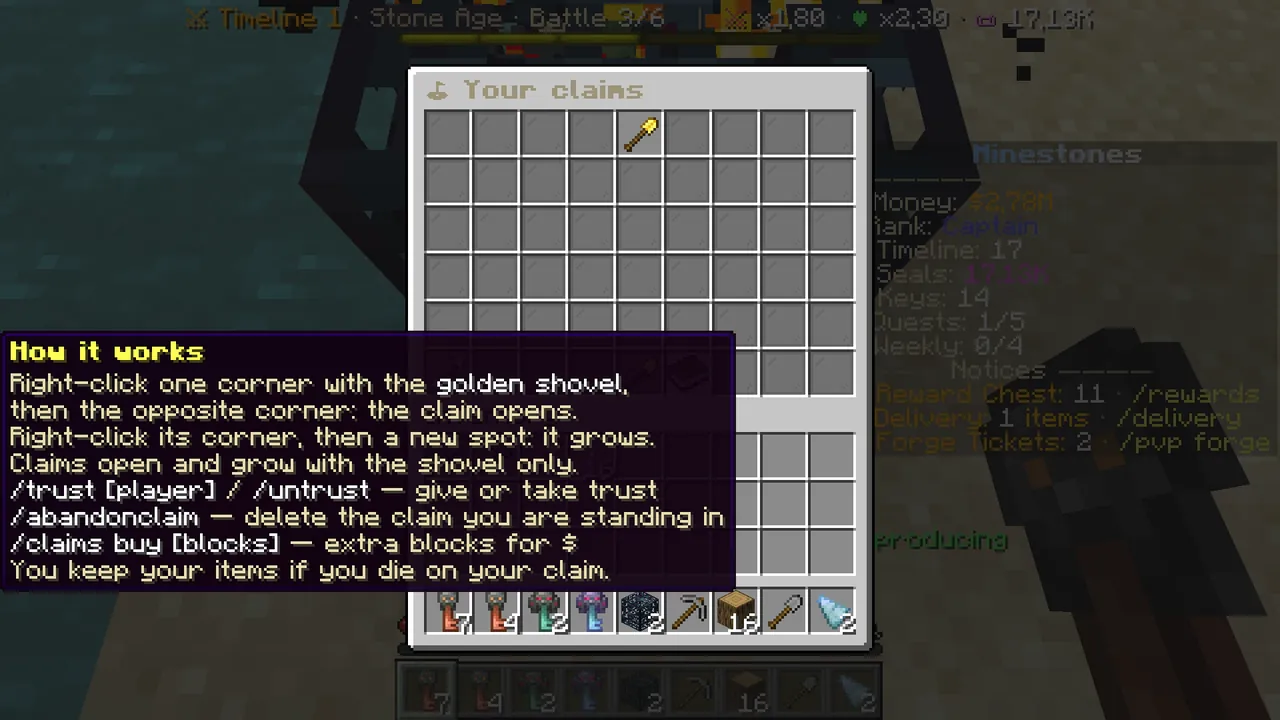 The book at the bottom lists every step and command.
Share it with a friend
/trust <player>(or/claims trust <player>): your friend can build on your claim./untrust <player>: take the permission back.- Standing inside a claim applies to that claim only; standing outside applies to all your claims.
Other commands
/claims info: the owner, size and trusted players of the claim you stand in./claims show: shows the border of the claim you stand in./claims delete: deletes the claim you stand in and gives the blocks back.
Common questions
/claim doesn't work. Claims open only with the golden shovel: right-click two corners.
I can't claim in the Nether. Claims currently open only in survival's main world.
/home doesn't work. A home on someone else's claim cannot be reached once they take your trust back; and wait if you are combat-tagged.
Survival's rules: Wiki → Survival and Economy.