

Claim Guards are here: protect your Minecraft claim with your battle units
On Minestones survival you can now place the units you unlocked in battle as guards on your claim. Slots that grow with your rank, extra VIP slots, armour, boosts and fair prices: a new way to protect your claim.
The biggest pain in Minecraft survival never changed: mobs at night, zombies trampling your farm, skeletons waiting at your door. Minestones now has an answer: Claim Guards. You place the units you unlocked in battle mode on your claim, and they keep watch for you.
How do I place a guard?
Type /claims and press Guards. The roster opens: every row is a guard slot. Click a free row and the Pick a unit screen
appears with every unit you unlocked in battle. Click one and it guards the spot you stand on.
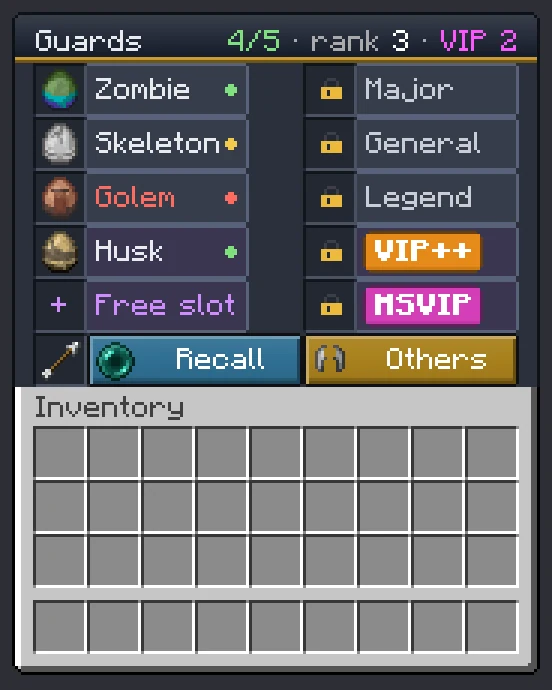 The roster: your rank slots on top, your VIP slots below in a light purple tone. A locked row says which rank or VIP tier opens it.
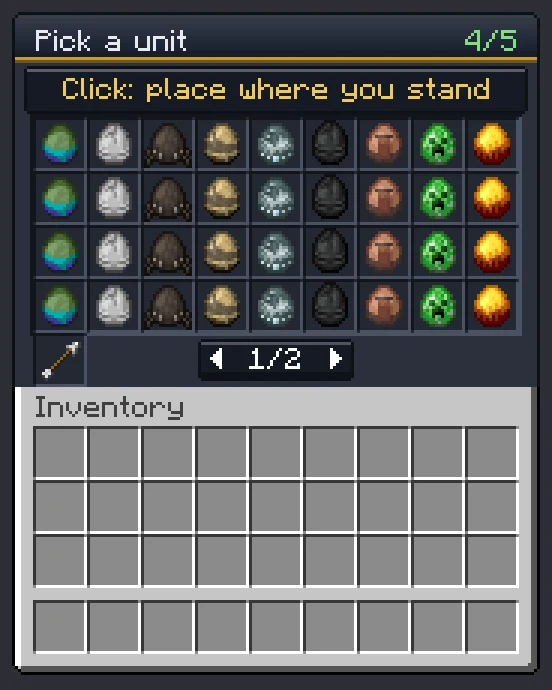 Pick a unit: your battle units, with their price in the tooltip.
Guards have two modes: in roam they walk your claim and chase hostile mobs, in hold they keep their post and hit whatever comes close. Ranged units (archers, casters) turn into towers on hold.
How many guards can I have?
Your slots grow with your rank, at most 6:
- Recruit 1 · Private 2 · Lieutenant 3 · Major 4 · General 5 · Legend 6
VIP adds extra slots on top: VIP +1, VIP+ +2, VIP++ +3, MSVIP +4. A higher tier opens the lower tiers' slots too.
Dress your guard
Right-click your guard with armour, a weapon or a shield in hand and it wears it. Right-click with an empty hand and its own menu opens: the armour doll, the health bar, damage and boosts on one screen.
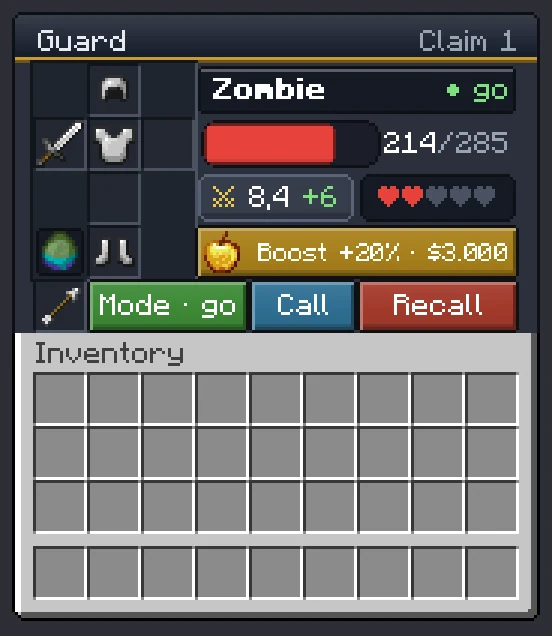 The character card: the armour doll on the left, health, damage and boosts on the right.
Enchantments count: Protection armour makes the guard tougher, weapon enchantments like Sharpness and Smite make its hits stronger, Fire Aspect sets the target on fire. But gear wears out: armour loses durability as the guard takes hits, the weapon as it strikes, and everything it wears breaks when it dies.
Price, revive and refund
Guards are not free, but they are fair. The price follows the unit's power and your rank: a weak unit is cheap, a heavy one is expensive. The rules are simple:
- You pay when you place it, and that price is fixed.
- If it dies, you revive it for the same price. Its death has a cost.
- If you recall it, everything you paid comes back to your balance.
- Boosts: each step adds 20% health and damage, at most 5 steps.
Guards do not fight bosses (Wither, Ender Dragon); they are there to keep mobs off your claim. The mobs they kill drop their items.
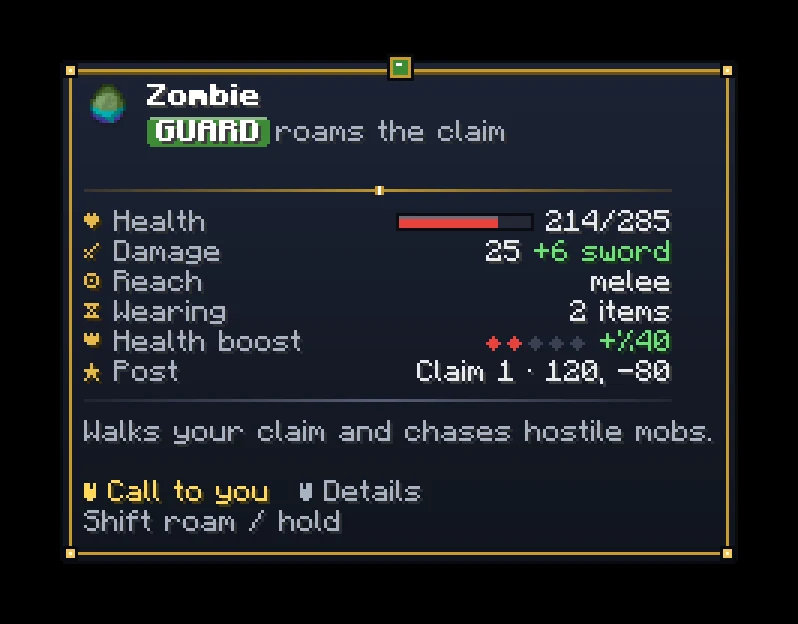 Every guard's tooltip: health, damage, what it wears, boosts and its worth.
Guards in a friend's claim
If you can build in a claim, you can place guards there too. If the trust is taken away, your guard comes back to you with its gear and its money. The claim's owner cannot touch someone else's guard, but can send it back from the In your claims screen.
Try it now
/claims→ Guards- Click a free row and pick a unit.
- Right-click your guard: dress it or open its menu.
Join at play.minestones.net. New to claims? Read our survival guide.
Written by the Minestones team. We build the game, the servers and this website. About us →