

Big update: new menus, the Compass, card openings and Arena Point
A new /ms menu, rarity-coloured cards, animated card and potion openings, an in-game Store tab, the Compass, /leave and Arena Point at the south tip of spawn. What changed on Minestones and how to try it.
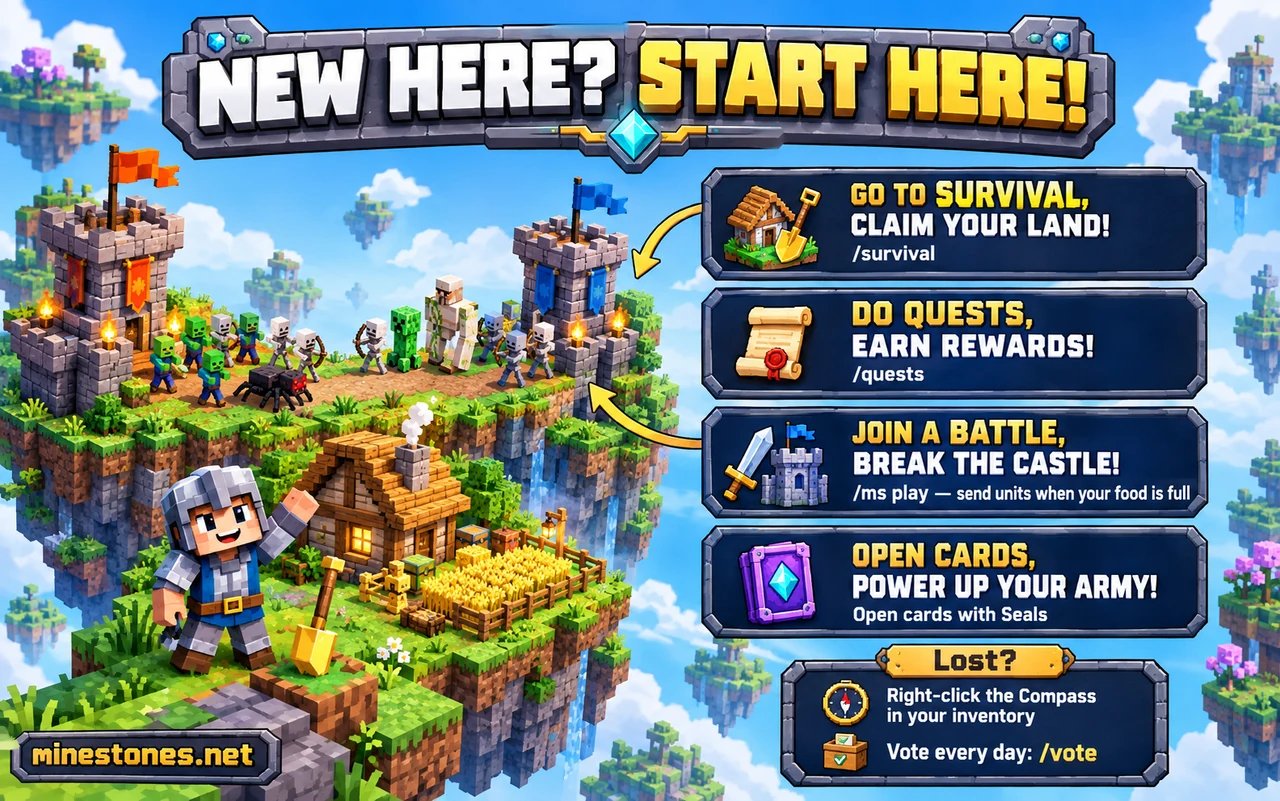
Our testers sent us a long list: "I didn't know where to start", "I got lost in the menu", "how do I get to the Arena?". We read every line and rebuilt the parts of the game you use most. One goal: someone joining for the very first time should see what to do right away.
Here is what changed, in short. At the end there is a quick list of commands so you can try it all yourself.
The new /ms menu: a fixed top band and tabs
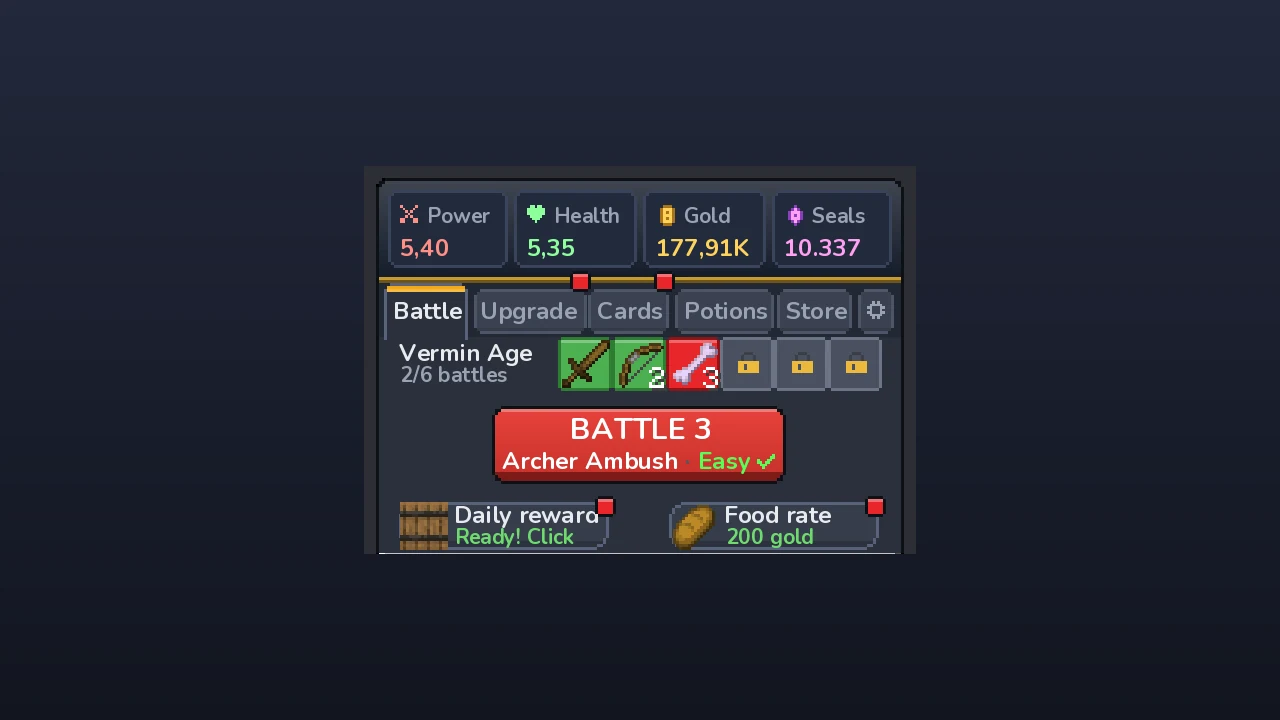 Battle tab: your Power, Health, Gold and Seals on top; below them the age's six battles and the big BATTLE button.
/ms now opens like a mobile game. The same band always sits at the top: Power, Health, Gold and Seals. Below it
are the tabs: Battle · Upgrade · Cards · Potions · Store · Settings. The band stays put when you switch tabs, so you never lose
track of what you have.
- Battle: the age's six battles in a small strip, a big BATTLE button in the middle, your daily reward and a suggested upgrade next to it.
- Upgrade: units, food rate and castle health on one screen. If you are short on gold, the price shows in red.
- Red dot: when there is something you can do on a tab, a small red dot appears on it.
Cards: a new look, level and copies bar
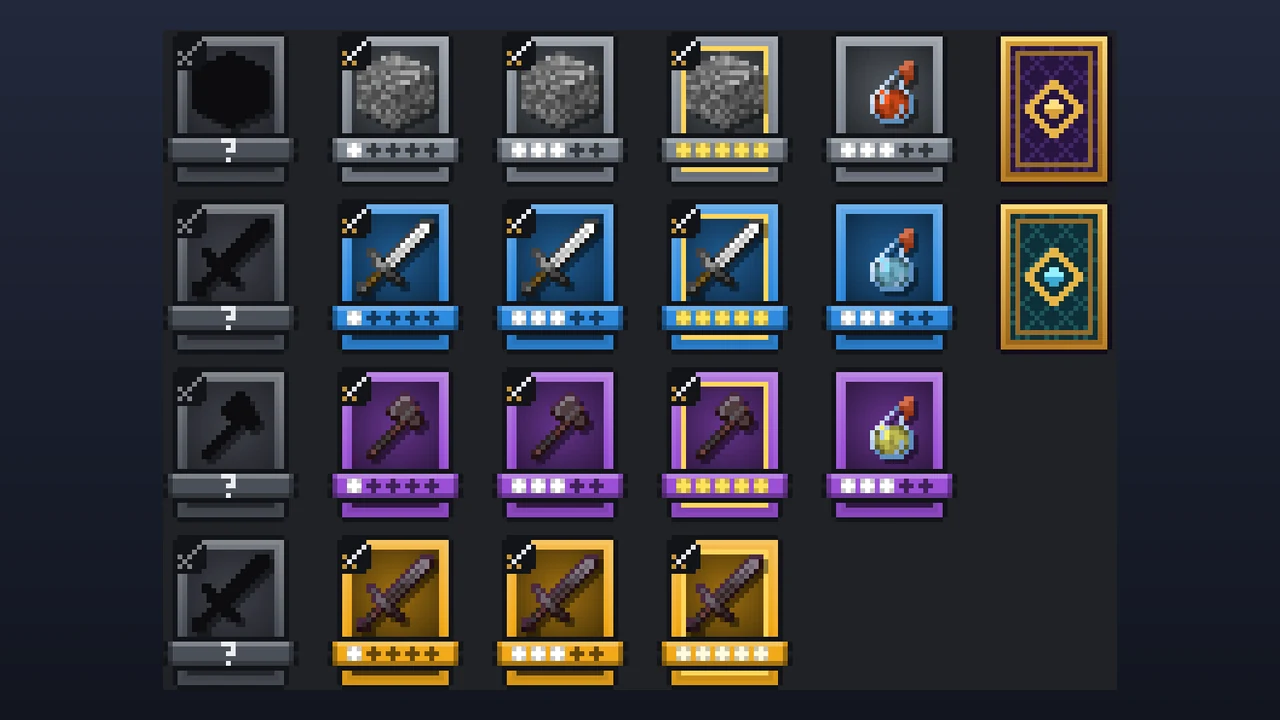 Common grey, Rare blue, Epic purple, Legendary gold. Cards you haven't found yet show as a shadow.
Every card now has its own face. The frame colour tells you its rarity, and underneath you see the card's level and a bar with the copies left until the next level (for example "6/10"). On a card at the top level the bar turns gold and says MAX. Drawing cards happens on this tab too: a single draw or a 10-card draw, both at the bottom.
Card and potion openings are now a show
When you draw a card or a potion, the menu closes and the card spins open right in front of you. Only you see it. In a 10-card draw the cards fan out and open one by one. The rarer the card, the bigger the show. At the end you see how much your total power changed, and every card you drew is listed in chat, one line each, so you can look back later. Don't want to wait? Sneak (Shift) to skip.
The Store tab in the game
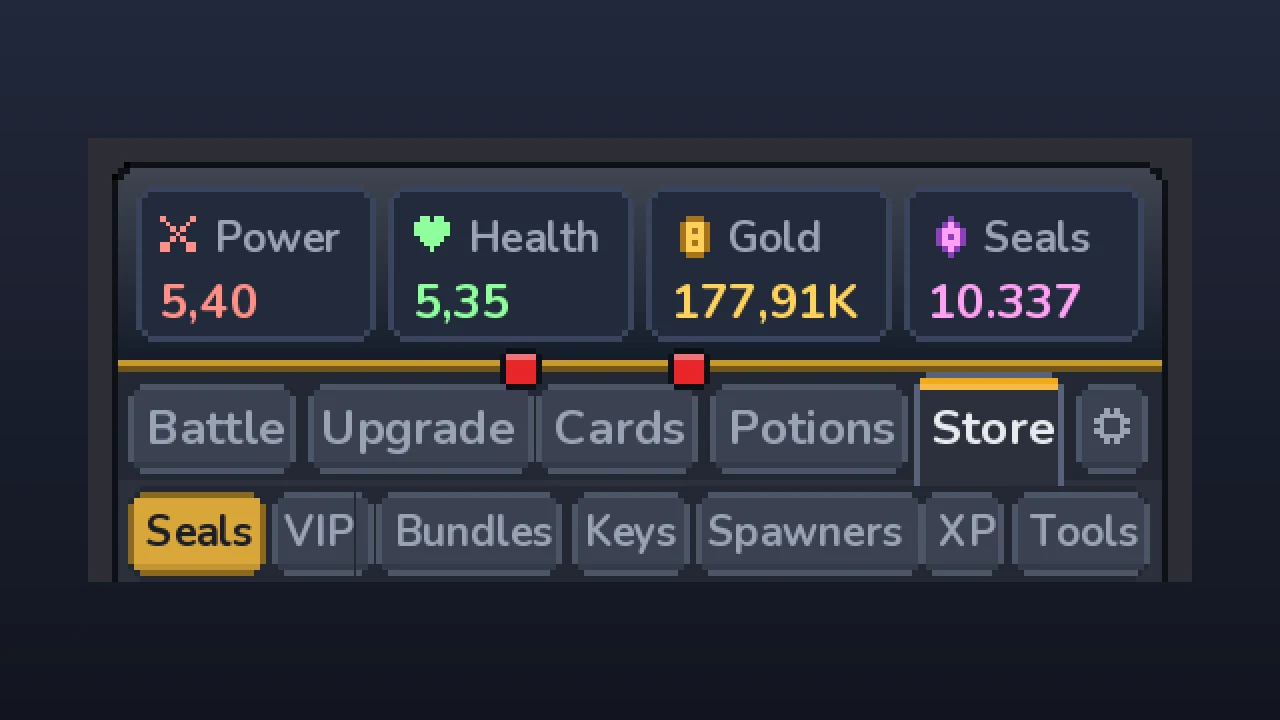 Store tab: Seals, VIP, bundles, keys, spawners, XP and tools.
The Store tab in /ms shows Seal packs, VIP and the other products without leaving the game. Click a product to get a short
summary and a link. The link opens the store on the website, where the purchase happens. Right-click instead to get a
link for sending the same product to a friend as a gift.
A new sidebar
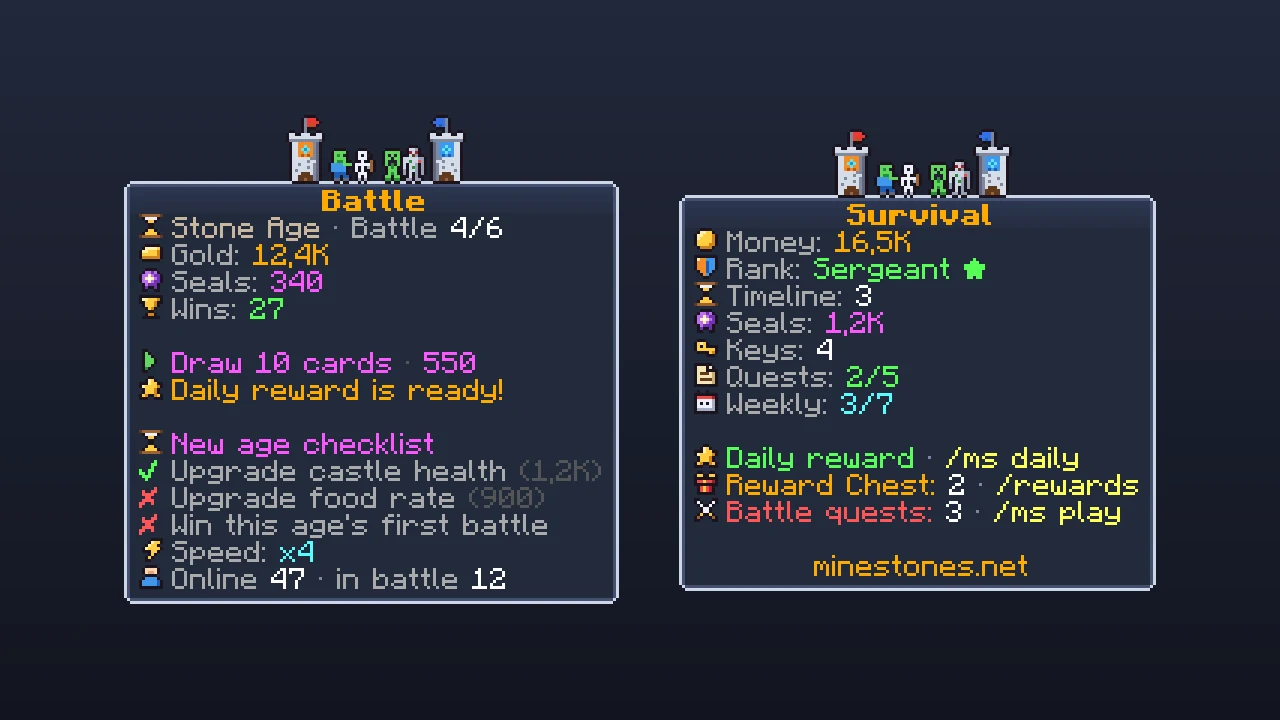 Left: the battle mode sidebar. Right: Survival. On top, a small scene with two towers and units.
The panel on the right has been redone. It starts with a small scene of two towers and units between them, and every line has its own icon. It is shorter and cleaner too: only what you need, plus the answer to "what should I do now?".
The Compass: go anywhere in one click
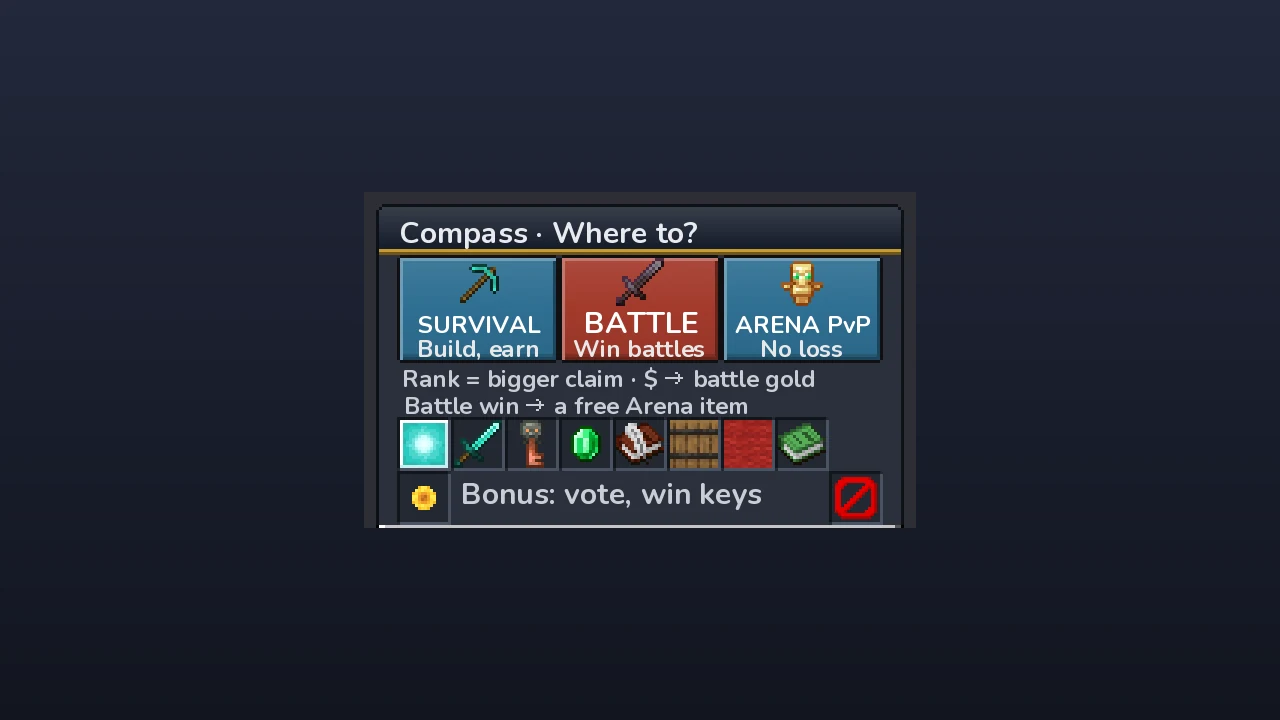 The Compass: Survival, Battle and Arena PvP in big boxes, with Spawn, Classic PvP, Crates, Market, Quests and more below.
The last slot of your hotbar now always holds a Compass. Right-click it and pick where to go: Survival, Battle, Arena PvP, Spawn, Classic PvP, Crates, Market, Quests, the Reward Chest or your home. The Compass doesn't move, can't be dropped and isn't lost when you die. It hides during a battle and is back in its place when the battle ends.
Leaving things takes one command too: /leave (Turkish /cik). It takes you out of a battle, an Arena fight or Classic PvP,
wherever you are.
Arena Point and simpler Arena screens
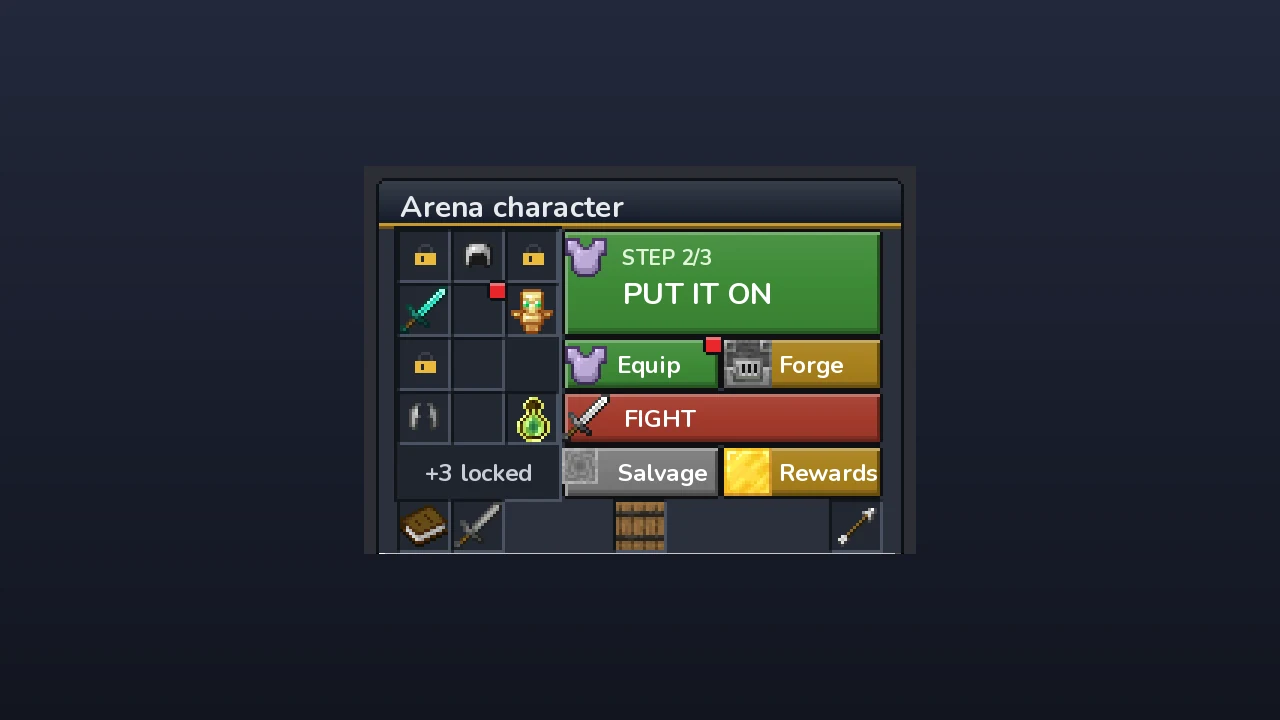 Arena character: the big green button tells you the next step.
PvP now lives at the south tip of the spawn island, at Arena Point. The round platform has two stations: Arena PvP
(/pvp) and Classic PvP (/arena). Signposts along the road lead you there, or just type /warp pvp.
The Arena screens are simpler as well. New players go step by step ("Step 1/3") and the big button says what to do. Drawing gear at the XP Forge has a single Draw button. If anything is unclear, the How to play screen explains every button in a line or two.
First steps for new players
A new player's top bar now shows the next step. There are four: ① go to Survival ② protect your home with the Claim Shovel ③ finish a quest ④ win your first battle. As soon as one is done, the bar shows the next. Voting for a key is there too, as a bonus. The boards in the lobby and at spawn have been rewritten as well: shorter, at eye level and right on your path.
Faster battles, clearer chat
- Battles start in 3 seconds. No long wait.
- You can see when an egg is ready: once you have enough food, the unit egg in your hotbar switches to its "ready" look.
- The post-match summary is clean: did you win, what did you get, and what's next.
- Chat: player lines look like
Ali » message, and server lines start with a small M emblem. You can tell who is talking at a glance.
The resource pack: optional and smaller
Accept the Minestones pack you are asked about when you join and you get the new menu look, the card faces and the icons. The game's own items (pickaxes, swords, blocks) look exactly the same as before. The pack is smaller now and downloads quickly. If you decline it, everything still works in its plain form.
How do I try it?
/ms: the new menu. Click through the tabs and draw a card on the Cards tab.- Compass: the last slot of your hotbar. Right-click it and pick a place.
/warp pvp: Arena Point at the south tip of spawn./pvp: your Arena character. Follow "Step 1/3"./leave: leave a battle, a fight or the arena.
Server address: play.minestones.net. Tell us what you think on Discord; we read everything.
Written by the Minestones team. We build the game, the servers and this website. About us →