
Which Minecraft version to join a server with? (1.20 to 26.3)
Which Minecraft version should you use to join a server? What 1.21 and 26.3 mean, what changes on older clients, and how to pick a version in your launcher.
The first question before joining a Minecraft server is usually the version: "Can I join with 1.21, or do I need 26.3?" This post explains what the version numbers mean, how servers accept more than one version, and which Minecraft version is best for joining Minestones.
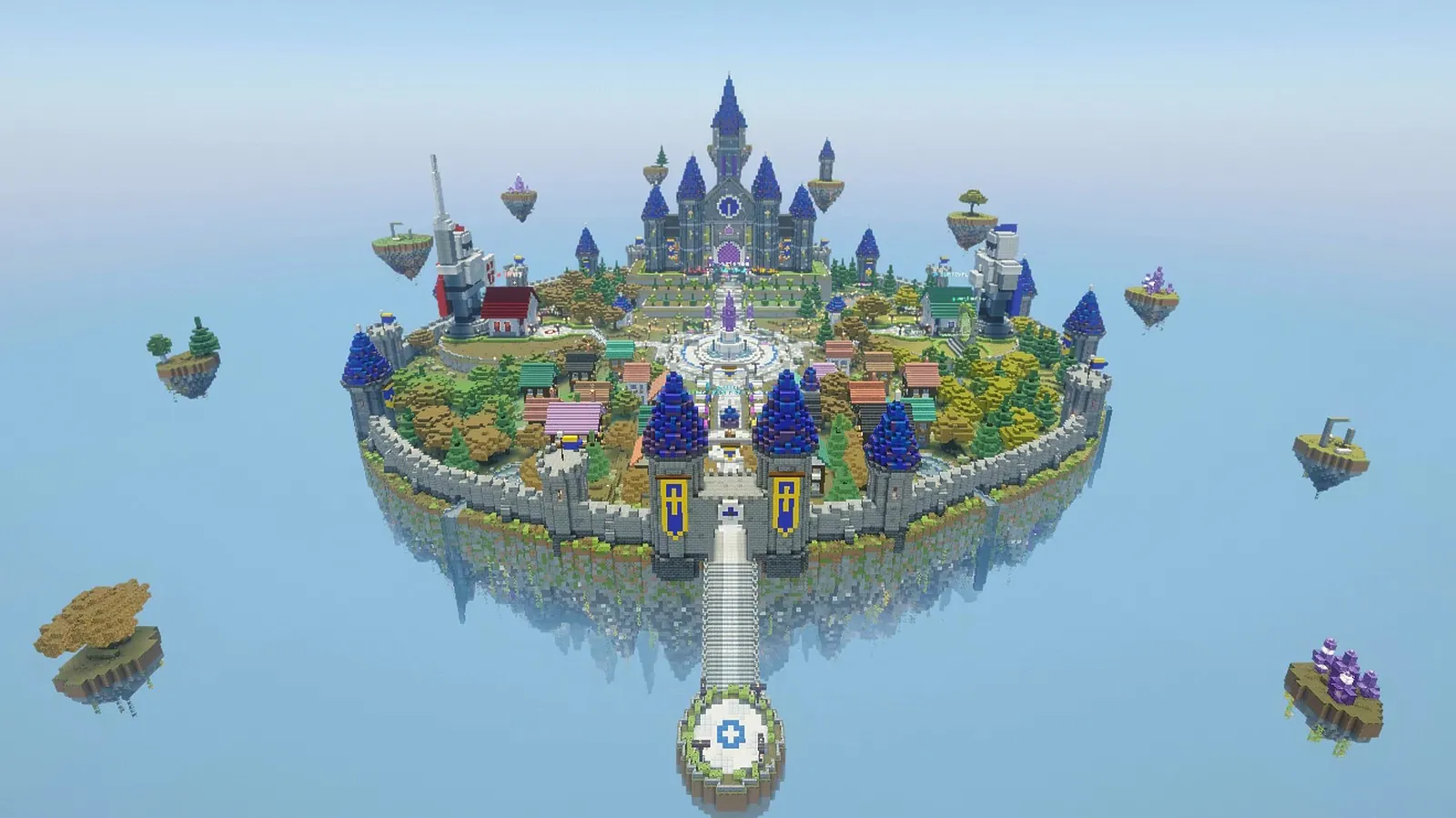 The spawn island: whatever version you join with, everyone lands here.
Short answer: which Minecraft version joins Minestones?
Minestones is a Minecraft Java Edition server. It runs on 26.2, and every Java version from 1.20 up to the newest, 26.3, can connect. 1.20.1,
1.20.4, 1.21, 1.21.4, 1.21.11, 26.1, 26.2 or 26.3 all work, with the same address: play.minestones.net.
- Versions older than 1.20 (1.19, 1.18, 1.16…) can't join. If you try, the server sends you back with "This server supports Minecraft 1.20 and newer. Please update your game."
- Bedrock Edition (phone, console, the Microsoft Store version) is not supported.
- Our advice: if you have the choice, join with the newest version (26.3). The reasons are below.
Minecraft version numbers: 1.20, 1.21 and 26.x
For years Minecraft Java was numbered "1.x": 1.16, 1.18, 1.20, 1.21… A big update raised the second number and small fixes the third (1.21 → 1.21.4). The 1.21 series ran long and reached 1.21.11. After that Mojang switched to year-based numbers: the 2026 releases are 26.1, 26.2, 26.3 and so on (26.3, "Wilderness Bound", came out on 15 September 2026).
Not sure which version you're on? It's shown in the bottom-left corner of Minecraft's main menu, and in game the top line of the F3 screen shows it too.
Because the numbering changed, a server you find while searching for "1.21 servers" may well be running 26.x. What matters is not the server's version but whether it accepts yours.
How do servers accept different versions?
A Minecraft client normally talks only to a server of its own version, because every version sends its network packets a little differently. Most servers solve this with two plugins, ViaVersion and ViaBackwards:
- ViaVersion lets clients newer than the server join.
- ViaBackwards lets clients older than the server join. It turns the new blocks, items and entities the server sends into the closest thing the older client knows.
On Minestones both plugins run on the game and lobby servers. The floor is 1.20: translating anything older would be a lot of work and would break too much of what the game shows.
What changes if you join with an older version?
Translation carries almost everything, but some features simply don't exist on older clients. ViaBackwards drops them or swaps in the nearest equivalent. On Minestones these are the places you might notice:
1.20.0 – 1.20.4: big units may look normal-sized
In battle mode some units (Guards, Age Lords, stronger tiers) are drawn larger than normal. Minecraft's scale attribute does that,
and it arrived in 1.20.5. On a 1.20.0–1.20.4 client those units may look normal-sized. The game itself is unchanged: health, damage and
who wins are the same, only the picture stays small.
Before 1.21.9: Arena PvP opponents may look different
In Arena PvP (/pvp) you fight another player's ghost: a figure that wears that player's look. It uses Minecraft's Mannequin entity,
which arrived in 1.21.9. On an older client the ghost may look different. The rules of the fight are the same.
New blocks and items
Blocks and items added in 26.x show up on older clients as their "closest older equivalent". You might spot this on someone else's build in survival or on an item in the auction house.
Resource pack
When you join you are offered a small, optional resource pack: it draws the badges in the tab list and name tags as pixel icons. You don't have to accept it; if you decline, the badges show as symbols and the game carries on as normal.
How to choose a Minecraft version in your launcher
The official Minecraft Launcher
- Open the Installations tab.
- Click New installation and give it a name.
- Pick a version from the Version list. For the newest, "Latest release" is enough.
- Save, then choose that installation in the list next to Play and start the game.
TLauncher, SKLauncher and similar
These launchers show the version list on the main screen, usually next to the start button. Pick the version; the first time the files download, then the game starts. Minestones also accepts non-premium accounts, so TLauncher and SKLauncher work. See Minecraft server for TLauncher for the details.
OptiFine, Sodium and mods
Visual and performance mods are usually fine. A modded installation follows the same version rule: 1.20 or newer. Hacked clients, x-ray and macros are against the rules, and the server runs anti-cheat.
Why we recommend the newest version
You can play on an older version, but the newest one has a few real advantages:
- You see everything as designed. Big units, Arena ghosts and new blocks look the way they were made.
- No translation. You speak the server's own language; with no translation layer in between, odd visuals or surprises are least likely.
- Fixes. Mojang's latest bug and security fixes are in the newest release.
If your computer struggles with the newest version, 1.20.5 or a 1.21.x release is a sensible choice; almost everything looks the same.
How to join, step by step
- Start Minecraft Java Edition on 1.20 or newer.
- Click Multiplayer → Add Server and enter
play.minestones.net. - Join. You land in the lobby first: the first time type
/register <password> <password>, after that/login <password>. - Use the compass or the lobby gate to go to MS Survival.
The full walkthrough: How to join · About the server: Minestones, a Turkish Minecraft server.
FAQ
Can I join Minestones with 1.21? Yes. Every 1.21 release (1.21.1, 1.21.4, 1.21.11…) can connect. The only difference is that before 1.21.9 Arena PvP ghosts may look different.
Can I join with 1.19 or older? No. The minimum is 1.20. If you try with an older version, the server sends you back with a message asking you to update your game.
Can I join from Bedrock (phone, console)? No, Minestones is Java Edition only. Bedrock clients can't connect.
What happens when a version newer than 26.3 comes out? To accept a new client, the translation plugin on the server has to support that version. If you have trouble joining, check the FAQ or our Discord; meanwhile you can join with 26.3.
Picked your version? Then you're ready: open Minecraft, add play.minestones.net and see you on the spawn island.
Written by the Minestones team. We build the game, the servers and this website. About us →