

New: 1v1 battles, a new /ms menu and card openings
Battle mode now has 1v1 against real players: equal strength, your own deck, a 30-second preparation. Plus a new /ms menu, rarity-coloured cards and animated card and potion openings. What changed and how to play?
Until now you always played battle mode against the AI. The request we heard most was "Can I 1v1 my friend?" Now you can. This update
brings 1v1 against real players to battle mode. On top of that the /ms menu was rebuilt, cards got new faces and opening a card
turned into a small show.
1v1 battles: a real opponent, equal strength
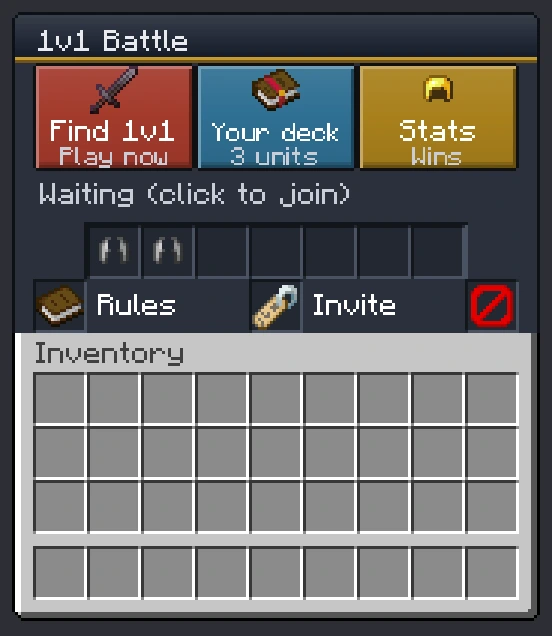
/ms 1v1: find an opponent, build your deck, check your stats.
Type /ms 1v1 or click 1v1 Battle on the Battle tab of the /ms menu. There are two ways in:
- Find opponent: everyone sees "Player is looking for a 1v1 battle [JOIN]" in the chat. The match starts the moment someone joins. No AI: your opponent is always a real player.
- Invite a friend:
/ms 1v1 challenge <player>. Your friend gets [ACCEPT] [DECLINE] buttons.
In a 1v1 strength is equal. Your cards, unit upgrades and age multiplier do not count, so a player in a later age cannot win on level alone. The better plan wins.
Your deck: mixed from the ages you opened
A deck is three units and a castle. For each slot you may pick a unit from any age you have opened: the Stone Age zombie in slot 1, the Nether blaze in slot 2, a heavy unit from another age in slot 3. Units of the same slot are equally strong for their food; they differ in style: speed, range, area damage. The castle choice is only its look.
The player who starts the match (the one waiting or inviting) also picks which age's arena it is played in. Build your deck ahead
with /ms 1v1 deck, or change it during the preparation. The more ages you open, the more choice you have.
A 30-second preparation: food, castle or potions?
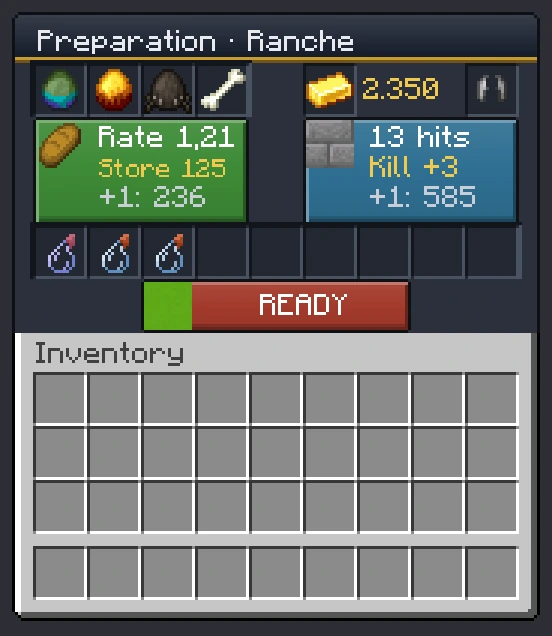 Preparation: your deck and gold on top, food and castle in the middle, potions and READY below.
Once paired, you both move to the arena and a 30-second preparation starts with 3,000 gold. Spend it three ways:
- Food: food fills faster and your food storage grows. A full storage wastes food, so saving up and waiting does not pay. The way of steady pressure.
- Castle: your castle starts at 10 hits and grows more with every level. It also adds +10% to your food speed and gives food for every enemy unit you kill, and that reward multiplies with each level too. The way of holding on, growing and striking back.
- Potions: take up to three of the potions you opened in battle mode (500 gold each). Picked the wrong one? Click to give it back.
When you both press READY, or the time is up, the countdown starts. The menu shows whether your opponent is ready.
The match and the result
The match runs at a fixed 2x speed for at most 8 minutes. The first to destroy the other castle wins; if time runs out, the sounder castle wins. Every enemy unit you kill shows "+5 food" above your XP bar, and kills in a row add up ("+16 food ×4").
A 1v1 has no rewards; the win is all yours: wins, losses and your streak are in /ms 1v1 stats. The winner is announced in the
chat. The [Rematch] button after the match challenges the same opponent again.
The 1v1 is a beta for now. We record every match to measure the balance; if a unit turns out too strong, we will fix it.
The new /ms menu
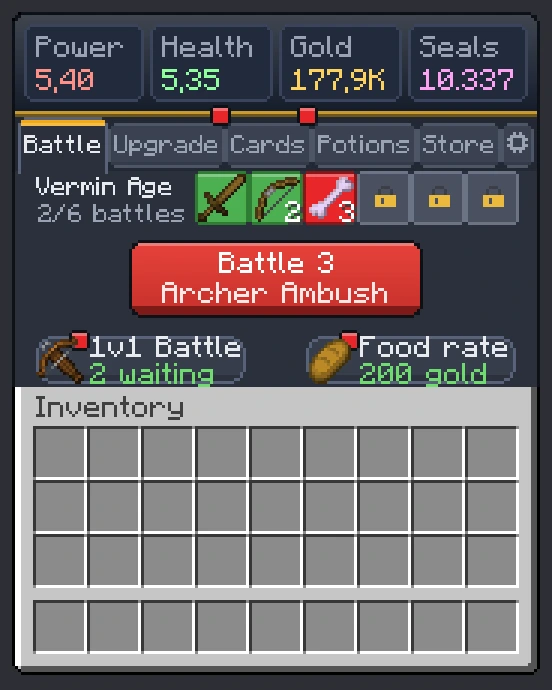 The Battle tab: your power, health, gold and Seals on top; 1v1 Battle and the recommended upgrade below.
/ms now opens with a fixed top band: Power, Health, Gold and Seals always stay in place. Below are the tabs: Battle · Upgrade
· Cards · Potions · Store · Settings. The band stays when you switch tabs, and a tab where you can do something gets a small red dot.
The Battle tab has the age's six battles, the big BATTLE button, 1v1 Battle and the recommended upgrade. Your daily reward is
now /ms daily.
Cards and animated openings
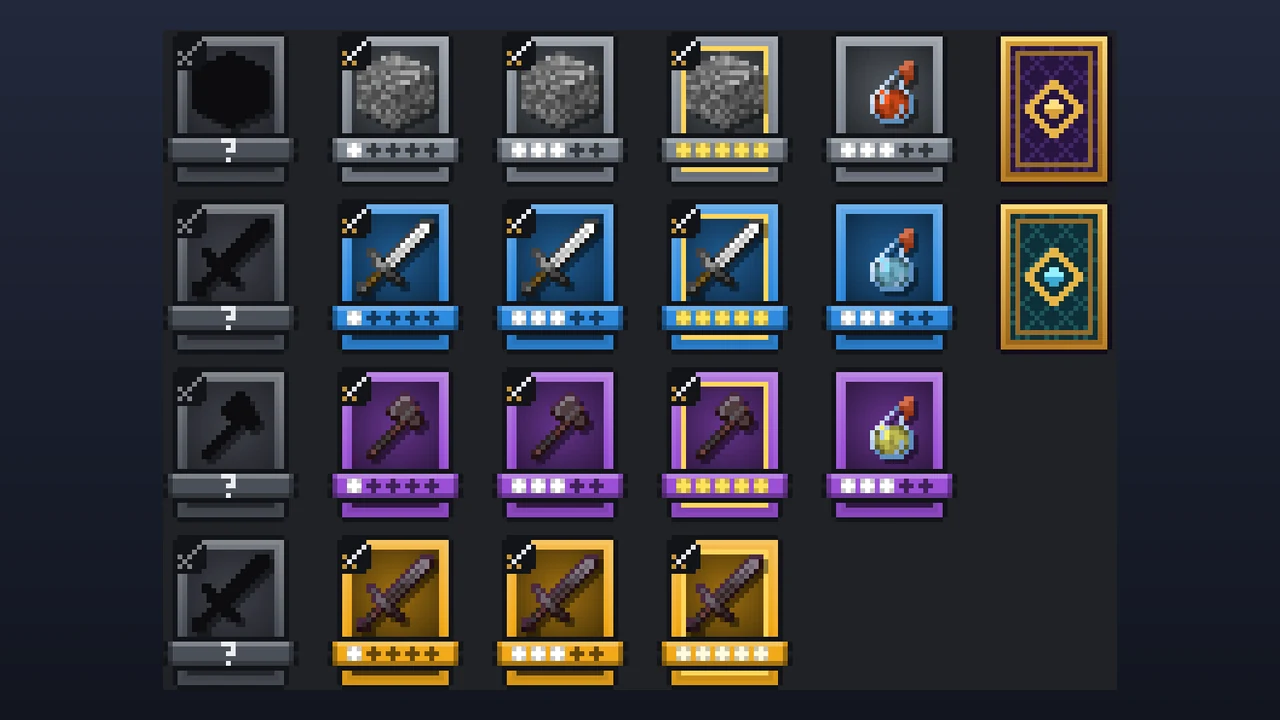 Common grey, Rare blue, Epic purple, Legendary gold. Cards you have not found yet show as shadows.
Every card has its own face. The frame colour tells its rarity; below it are its level and how many copies the next level needs ("6/10"). When you draw a card or a potion the menu closes and the card turns over right in front of you. A 10-draw fans the cards out. The rarer the card, the bigger the show. Do not want to wait? Sneak (Shift) to skip.
The Compass, /leave and Arena Point
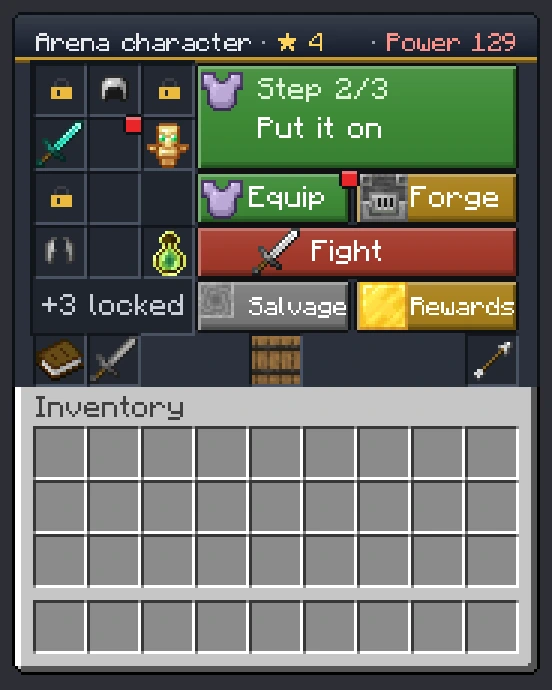 Arena PvP: the big green button tells the next step.
- Compass: in the rightmost box of your inventory. Right click: Survival, Battle, Arena PvP, Crates, Market, Quests and more in one click.
/leave: gets you out of a match, an Arena fight or Classic PvP, wherever you are.- Arena Point: the PvP stations are at the south tip of spawn. Just type
/warp pvp.
Accept the Minestones resource pack offered when you join to see the new menu look and the card faces. Without it everything still works in its plain form.
Try it now
/ms 1v1: the 1v1 menu. Find an opponent, or invite a friend with/ms 1v1 challenge <player>./ms 1v1 deck: pick your three units, your castle and your arena./ms: the new menu. Draw a card on the Cards tab and watch it open./ms 1v1 stats: your wins and streak.
Server address: play.minestones.net. Tell us what you think of the 1v1 on Discord.
Written by the Minestones team. We build the game, the servers and this website. About us →